

What makes the best-looking availability calendar widget for a vacation rental website?
The best-looking availability calendar widget is the one guests cannot tell apart from the rest of your website. It uses your colors, matches your website's light or dark theme, adapts to phones, speaks the guest's language, and carries no loud third-party branding. Looks are not decoration here - a calendar that feels native keeps guests on the page long enough to check dates and book.
The 6 design criteria that actually matter
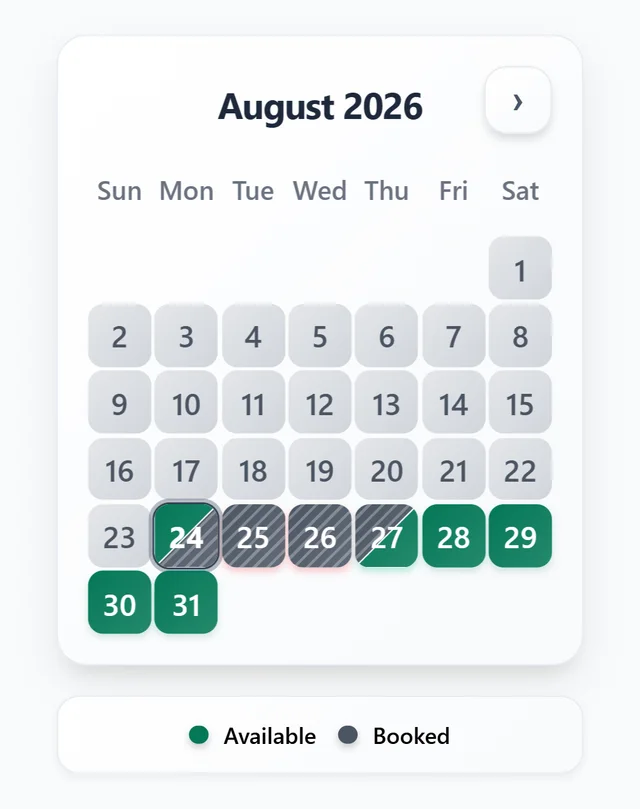
When hosts compare calendar widgets, screenshots can be misleading - every tool looks fine on its own demo page. What decides whether a widget looks good on your website is how much of its appearance you control. Judge any availability or booking widget against these six criteria:
- Color control: can you match available, booked, and closed dates to your site palette?
- Background control: can the widget surface match your page background, including custom hex values?
- Theme behavior: does it offer light, dark, and auto modes that match the website they are embedded on?
- Branding: can you remove the vendor's name so the calendar reads as yours?
- Responsiveness: does the layout adapt cleanly to phones without hiding information?
- Language: can the widget display in your guests' languages?
The squint test
Open your website with the widget embedded and squint. If the calendar block jumps out as a different product - different background, clashing accent color, someone else's logo - guests notice it too.
How RentalBeam covers each criterion
RentalBeam's availability calendar widget is built to read as part of your own website rather than a third-party embed, and the customization surface is plan-accurate:
- Every plan: light, dark, and auto themes, responsive multi-month layouts, and 25 display languages.
- Every plan: viewer-local timezone display, so dates read correctly for the guest looking at them.
- Plus and Pro: custom colors for available, booked, and closed dates plus a custom widget background.
- Plus and Pro: your own labels and colors for managed date ranges (owner stays, maintenance, seasonal closures).
- Plus and Pro: full RentalBeam branding removal.
- Pro: the booking form widget and guest-facing booking emails carry your brand accent color from one shared appearance setting.
That last point is easy to overlook when comparing tools: a widget that looks great on the page but sends generic vendor-styled emails breaks the illusion at the exact moment a guest commits. On Pro, the accent color you pick flows from the booking form through to booking confirmations and payment receipts.
Match the widget to your site in 4 steps
- 1
Create your calendar and preview it instantly
Paste an iCal URL from Airbnb, VRBO, Booking.com, or any other source and RentalBeam renders a live preview immediately. Setup takes about 2 minutes.
- 2
Pick your theme behavior
Choose light, dark, or auto. Auto matches the website it is embedded on - your calendar switches with the rest of the page instead of glowing white on a dark layout.
- 3
Set your colors (Plus and Pro)
Match available, booked, and closed dates to your site palette and set the widget background to your page background. If you manage your own blocked ranges, give them labels and colors that mean something to you and your guests.
- 4
Remove branding and embed
On Plus and Pro, turn off RentalBeam branding, then copy the embed snippet into WordPress, Wix, Squarespace, Webflow, or any site that accepts HTML. The result reads as your calendar on your website.
Start free, style later
You do not have to decide on day one. The Free plan gets a live synced calendar onto your site; custom colors and branding removal are an upgrade away once the basics are working. See plan pricing for what each tier includes.