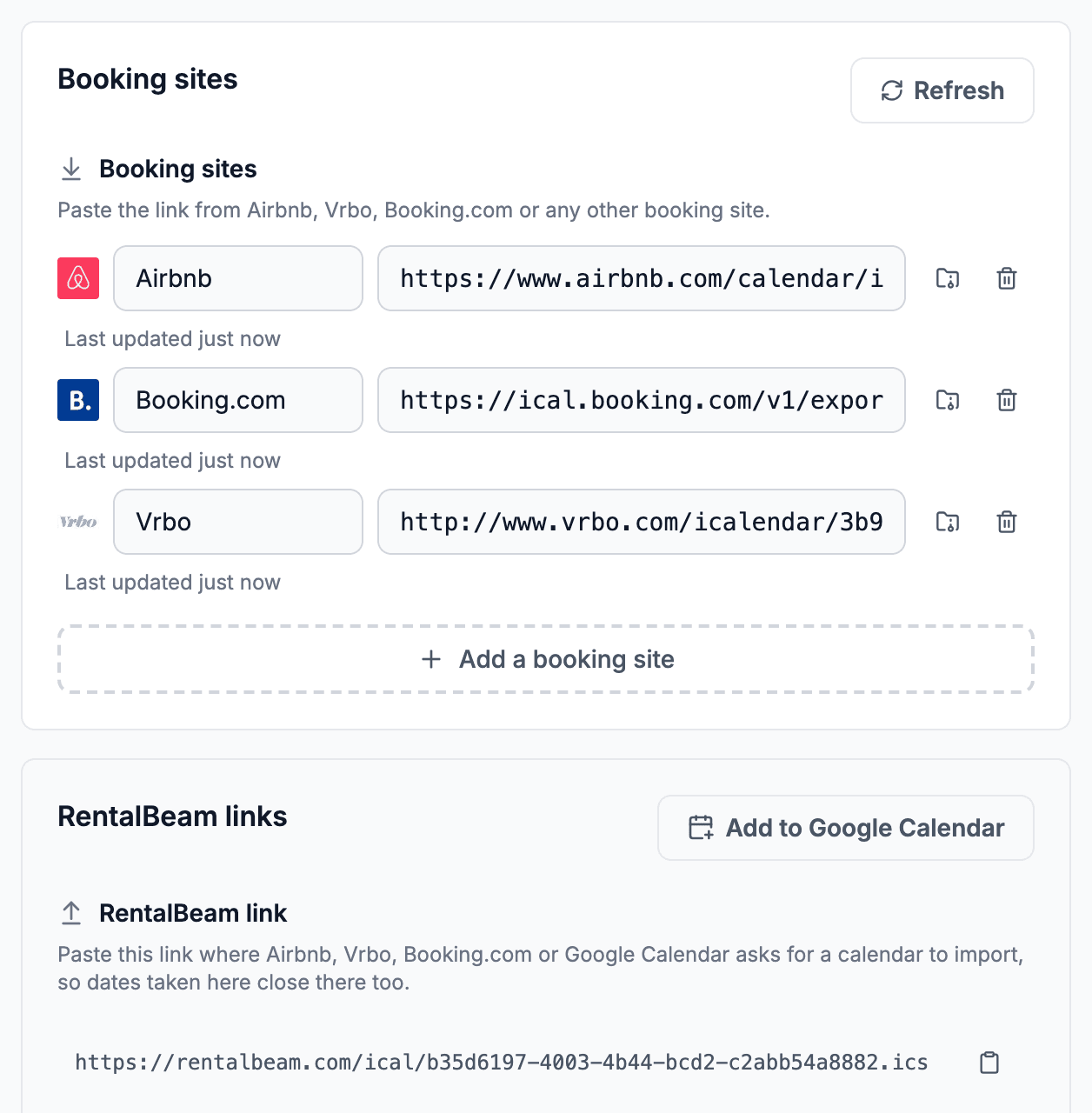
Works with familiar booking platforms
Keep Airbnb, VRBO, and Booking.com in the mix while RentalBeam handles your website flow.
Ski chalet and mountain hosts
Publish synced chalet availability, collect direct booking requests for peak ski weeks, and take a deposit or full payment on Pro. Keep manual approval when a stay needs review.
Works alongside your stack
RentalBeam handles the host workflow while iCal feeds keep availability aligned. Stripe supports guest card payments and wallet options such as Apple Pay and Google Pay where available on Pro.
Works with familiar booking platforms
Keep Airbnb, VRBO, and Booking.com in the mix while RentalBeam handles your website flow.
Supports many major cards and wallets on Pro
Turn on guest payments when you are ready. Card brands and wallets such as Apple Pay and Google Pay appear where Stripe, device, browser, and region support them.
Secure card processing
Hosts use RentalBeam day to day. Stripe supports card processing and payouts underneath the same host workflow.
Third-party names and logos are used for identification only and remain the property of their respective owners.
Product facts
No invented uplift numbers - just the practical capabilities hosts need before they publish a direct booking path.
Why it fits
RentalBeam keeps the guest-facing website flow focused: accurate dates, the right request path, and payment only when that fits how you host.
Aggregate iCal feeds from Airbnb, VRBO, and Booking.com so peak-season chalet weeks stay aligned across every channel.
Capture high-intent guests on your own chalet site instead of paying OTA commission on your best weeks.
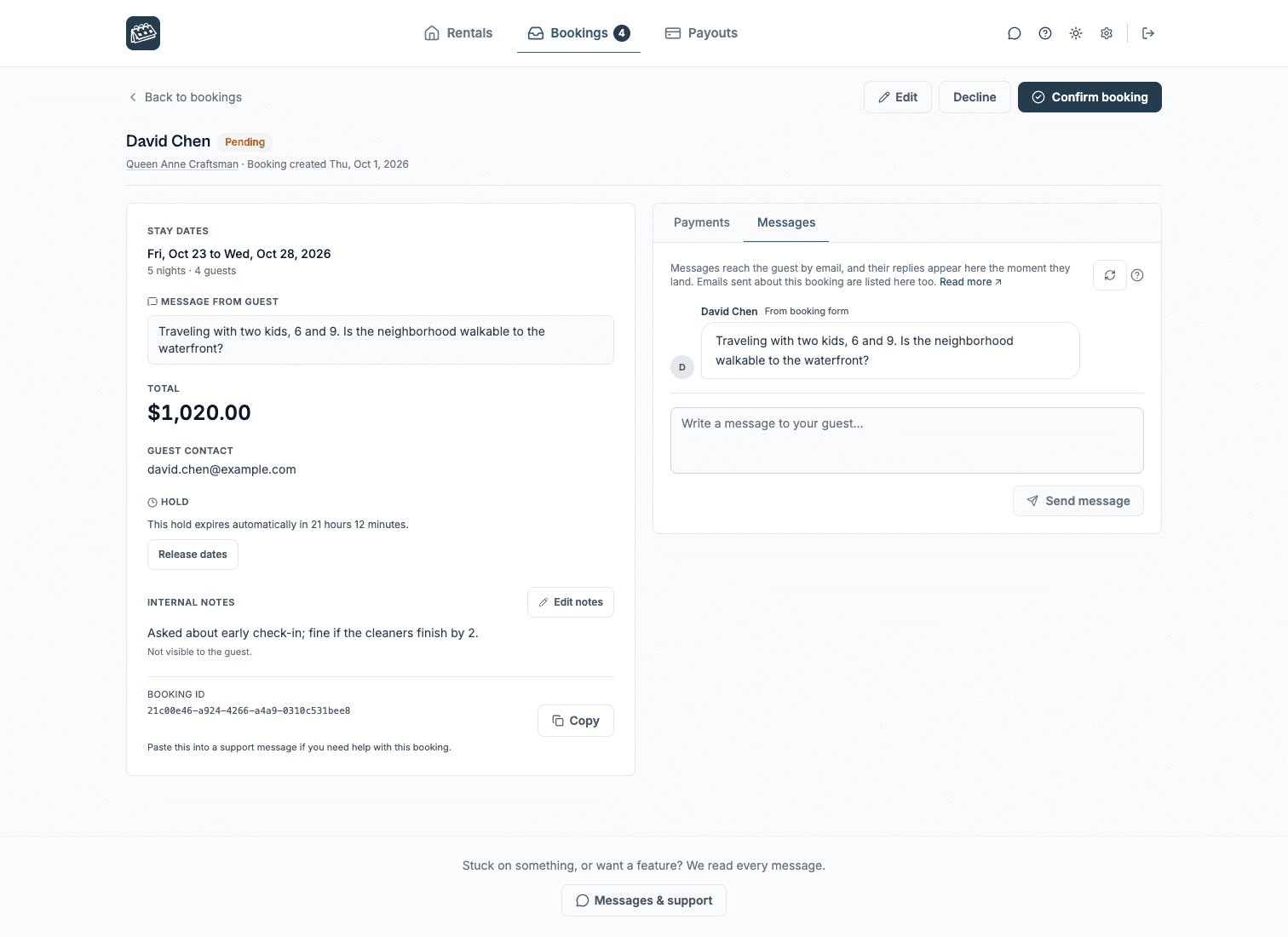
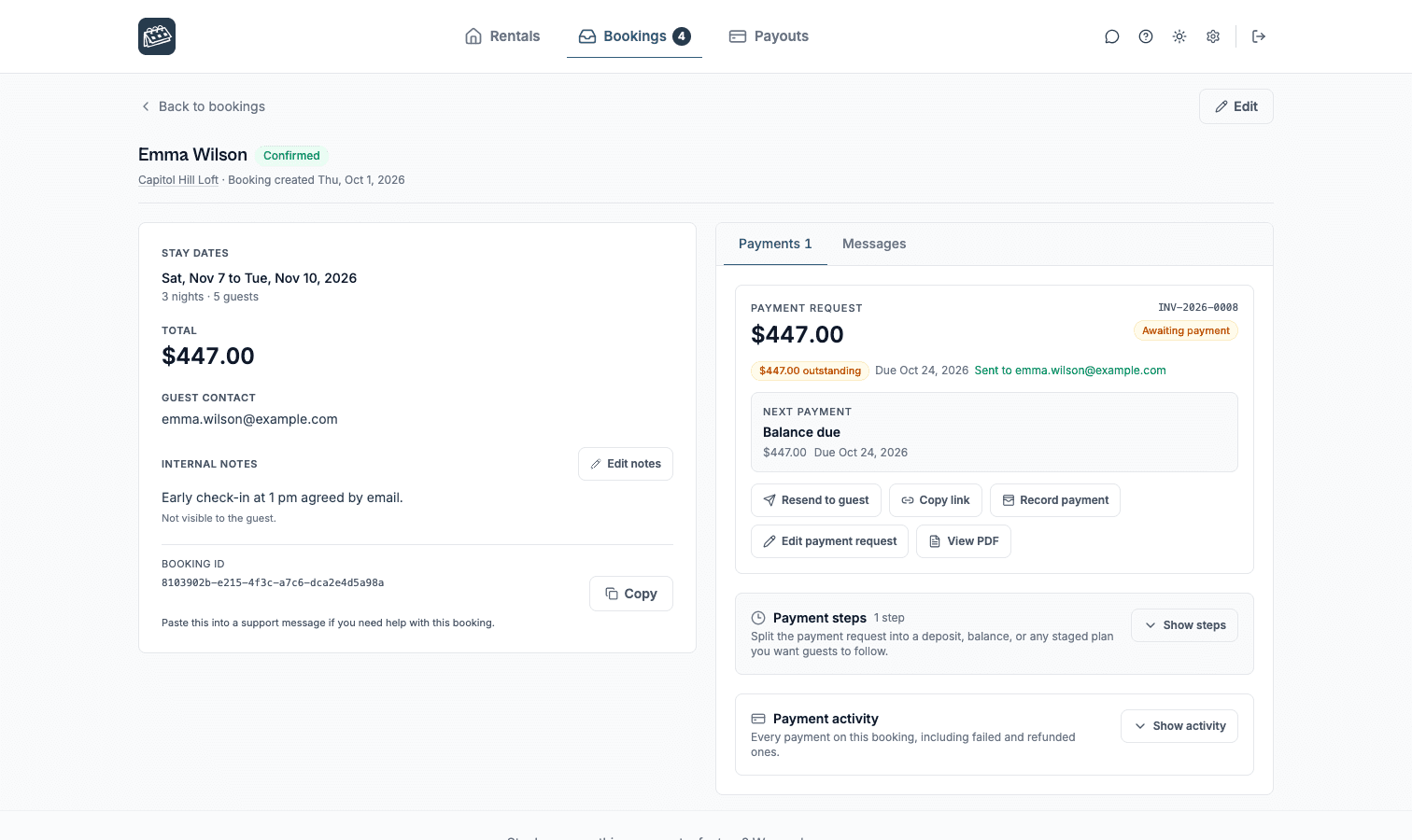
On Pro, approve the stay first, then send a secure payment request for a deposit or balance, or collect payment in the widget.
Use seasonal pricing, discount rules, and coupon codes on Pro to match ski-season demand.
Booking flows
RentalBeam does not force every property into one checkout model. Start inquiry-first, request payment after approval, or take payment in the widget when your pricing and payout setup are ready.
Lowest commitment
Hosts who want to screen, quote, or reply manually before anything is confirmed.
Guests send dates and details from your website. You review the request and reply with the next step.
Approval first
Hosts who want a clear booking request first, then a secure payment link after approval.
Guests request the stay, you approve it, then send a secure payment request for deposit, balance, or full payment.
Fastest checkout
Hosts with reliable pricing who want guests to complete card payment during the website flow.
Guests choose dates, review the total, and pay in the booking widget when Stripe-powered payments are enabled.
How to use it
Start with the piece that solves today's problem, then add the booking and payment layers when the guest journey is ready.
Availability first
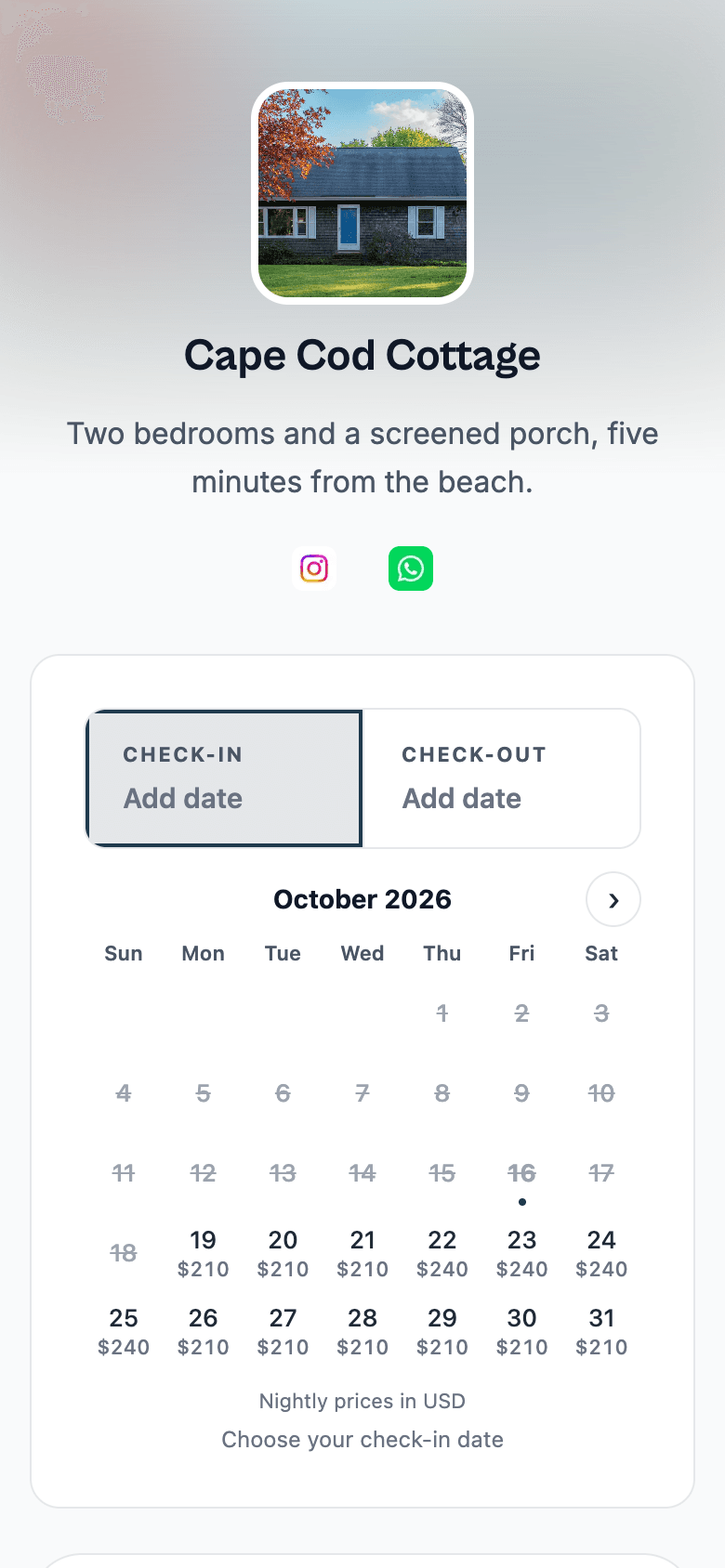
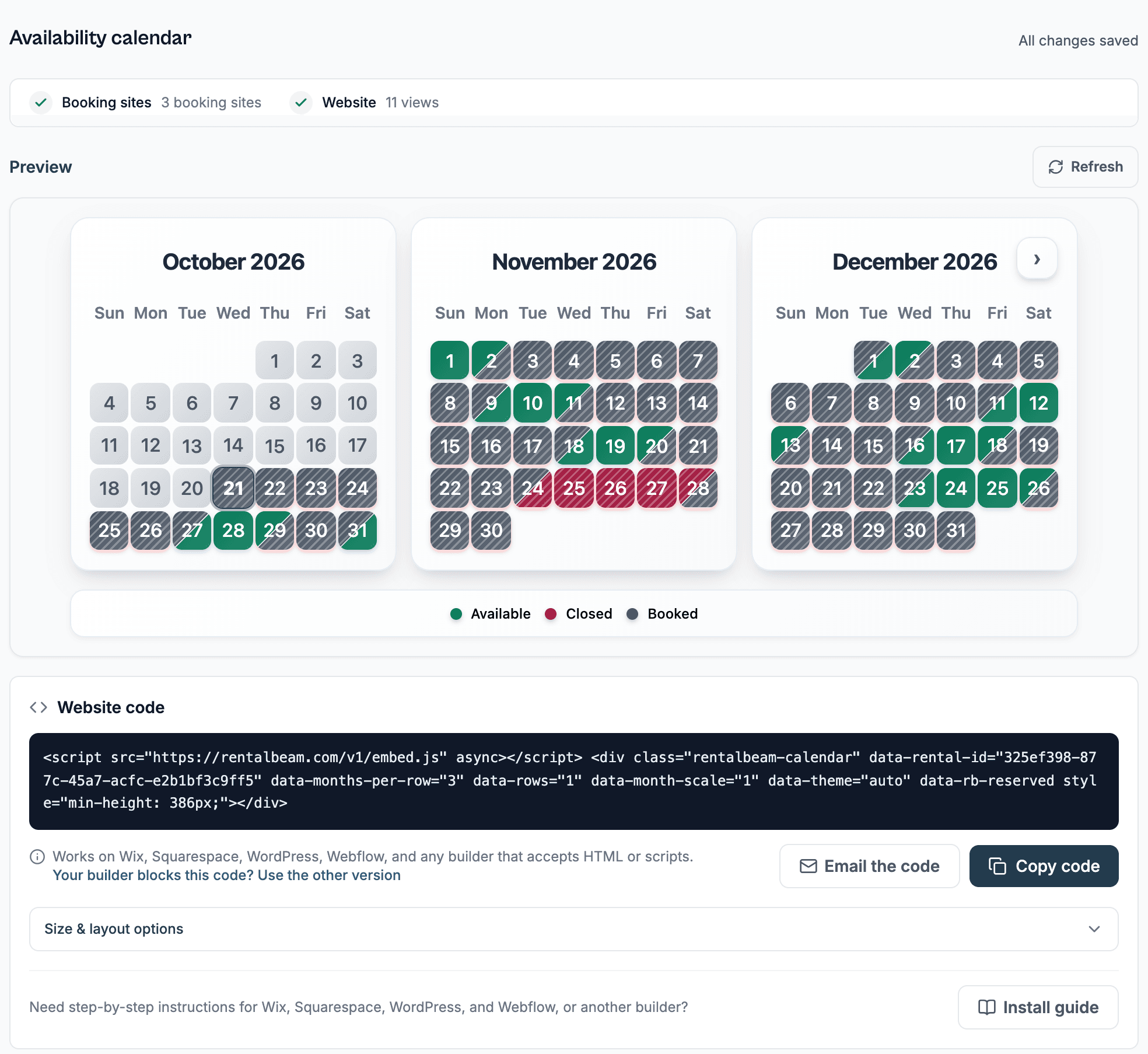
Start with the calendar widget so guests can see which ski weeks are open.
ExploreApproval path
Use request-now-bill-later on Pro to review a peak-week stay before asking the guest to pay.
ExplorePayments
Send a secure payment request after approval, or collect in the widget on Pro once pricing is set.
ExploreRelated solutions
Compare the same booking engine through nearby host types, then pick the page that matches your sales motion best.
Vacation rental hosts
Show synced availability from Airbnb, VRBO, and any iCal source on your website. Then, on Pro, give guests a booking form where they can inquire, get a payment link after you approve, or pay directly in the widget.
Bed-and-breakfast owners
Give guests a professional B&B booking path without adopting a full PMS. Use inquiry-first requests, send secure payment links after approval, or enable Stripe-powered guest payments on Pro when your pricing is ready.
Boutique and small hotels
Add a direct booking widget, live availability, and optional guest payments to your hotel website. RentalBeam handles the guest-facing booking path while your front-desk and operations tools stay separate.
Common questions for ski chalet and mountain hosts
Yes. RentalBeam Pro is sold publicly in two variants: Standard and Reduced card fee. Both variants include the exact same booking form widget, guest payment workflow, coupon codes, seasonal pricing, custom fields, and booking rules. The only difference is the card application fee on hosted guest card payments. The Reduced card fee variant removes the RentalBeam card application fee entirely, so hosts only pay standard Stripe card-processing fees when guests pay by card.
No. RentalBeam does not take a commission on your booking revenue on any plan. If you enable guest card payments on Standard Pro, a card application fee applies to each card payment amount - this is a card processing fee, not a commission on your booking. Reduced card fee Pro removes that card application fee, leaving only standard Stripe card-processing fees on card payments. Inquiry-only and pay-later flows have no per-transaction cost on either variant.
Yes. RentalBeam Pro includes coupon codes, percentage and fixed-amount discount rules, and seasonal pricing tiers. You can run promotional codes for repeat guests, configure off-season discounts, and combine them with custom fees and booking rules from the same booking form widget setup.
Yes. On Pro, every booking notification email includes a reply address linked to that booking. Reply in Gmail, Apple Mail, or any email app and your message goes to the guest. When they reply, it comes back to your inbox and is saved in the dashboard Messages tab. Your personal email address is never shared with the guest.
Yes. On Pro, use request-now-bill-later to approve a stay, then send a secure payment request for a deposit, balance, or full amount before the booking is confirmed.
Yes. Pro includes seasonal pricing rules, discount rules, and coupon codes so peak ski weeks and quieter periods can be priced separately.
Yes. RentalBeam imports iCal feeds and works alongside Airbnb, VRBO, and Booking.com so availability stays aligned across channels.
No. RentalBeam is a website-first option for independent chalet hosts who want synced availability and direct booking requests, with optional guest payments on Pro, instead of a full PMS.
Ski chalet and mountain hosts
RentalBeam helps ski chalet and mountain hosts show live availability on their own website with automatic iCal sync from Airbnb, VRBO, Booking.com, Google Calendar, and any other iCal-compatible source. The availability calendar is available on the Free plan, while Plus and Pro add more control over sources, managed dates, combined exports, custom colors, branding removal, and per-source sync health. On Pro, the same calendar becomes a real direct-booking surface with a booking form widget, coupon codes, seasonal pricing, configurable booking fees, custom guest fields, booking rules, and optional inline guest card payments through Stripe Connect.
RentalBeam is built to work alongside your OTA listings - not replace them. It is not a full PMS, not a channel manager, and not a website builder. It is the bridge between a simple website calendar and a calmer direct-booking flow.
Pro is sold publicly in two variants: RentalBeam Pro is sold publicly in two variants - Standard and Reduced card fee. Both unlock the same booking form widget, guest-payment workflow, coupon codes, seasonal pricing, custom fields, booking rules, host email tools, and reply-from-inbox guest messaging. RentalBeam takes no commission on your booking revenue on either variant. The only difference is the card application fee on hosted guest card payments: Standard includes a small RentalBeam card application fee on top of normal Stripe card processing, while Reduced card fee removes that RentalBeam fee so hosts only pay standard Stripe card-processing fees.. Both variants unlock the same booking form widget, guest-payment workflow, coupon codes, seasonal pricing, custom fields, booking rules, and host email tools. The only difference is whether RentalBeam takes a small application fee on hosted guest card payments. Direct bookings collected off-platform never incur a RentalBeam application fee on either variant.
Continue with the practical setup and strategy guides behind this solution.
Start with a free availability calendar, then add booking requests, secure pay-later links, payment PDFs, and optional guest card payments on Pro.