Apartment and aparthotel hosts

A booking widget for holiday apartments and aparthotels

Show each apartment's open dates on your own website, or all of them together. On Pro, guests pick dates first, then a free apartment with its photo and price.
Compare plans
Free availability calendar
Booking widget on Pro
Several rentals on Plus and Pro
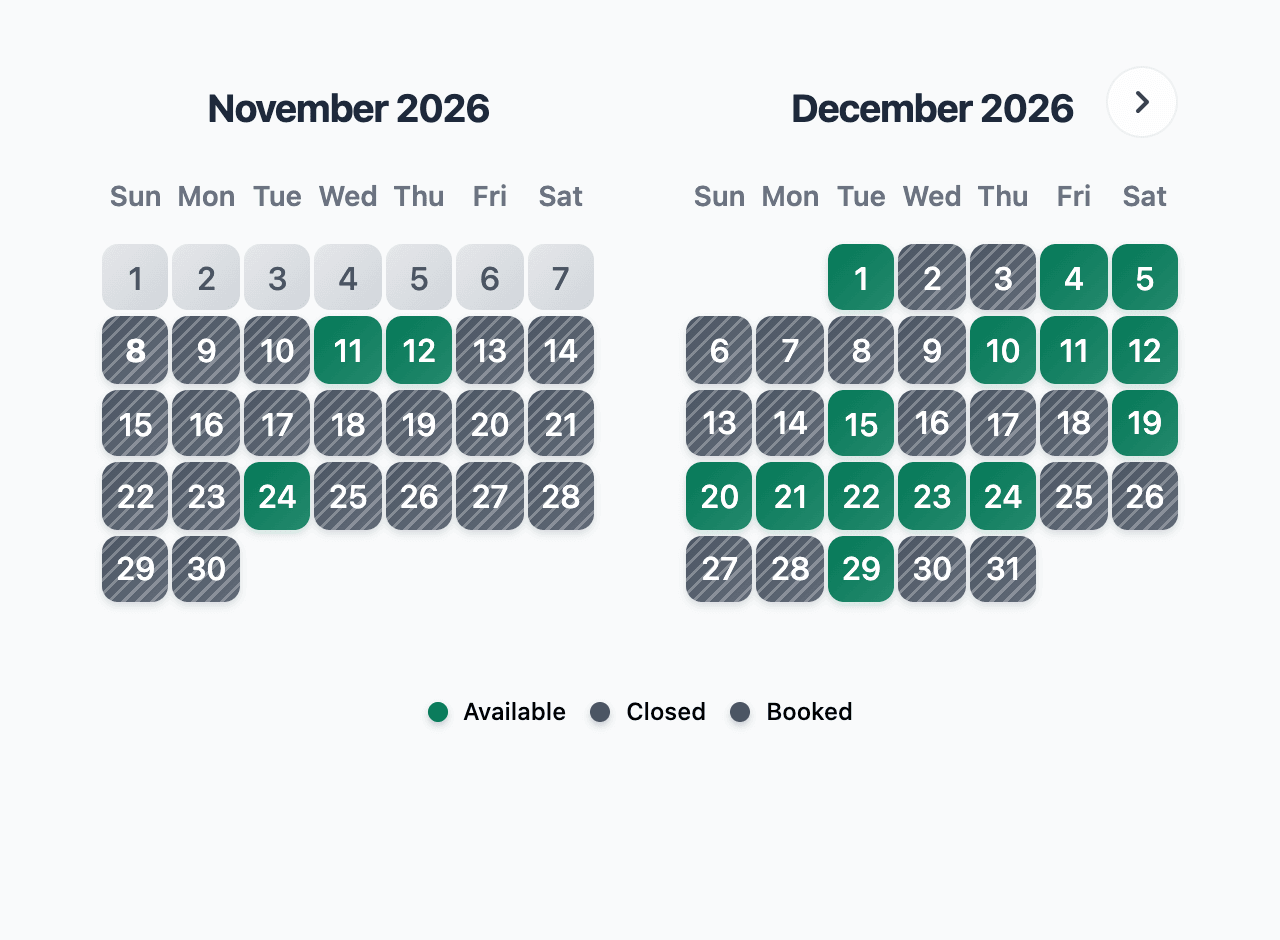
RentalBeam availability calendar showing two months, with open and booked dates

Every apartment, one widget. Guests pick dates, then one of the apartments that is free.

Each apartment has its own calendar

Import calendar links per apartment, so each one follows the sites it is listed on.

Show the whole building in one widget

Put your apartments in a collection and guests see them together. The collection booking form is on Pro, and collections on Plus and Pro.

Tight turnovers, set once

Add prep days after each stay for cleaning, and advance notice so nobody books for tonight. Both are on Plus and Pro.

See who is coming back

On Pro, your Guests list has one row per guest, repeat guests marked, with their next or last stay.

Booking sites
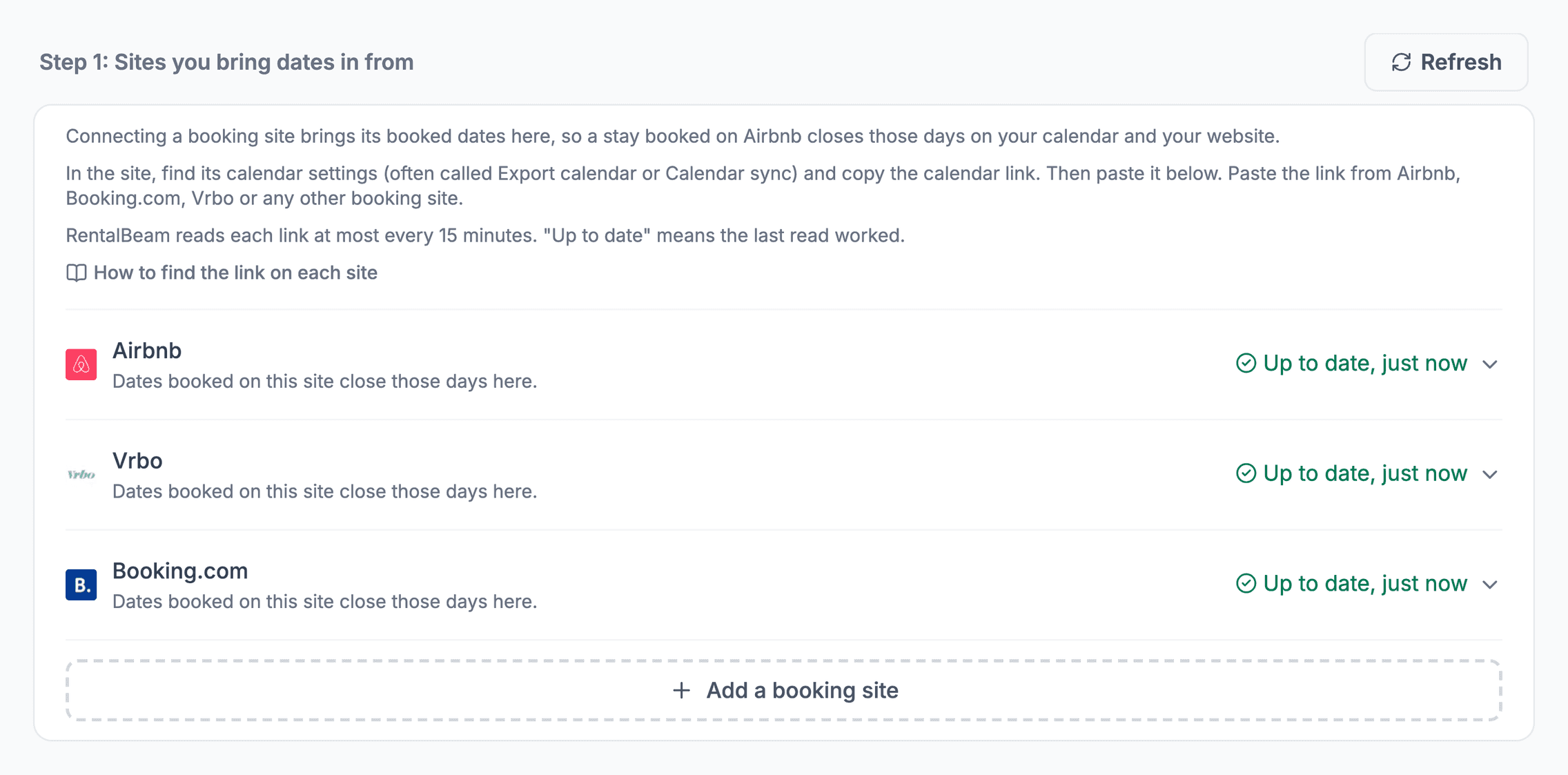
Paste the links once per apartment. Each apartment reads its own booking sites. Free reads one site; Plus and Pro read up to 10 per rental. Plus and Pro give back one combined link per apartment to paste into those sites.

A rental's Booking sites page: Airbnb, Vrbo and Booking.com, each up to date

Booking requests

Know who has stayed before. On Pro, each request shows the dates and the guest's answers. A guest who stayed before is marked in your Guests list.

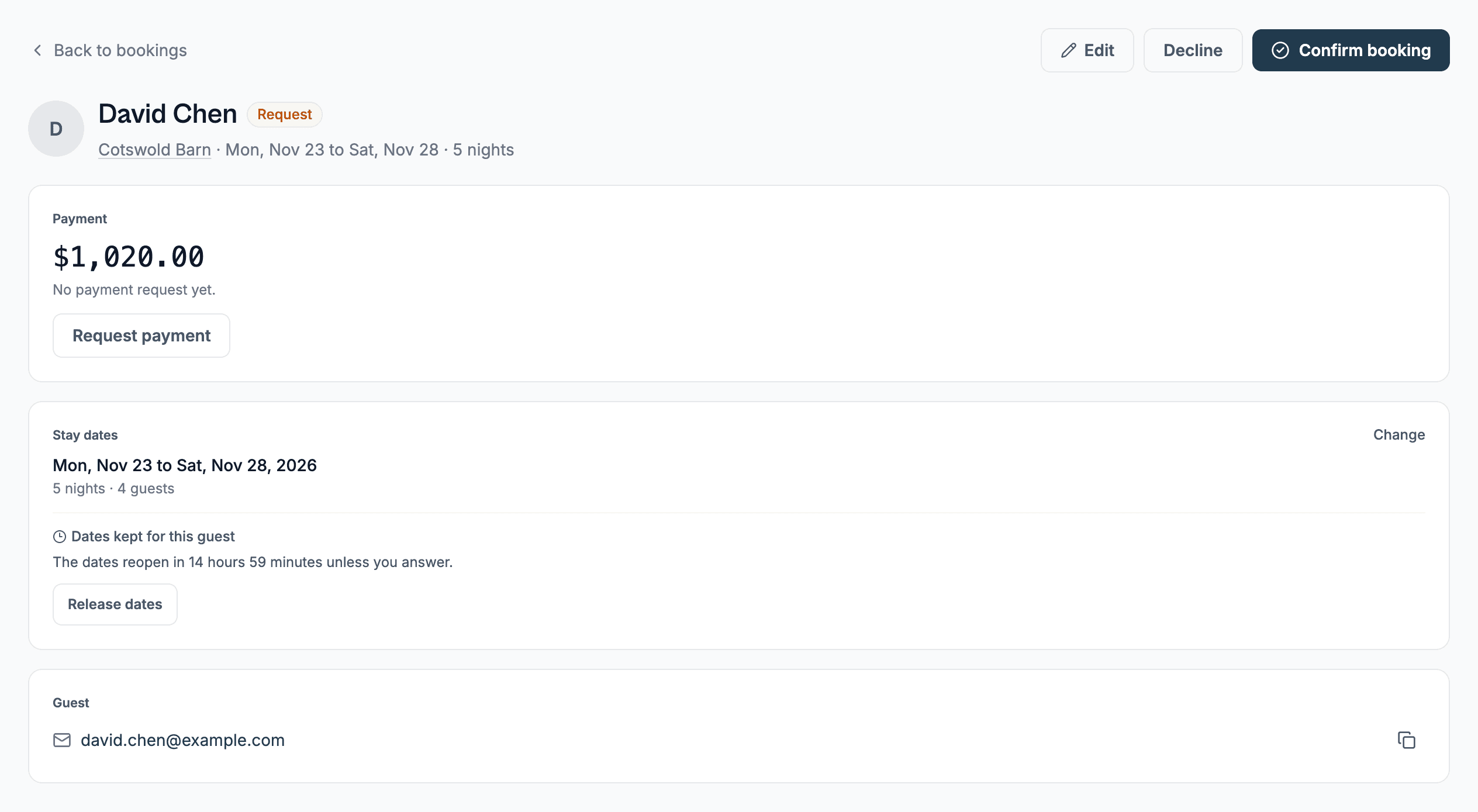
A booking request open in the dashboard, with the guest, dates and total, and Confirm booking and Decline buttons

The phone app

A request reaches your phone. See the dates and total, then confirm or decline. On iPhone and Android.

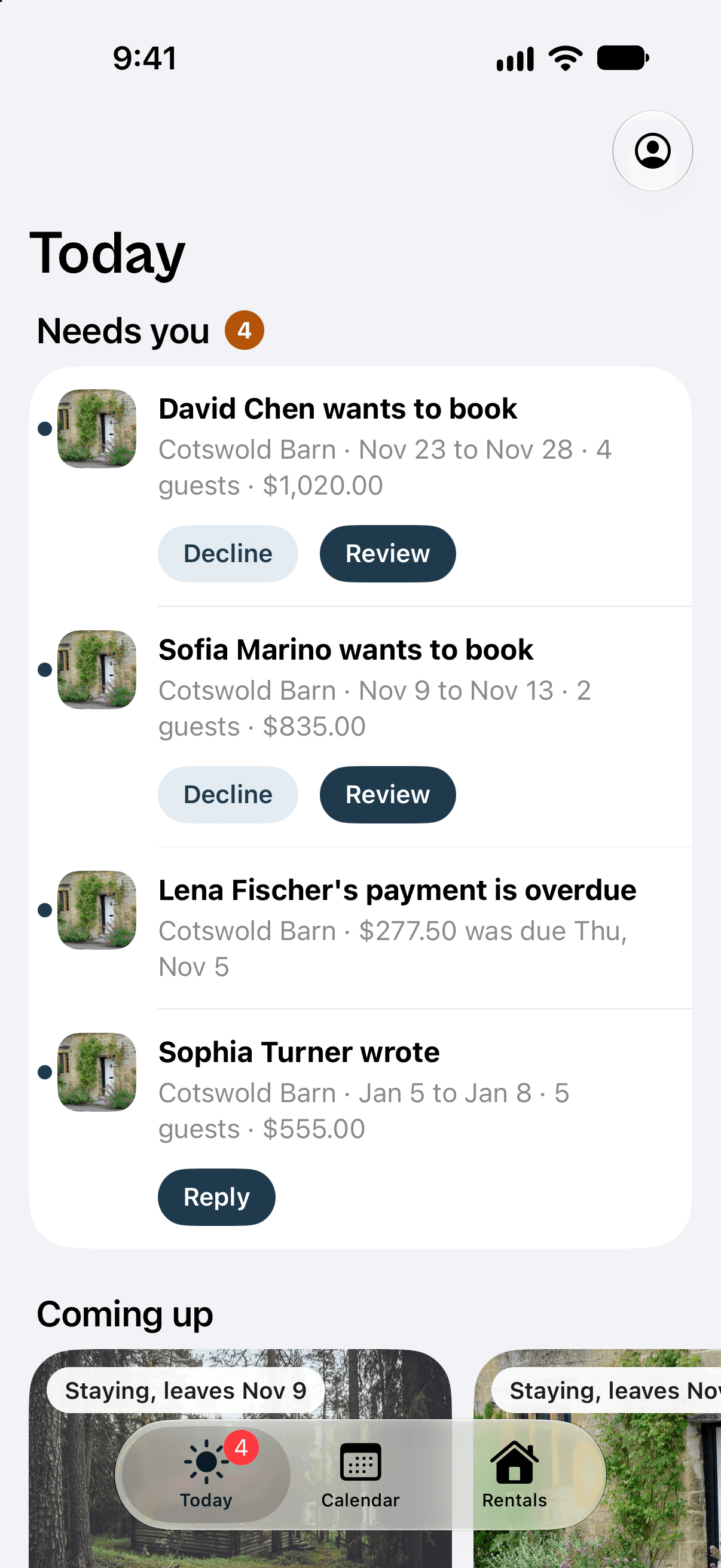
  • The RentalBeam app's Today screen on an iPhone: two booking requests waiting for an answer, a payment request to send and a message from a guest

    Today lists what waits for you: requests, payments to send and guest messages.
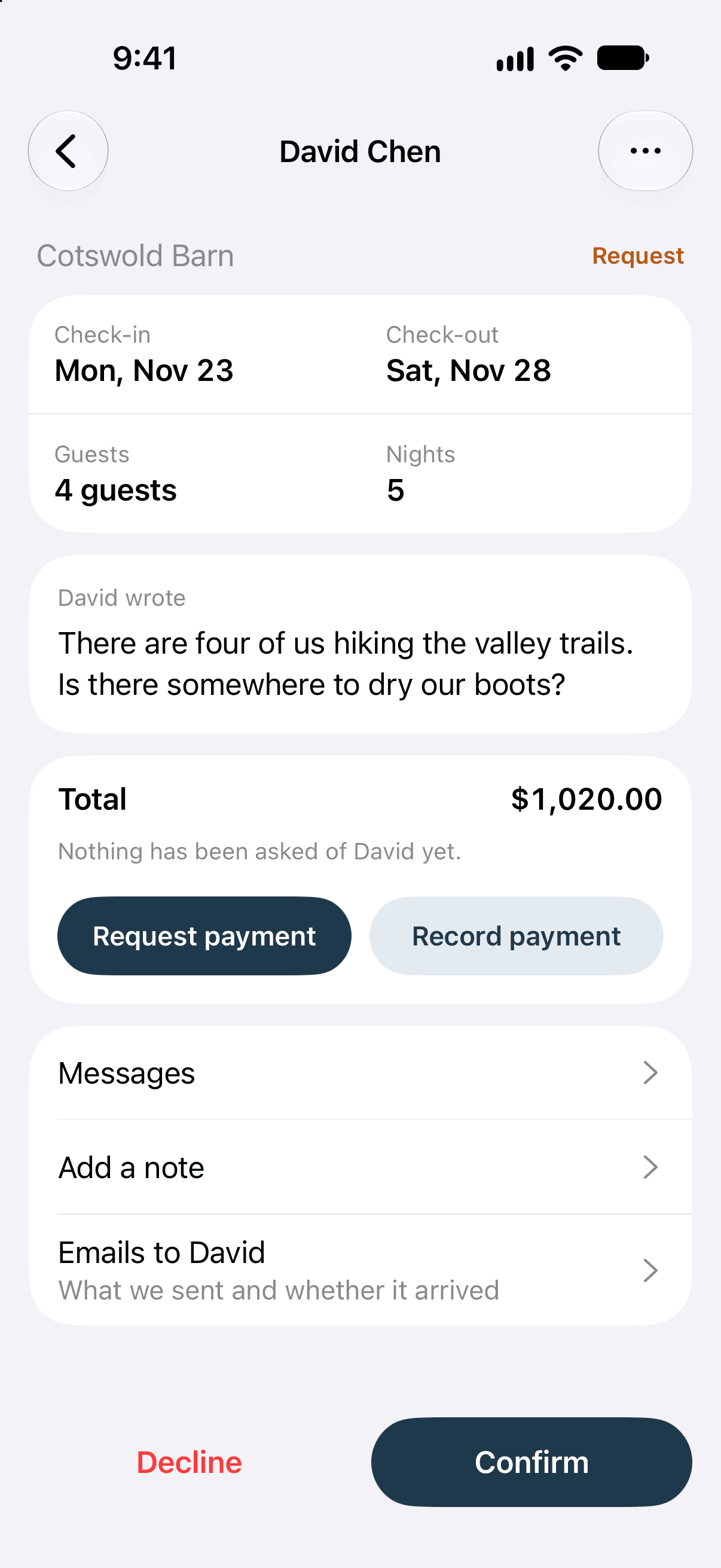
  • A booking request open in the RentalBeam app: the guest, the dates, the guests and nights, what the guest wrote and the total, with Decline and Confirm buttons

    Confirm a request, then share a payment link or record cash when it arrives.
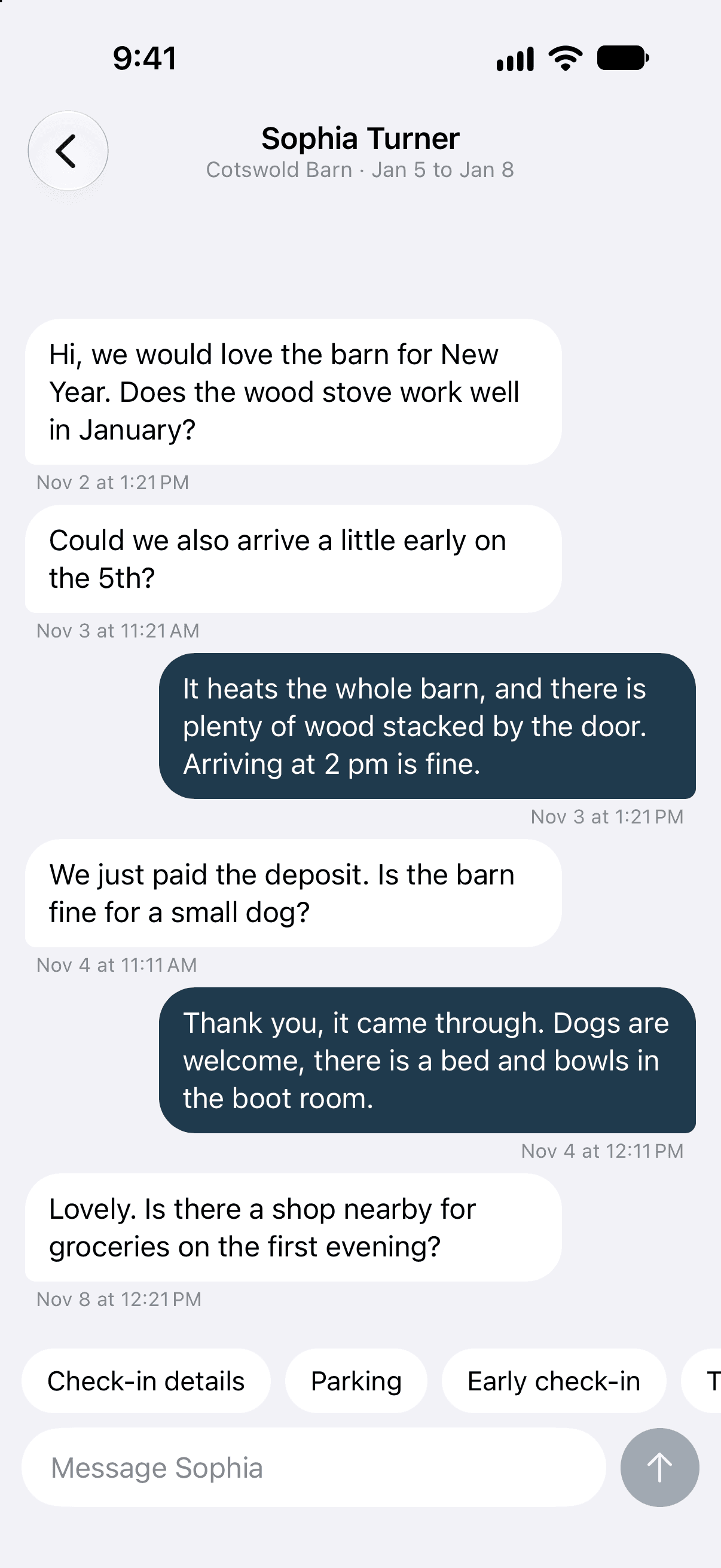
  • A conversation with a guest in the RentalBeam app: their messages, your reply, and saved replies above the message box

    Reply to guests by email, with saved replies above the keyboard.

Requests, replies and paymentsPro

  • Download on the App Store
  • Get it on Google Play

Apple, the Apple logo and App Store are trademarks of Apple Inc., registered in the U.S. and other countries. Google Play and the Google Play logo are trademarks of Google LLC.

Payments
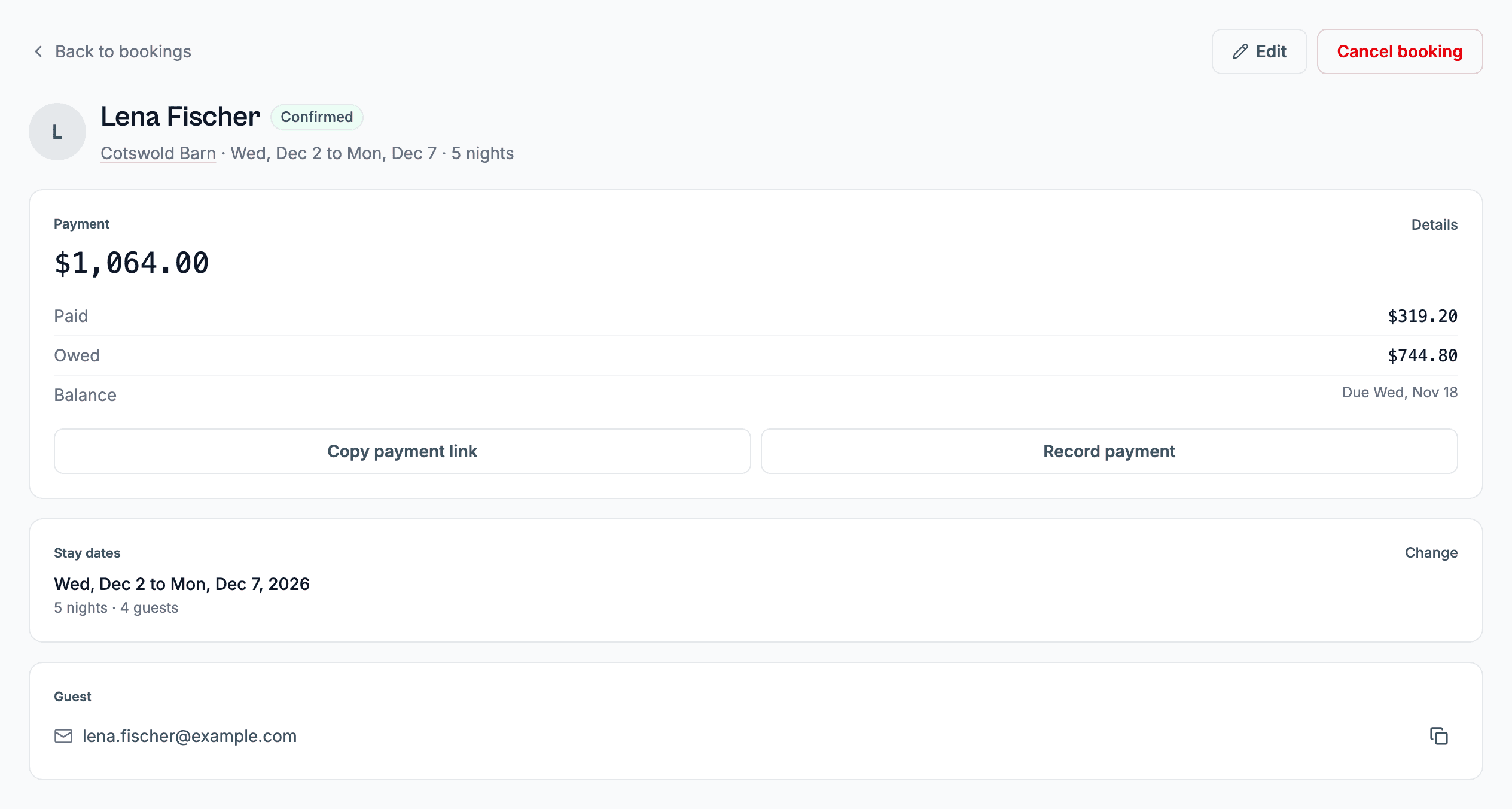
One payment request per stay. On Pro, each stay gets a payment request with a number from your own series, and the guest gets a receipt.

A booking's Payments pane in the dashboard: the payment request sent to the guest, its amount and status, and the secure link

Booking types

Choose how guests book. Choose how a guest books an apartment.

Inquiry

Guests send their dates and a message, and you reply before anything is confirmed.

Request to book

Guests send a request, you approve it, then you send a secure link for a deposit or the full amount.

Instant book

Guests see the total and pay by card in the booking form, through Stripe.

Link page
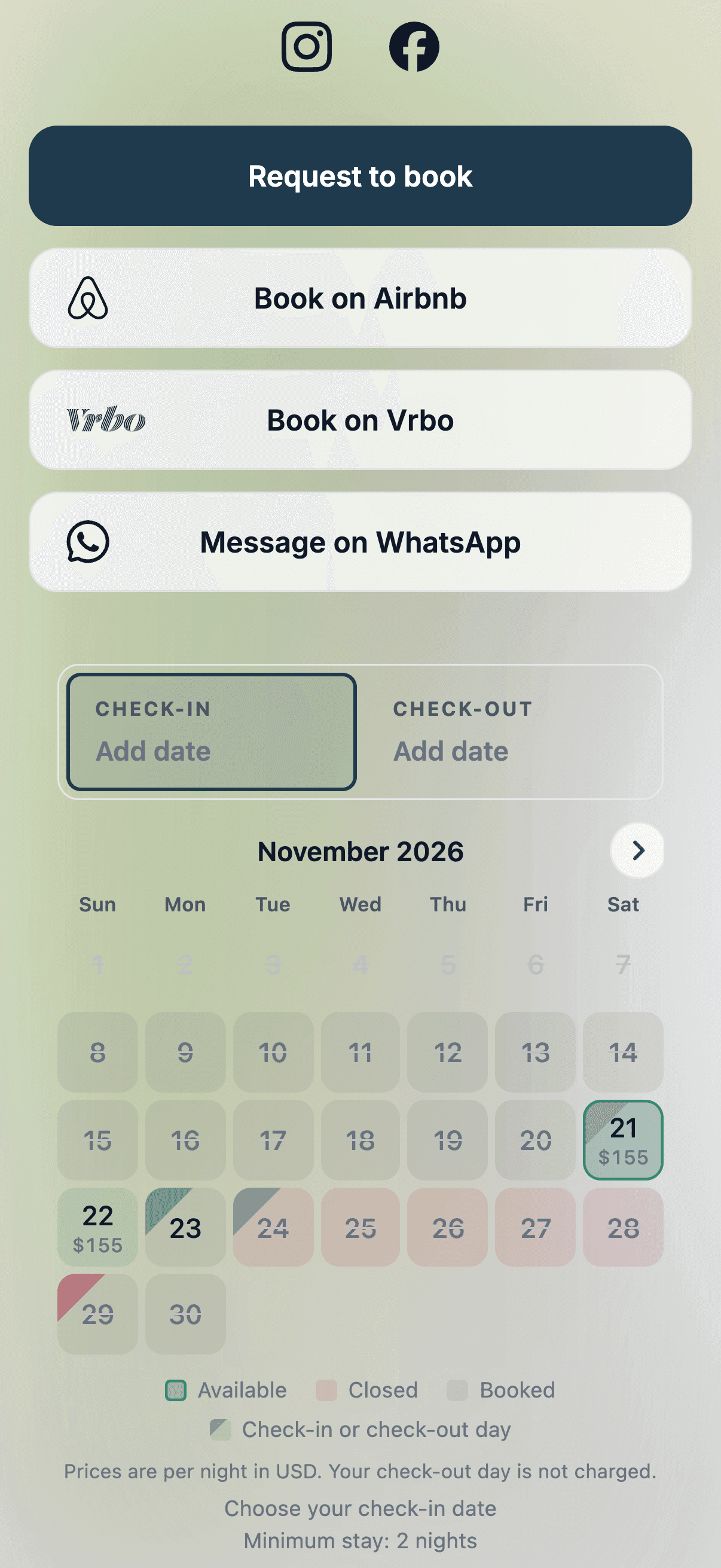
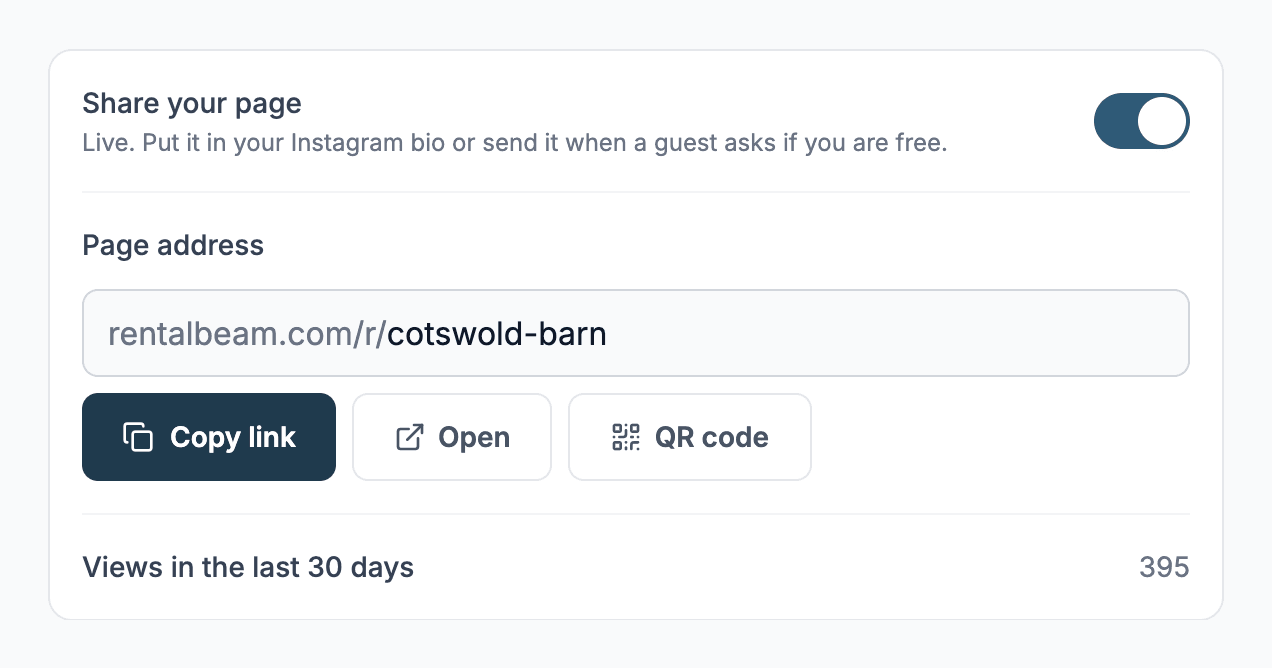
No website? Share one link. Every rental gets a link page with its photo, your words and your calendar to book from. Put it in your bio or send it to guests. It comes with every plan, and Plus and Pro can put several rentals on one page.

A rental's link page on a phone, in its photo's colors: the photo, name, Instagram and Facebook icons, a Request to book button over Airbnb, Vrbo and WhatsApp buttons, and the booking calendar with the price under each free day

Related guides. Step-by-step guides for setting up your calendar, booking form and payments.

Frequently asked questions. What apartment and aparthotel hosts ask about running several rentals.

Is RentalBeam apartment booking software?

It handles the guest side on your website: open dates, requests and payments. It is not a property management system, so door codes, cleaning rotas and accounting stay in your own tools.

How many apartments can I add?

Plus and Pro come for any number of rentals from 1 to 50, and you pay for exactly that number. Above 50 rentals, contact support for a quote.

Can two apartments share one calendar?

No. A calendar belongs to one apartment, and one booking at a time. In a building with identical apartments, list each as its own rental.

Can I keep my apartment on Airbnb and Booking.com?

Yes. Nothing changes on your listings. Their booked dates come in through the calendar links you paste, so your website follows them.

Free to start, live in about 2 minutes.

The availability calendar is free. Add booking requests, payment links and card payments on Pro.
Compare plans