RentalBeam

iCal Availability Calendars and Direct Booking for Vacation Rentals

Sync from Airbnb, VRBO, Booking.com, or any iCal source. Embed a live availability calendar on your website and accept direct bookings - zero commissions. Setup in 2 minutes.

See plans

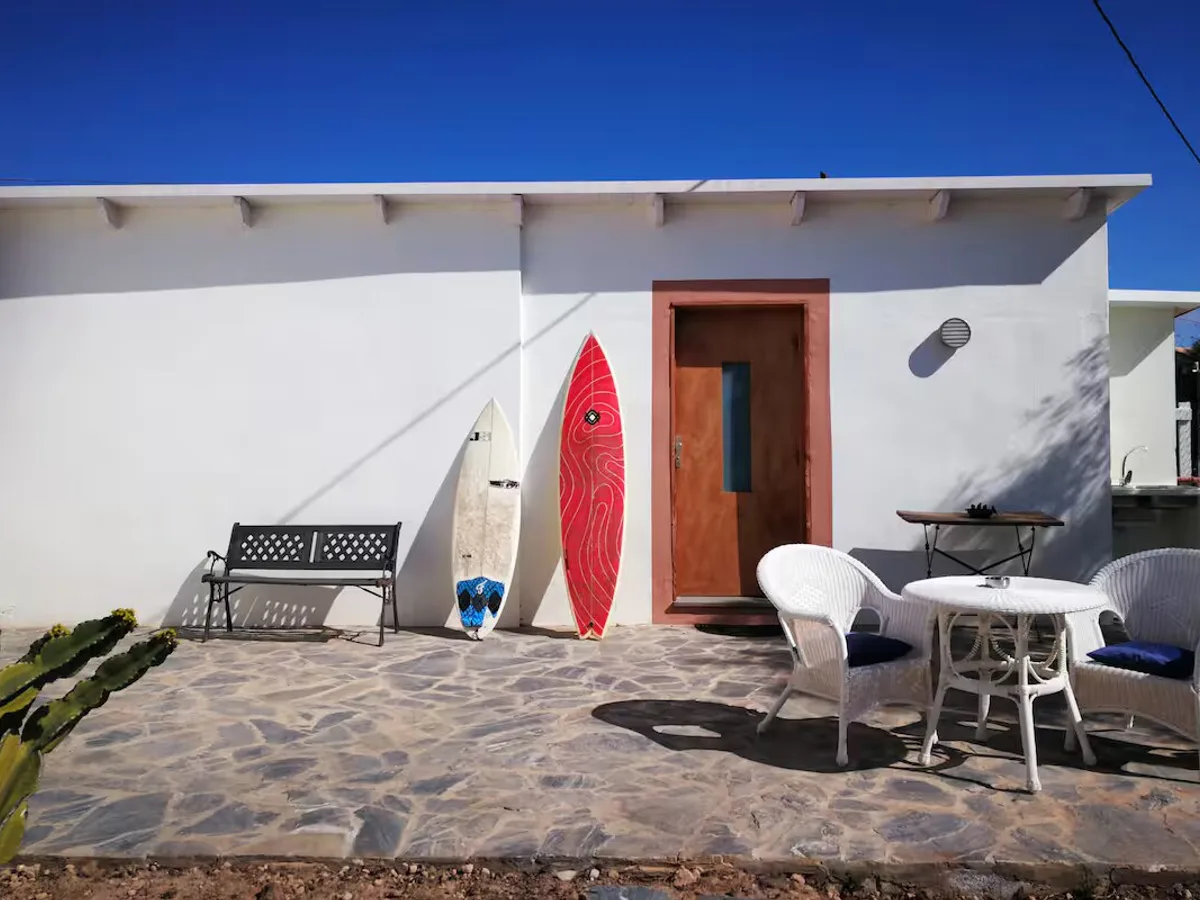
Beachfront Villa

Luxury Coastal Property

Click arrows to see different property calendars

Accept Direct Bookings in 3 Steps

Booking form widget is a Pro feature. Start with the free availability calendar and upgrade when you are ready.

1

Create a Calendar

Add your property with your iCal URL from Airbnb, VRBO, Booking.com, or any iCal source.

2

Upgrade to Pro

Enable the booking form widget. Configure pricing, fees, discounts, and booking rules in the dashboard.

3

Embed on Your Website

Paste the widget snippet into WordPress, Wix, Squarespace, Webflow, or any HTML page.

Live Booking Widget Preview

Open the real booking form in a modal preview. This booking widget is available on Pro.

Booking Widget Features

Live Availability

Dates blocked by any iCal source

Flexible Pricing

Nightly rates, seasonal overrides, or no pricing at all

Configurable Fees

Cleaning, pet, service charges - flat or per-night/guest

Discount Rules

Length-of-stay, early-bird, and last-minute discounts

Coupon Codes

Promotional codes with usage limits and expiration

Custom Fields

Collect extra guest info with 8 field types

Guest Counts

Adults, children, and pets with per-category limits

Email Alerts

Up to 3 notification addresses per calendar

Brand Colors

Custom accent color, titles, and success message

Booking Rules

Advance notice, prep time, check-in/out day restrictions

6 Currencies

USD, EUR, GBP, CAD, AUD, NZD

Mobile Ready

Responsive form on all screen sizes

Set Up Availability Calendar in 3 Steps

Availability calendar starts on the Free plan with 1 calendar and 1 iCal source.

1

Get Your iCal URL

Copy the export link from Airbnb, VRBO, Booking.com, or any iCal-compatible platform.

2

Create Your Widget

Paste the iCal URL, choose colors and language, and preview the calendar instantly.

3

Embed on Your Site

Copy the snippet and paste it into your website builder or any HTML page.

Availability Calendar Features

Free Plan

No credit card required

Auto Sync

iCal updates automatically

Responsive

Works on all devices

Privacy Safe

No personal data exposed

Custom Date Blocking

Block days/ranges with labels and colors

Dark Mode

Light, dark, or auto

Multi-Property

Up to 25 calendars

11 Languages

Auto-detected or forced

Sync Health Monitor

Healthy/Stale/Error per source with last-sync timestamps

iCal Export URL

Generate a shareable feed from your sources and blocked dates

Export Access Tracking

See when Airbnb, Google Calendar, or VRBO last fetched your feed

Google Calendar Sync

One-click subscription to your export URL in Google Calendar

Build Your Calendar Widget

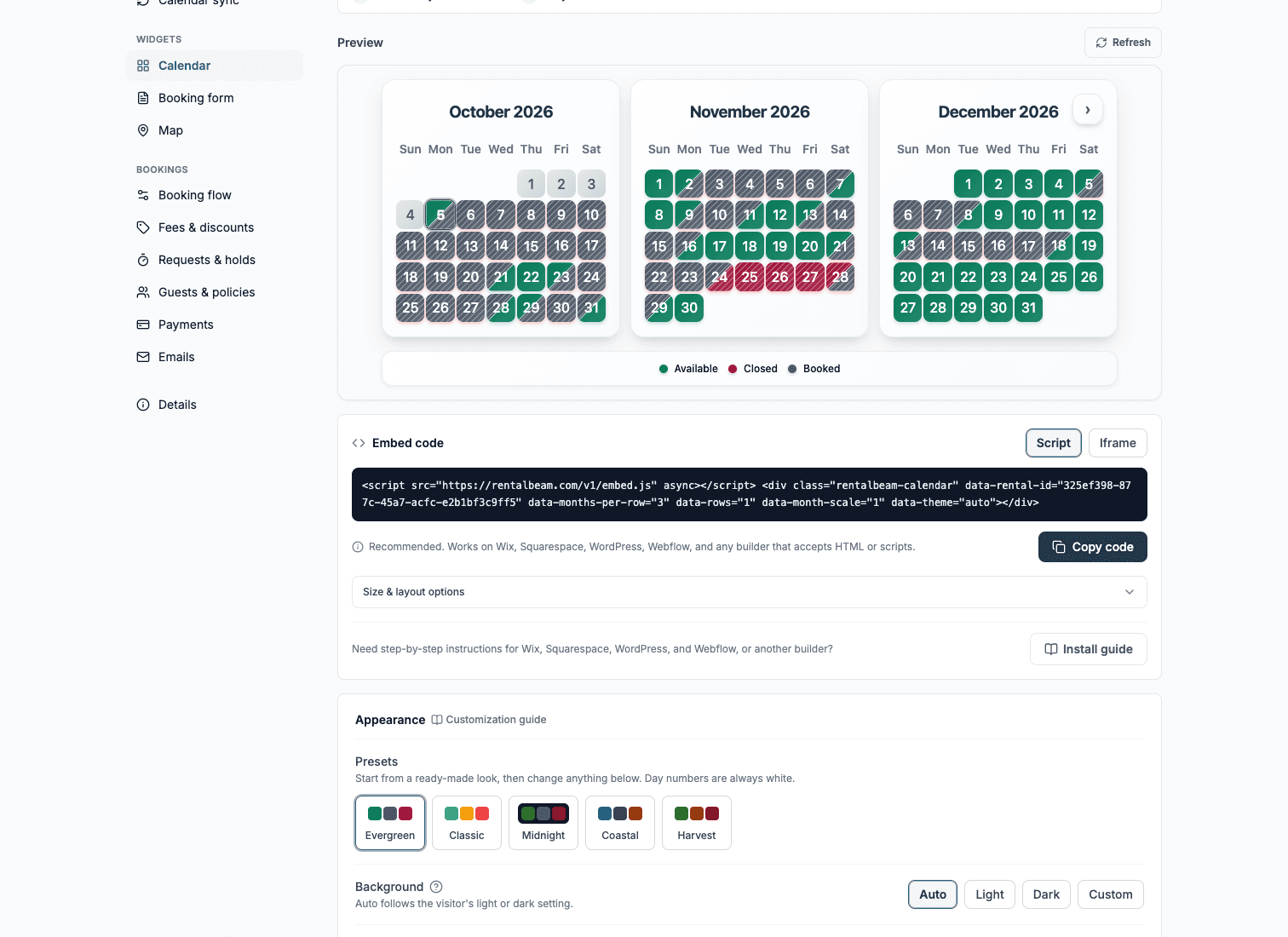
Paste any iCal URL, customize colors, then save to your dashboard.

Show booked dates as:

How to get your iCal URL:

  • Airbnb:Calendar → Availability settings → Export calendar
  • VRBO:Calendar → iCal Import/Export → Export
  • Booking.com:Property → Calendar sync → Export calendar URL
Step-by-step guide with screenshots

Widget Appearance

Custom
Upgrade to Plus
Display Language

Auto: visitors see the widget in their own browser language.

Day names and status labels (Available, Booked, Closed) are automatically translated into the selected language.

Booking Window
Loading preview...

Create a Free Account

Unlock custom date blocking, full color customization, iCal export, and your own dashboard to manage everything.

Why Not a Full PMS?

Simple availability sync should not cost $50-$500 per month.

Traditional PMS

$50-$500/month

  • Steep learning curve
  • Vendor lock-in
  • Replace all tools
  • Overkill for sync
RentalBeam

Free plan plus paid tiers

  • 2-minute setup
  • Keep using Airbnb/VRBO
  • No lock-in
  • Free availability calendar plan
Commission Savings

$300-$400 per booking

Platforms charge 15-20% per booking. On a $2,000 stay that is $300-$400.

One direct booking typically saves more than a full year of any plan.

iCal Availability Calendars and Direct Booking for Vacation Rentals

RentalBeam helps hosts show availability on their own website with automatic iCal sync from Airbnb, VRBO, Booking.com, and other iCal sources. The availability calendar is available on the Free plan. On Pro, you can also add a booking form widget so guests can send reservation requests directly from your site.

Learn more: Airbnb availability calendar widget vacation rental calendar vacation rental booking widget

Why hosts use RentalBeam

You can start with one calendar on the Free plan, then move to Plus or Pro when you need more calendars, more iCal sources per calendar, or direct booking workflows.

  • Free plan available: one calendar, one iCal source, and an embeddable availability widget.
  • Any iCal source: Airbnb, Booking.com, VRBO, and any feed that exports iCal/ICS.
  • Automatic syncing: availability updates automatically via iCal (timing varies by platform cache behavior).
  • Responsive widgets: works across desktop and mobile layouts.
  • Language support: browser auto-detection or dashboard-forced language with 11 supported languages.
  • Appearance control: set background and status colors, with optional WCAG-aware auto color generation.
  • Direct booking workflow: Pro adds a booking form widget with email alerts for each request.

Keep more of each booking

Platforms commonly charge 15-20% per booking. Direct bookings through your own website avoid those commission fees, which can materially improve margins over time.

Setup flow

  1. Get Your iCal URL: Copy the calendar export link from Airbnb, VRBO, Booking.com, or any iCal-compatible platform.
  2. Create Your Widget: Paste the iCal URL into RentalBeam and customize appearance.
  3. Embed on Your Website: Add the embed snippet to WordPress, Wix, Squarespace, Webflow, or custom HTML.
  4. Automatic Sync: Availability updates automatically via iCal.

Feature highlights

  • Universal iCal Integration: Connect any iCal source - Airbnb, VRBO, Booking.com, or any custom iCal feed.
  • Booking Form Widget (Pro): Add a direct booking form alongside your calendar. Guests request reservations on your website - no commissions, instant email alerts, no platform middleman.
  • Custom Appearance: Choose a custom background colour for your widget and let the system auto-generate WCAG-compliant status colours, or set them manually.
  • Status Colour Control: Pick your own colours for available, booked, and closed dates so the calendar matches your brand perfectly.
  • Custom Date Blocking: Manually block individual days or date ranges - mark them as closed, booked, or assign a custom label and colour for maintenance periods, owner stays, or seasonal closures. On Plus/Pro, these blocked ranges can be included in iCal export URLs for tools like Google Calendar and OTA imports (Airbnb/VRBO/Booking.com where iCal import is supported).
  • Dark Mode Support: Automatic dark mode detection that adapts to your visitors' system preferences.
  • Multi-Month Views: Display 1, 2, 3, or more months at once.
  • Mobile-First Design: Perfect on smartphones and tablets.
  • Customisable Layout: Adjust widget width, height, colours, and booking status labels.

Related guides

RentalBeam vs. the Alternatives

Free calendar sync, direct bookings on your site, no monthly PMS fees

Feature
RentalBeam(Us)
Full PMSPage on Airbnb OnlyManual Updates
Availability calendar on your website
Free to start
Setup in minutes
Auto iCal sync
Accept direct bookings on your site
Pro plan
Zero commission on direct bookings
Works alongside Airbnb and VRBO
Yes No Varies|Pricing and features accurate as of 2026

Frequently Asked Questions

Common questions about RentalBeam

RentalBeam lets vacation rental hosts embed an availability calendar and a direct booking form on their own website. You sync your calendar from Airbnb, VRBO, Booking.com, or any iCal source, and guests see live availability without you having to update it manually.

Yes. The availability calendar widget is free forever on the Free plan. You get 1 calendar, 1 iCal source, a multi-month view, and an embed code. No credit card required.

You copy the calendar export URL from Airbnb, VRBO, or any platform that supports iCal, paste it into RentalBeam, and the widget automatically fetches booking data to show blocked and available dates. The sync is automatic - no manual updates needed.

Yes. On Plus and Pro, you can manually close specific dates or full date ranges (for example owner stays or maintenance) with custom labels and colors. You can include those ranges in a RentalBeam iCal export URL for iCal-compatible tools like Google Calendar and for OTA calendar imports such as Airbnb, VRBO, and Booking.com (where iCal import is supported).

Yes, with the Pro plan. The booking widget embeds a reservation request form on your site. When a guest fills it out, you get an instant email alert with their dates and details. You confirm the booking outside the platform - RentalBeam does not process payments.

No - it works alongside them. You keep your Airbnb and VRBO listings, and RentalBeam syncs from those platforms to display availability on your own website. It is a tool to supplement your listings and capture direct bookings, not replace them.

The embed code works on any platform that accepts HTML, including WordPress, Wix, Squarespace, Webflow, and custom-built sites. You paste one line of code and the widget appears.

Plus adds custom colors, date blocking, iCal export, and removes RentalBeam branding from your widget. Pro includes everything in Plus, plus the booking form widget so guests can submit reservation requests directly on your site.

Ready to Show Availability on Your Website?

Create your free availability calendar widget with iCal sync. No credit card required, setup in 2 minutes.

Compare Plans