

Inquiry
Guests send their dates and a message, and you reply before anything is confirmed.
Independent car rental operators
Show live vehicle availability on your own website and take rental requests with the details you actually need: pick-up notes, a license number, even a photo ID upload. Day-based pricing, no commission on your bookings.
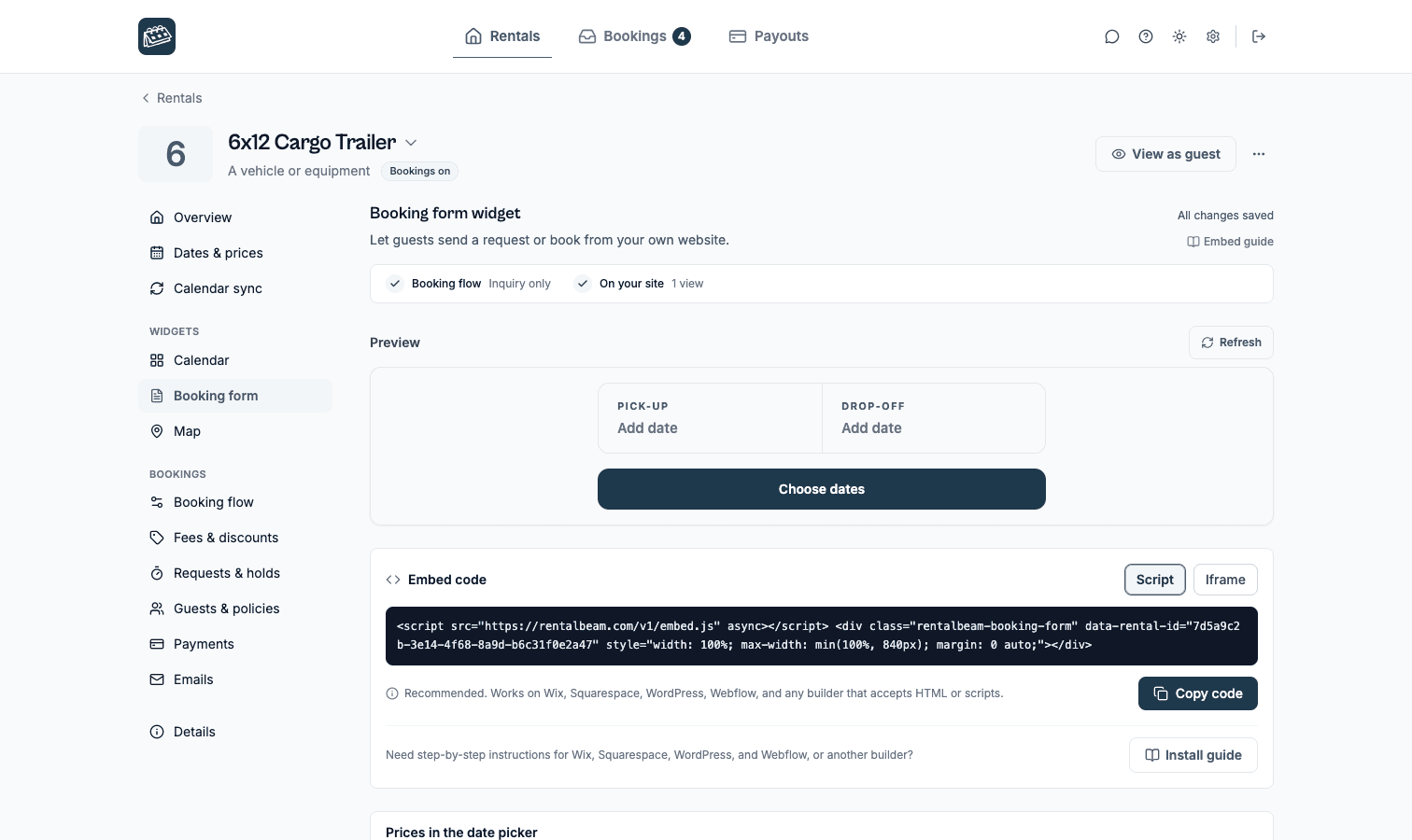
Each vehicle gets its own availability calendar. Block dates manually or import any iCal feed you already maintain, and embed the result on your site.
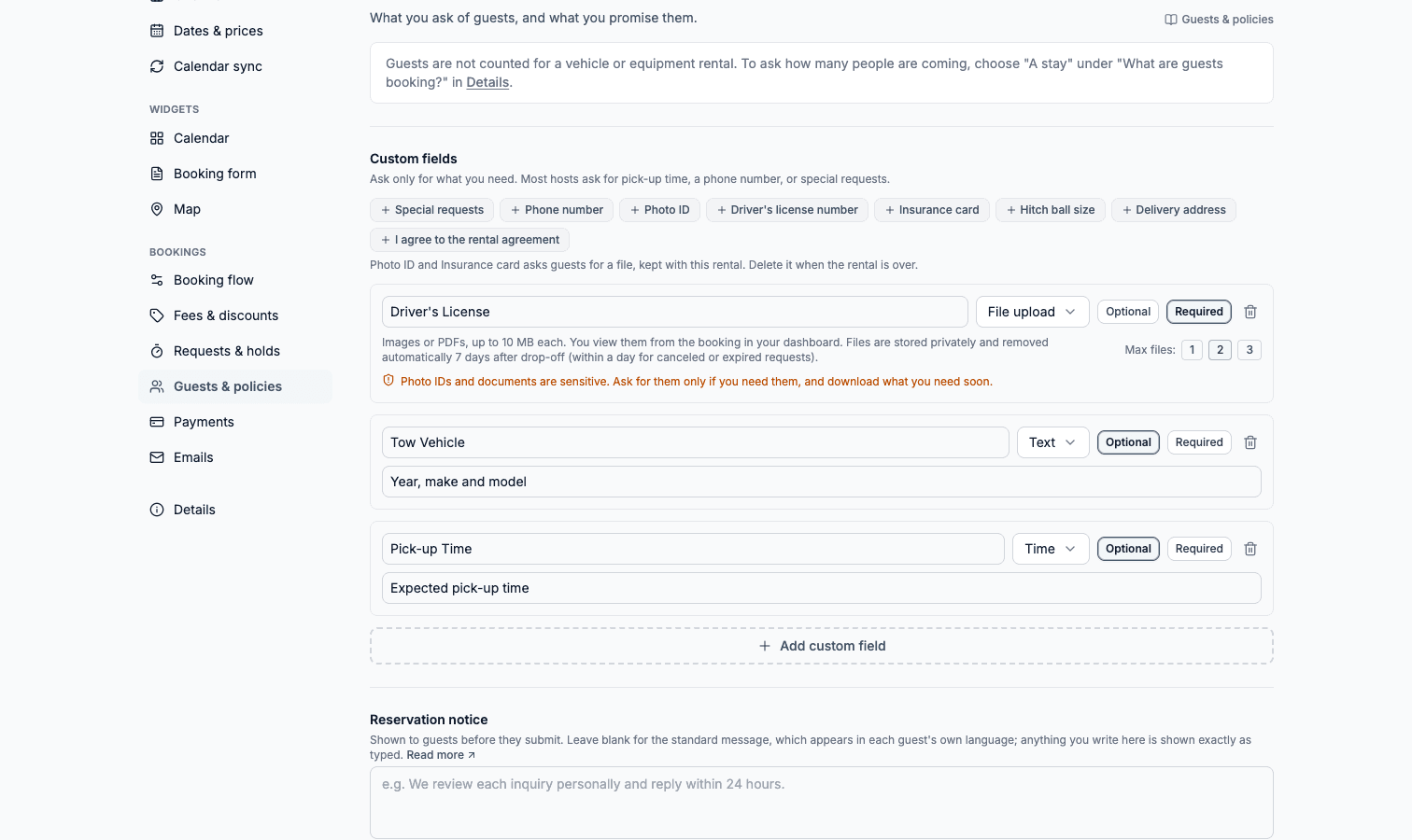
Add custom fields for license numbers, pick-up notes, or insurance details, and renters can upload a photo ID or document with the request on Pro.
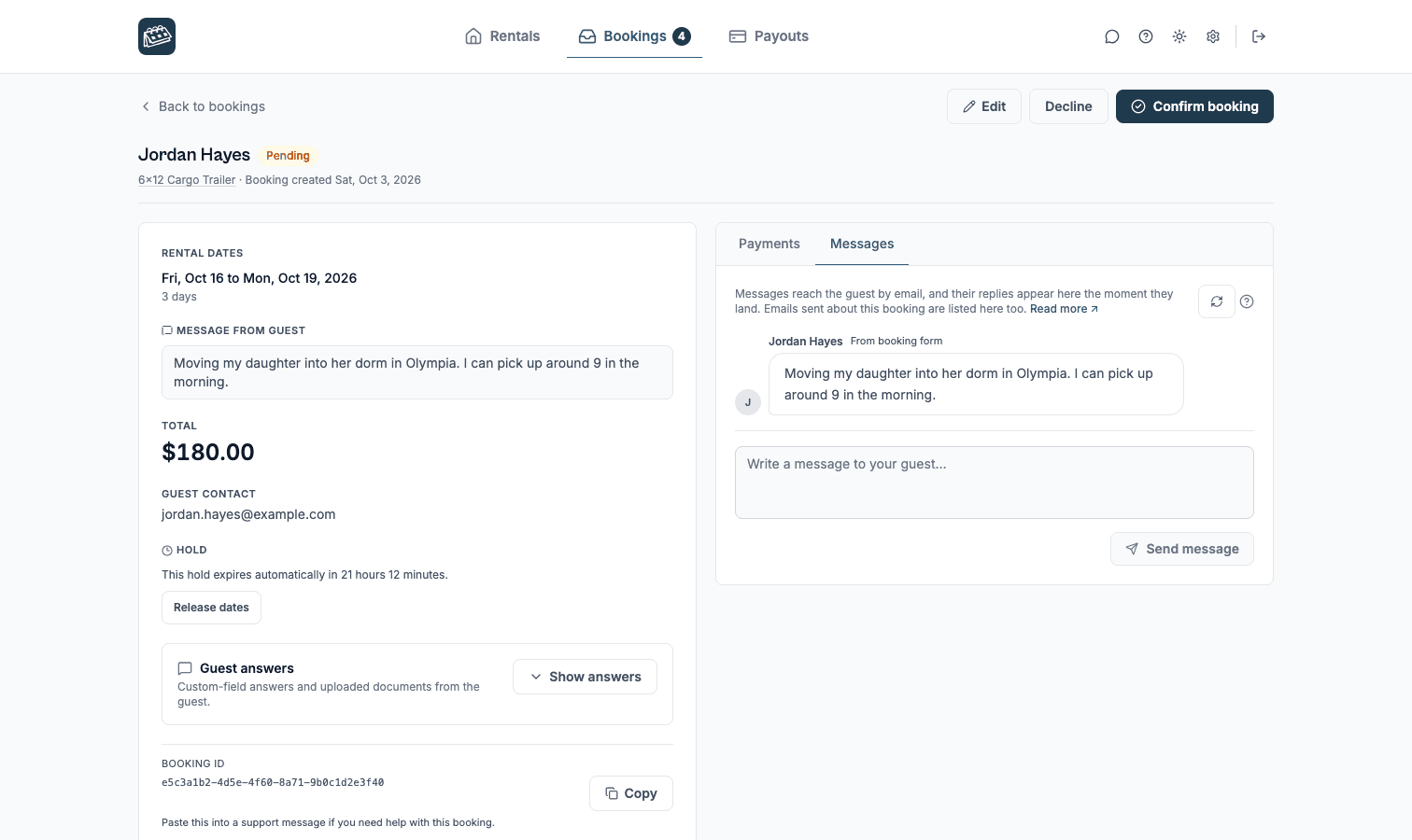
Use Inquiry or Request to book so you verify the renter before confirming. Send a secure payment link only after you approve.
Set the rental to By the day on its Details page and the booking form and your emails say pick-up and drop-off and count days, in all 25 languages, with no guest count to fill in. Per-day rates, seasonal pricing, add-ons as fees, and longer-rental discounts all still apply.
Booking requests
The phone app


Google Play and the Google Play logo are trademarks of Google LLC.
Form fields
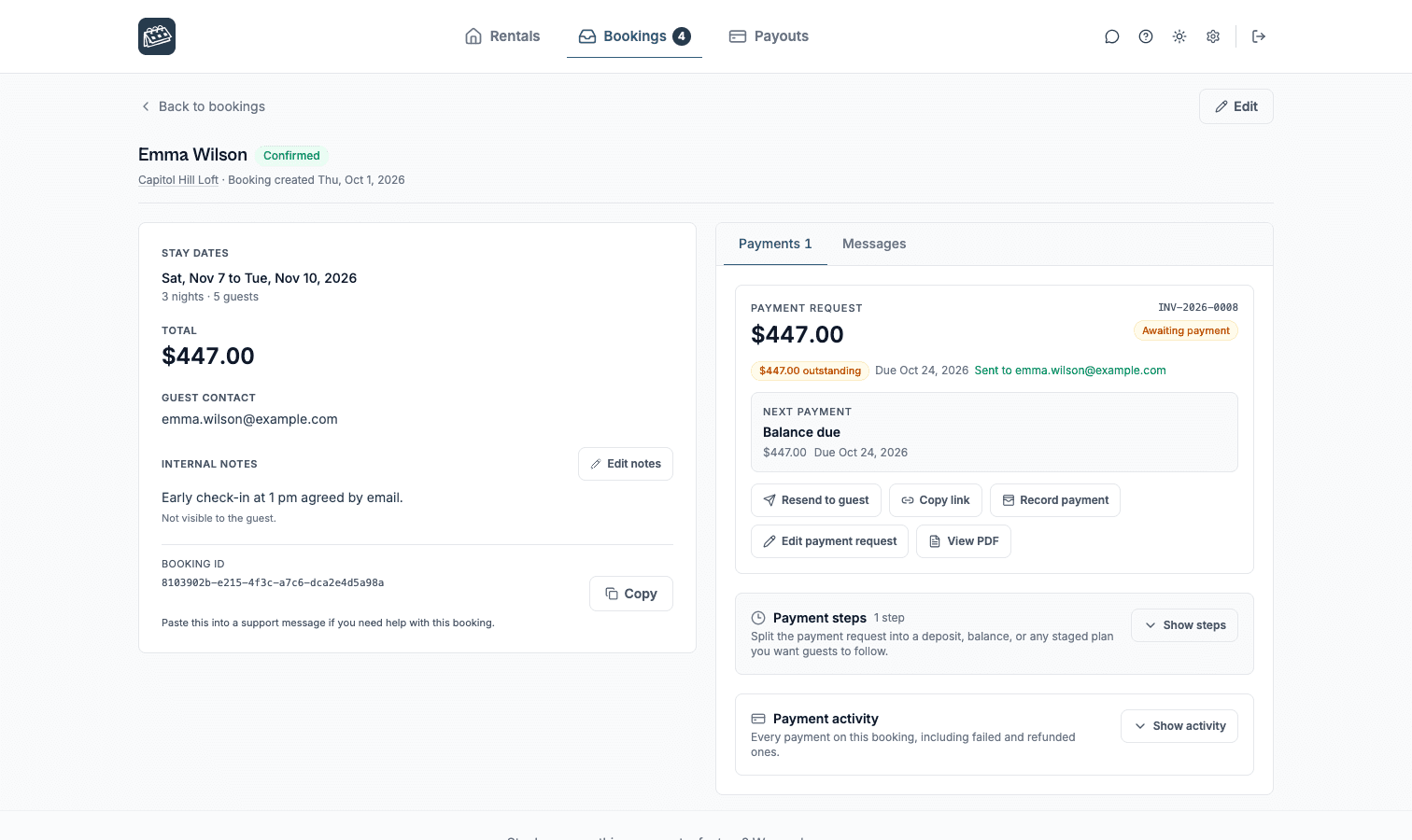
Payments
Booking types
Guests send their dates and a message, and you reply before anything is confirmed.
Guests send a request, you approve it, then you send a secure link for a deposit or the full amount.
Guests see the total and pay by card in the booking form, through Stripe.
No. RentalBeam never takes a commission on your booking revenue on any plan, and Pro adds no RentalBeam booking or application fee. If a guest pays by card through RentalBeam, only the standard Stripe card-processing fee applies, and that fee goes to Stripe, the same as any payment processor. Inquiry, pay-later, and off-platform bookings (such as bank transfer) have no per-transaction cost at all.
Yes. RentalBeam Pro includes coupon codes, percentage and fixed-amount discount rules, seasonal prices, and a weekend price. You can run promotional codes for repeat guests, configure off-season discounts, and combine them with custom fees and booking rules from the same booking form widget setup.
Yes. RentalBeam Pro supports percentage fees built for taxes: you enter the rate (up to three decimals, so rates like 8.875% work) and it is calculated on the discounted subtotal plus your other fees, the same base tax authorities use. The rate can be added on top of your prices (US-style sales tax) or shown as already included in them (EU-style VAT, with an "Includes VAT (20%)" line under the total). You can exclude individual fees from the tax base when your jurisdiction does not tax them, and guests see the tax clearly labeled with the rate. Fixed per-person tourist taxes are also supported through per-guest-per-night fees with child age rules.
Yes. On Pro, every booking notification email includes a reply address linked to that booking. Reply in Gmail, Apple Mail, or any email app and your message goes to the guest. When they reply, it comes back to your inbox and is saved with that booking in your dashboard. Your personal email address is never shared with the guest.
Not if you set the rental to By the day on its Details page. The form, your emails, and your dashboard then say pick-up and drop-off and count days instead of nights. A day is the 24-hour period that starts at pick-up, so Monday to Tuesday is one day. Whether the form asks how many people are coming is your choice, under Guests & policies.
Yes, for day-based rentals. Each vehicle gets an availability calendar you can embed on your website, and on Pro a booking form where renters pick dates, fill in your custom fields, and optionally pay by card. RentalBeam does not handle hourly time slots.
Yes. On Pro you can add custom form fields, including a file upload field, so renters can attach a photo ID, driver's license, or document (image or PDF, up to 10 MB) with their request. You view the file securely from the booking in your dashboard.
No. RentalBeam is built around date ranges, so it fits daily and multi-day rentals. You can collect a preferred pick-up time as a form field, but availability itself is managed per day.
Block dates manually from the dashboard on Plus and Pro, or import an iCal feed from any tool that publishes one. Confirmed RentalBeam bookings block their own dates automatically.
The availability calendar is free. Add booking requests, payment links and card payments on Pro.
