

RentalBeam

Vacation rental hosts

A vacation rental booking engine that fits your website flow

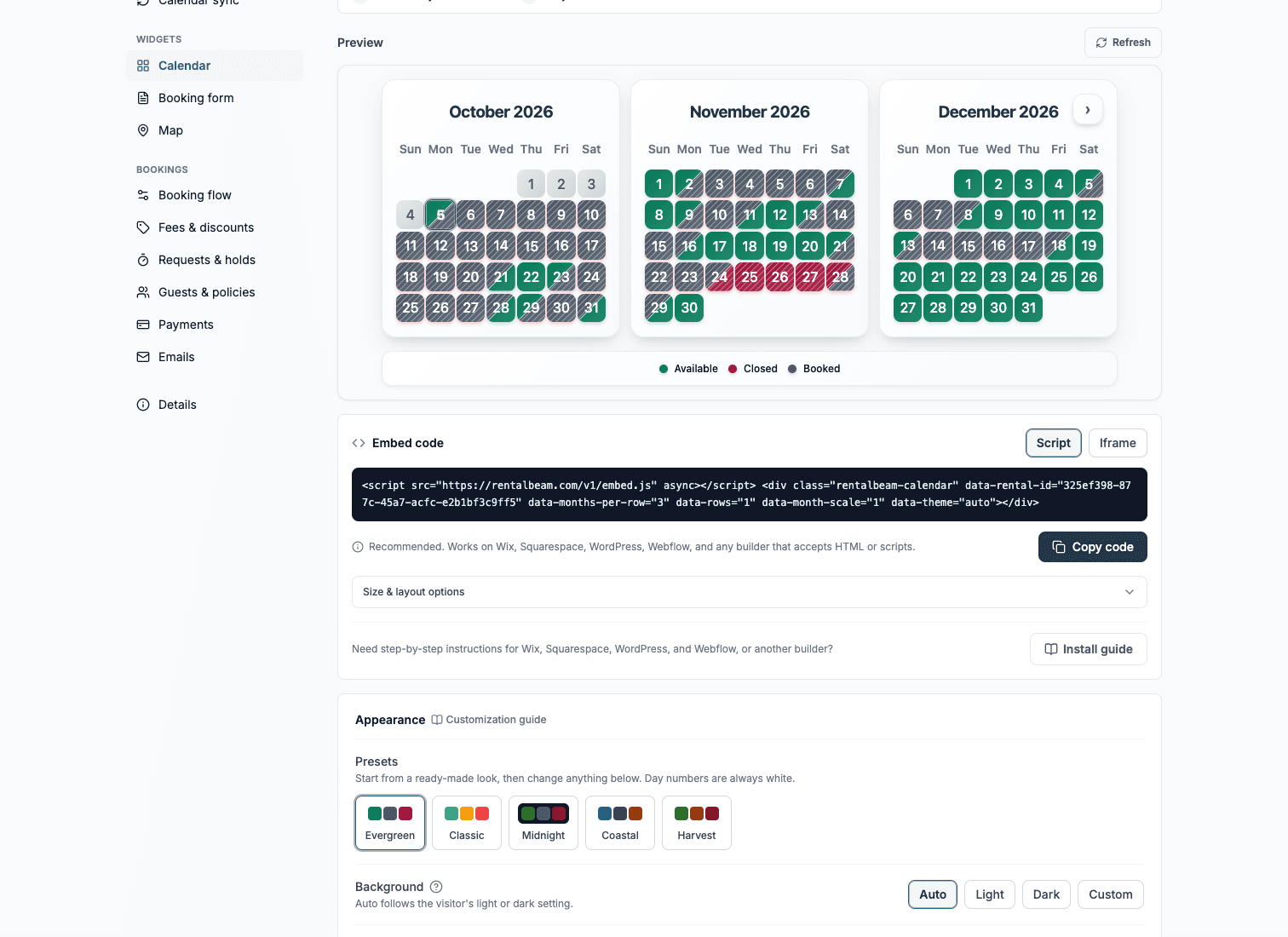
Show synced availability from Airbnb, VRBO, and any iCal source on your website. Then, on Pro, give guests a booking form where they can inquire, get a payment link after you approve, or pay directly in the widget.

Compare plans
Booking widget on Pro
Pricing can be shown or hidden
Stripe-powered guest payments where available

Direct booking workflow

Start simple, then take guest payment immediately

Live onyour site

One booking widget, one dashboard, and one host workflow from first request to paid stay.

Availability calendar

Synced and ready for direct bookings

Synced

Guest booking

Website booking live

Guest stays on your site from dates to payment

Next step

Host stays in control

  • Review stay details
  • Keep dates perfectly synced
  • Turn on guest card payments when ready

Works alongside your stack

Your website booking flow, connected to familiar platforms and payments

RentalBeam handles the host workflow while iCal feeds keep availability aligned. Stripe supports guest card payments and wallet options such as Apple Pay and Google Pay where available on Pro.

Works with familiar booking platforms

Keep Airbnb, VRBO, and Booking.com in the mix while RentalBeam handles your website flow.

Supports many major cards and wallets on Pro

Turn on guest payments when you are ready. Card brands and wallets such as Apple Pay and Google Pay appear where Stripe, device, browser, and region support them.

Secure card processing

Hosts use RentalBeam day to day. Stripe supports card processing and payouts underneath the same host workflow.

Third-party names and logos are used for identification only and remain the property of their respective owners.

Product facts

What this setup gives you

No invented uplift numbers - just the practical capabilities hosts need before they publish a direct booking path.

0%
OTA commission on direct booking requests that start on your own website
3
Booking flow options: inquiry only, bill later, or pay in widget
~2 min
To go from iCal links to a live, embeddable availability calendar

Why it fits

A direct booking path without overbuying software

RentalBeam keeps the guest-facing website flow focused: accurate dates, the right request path, and payment only when that fits how you host.

Keep your existing channels in the mix

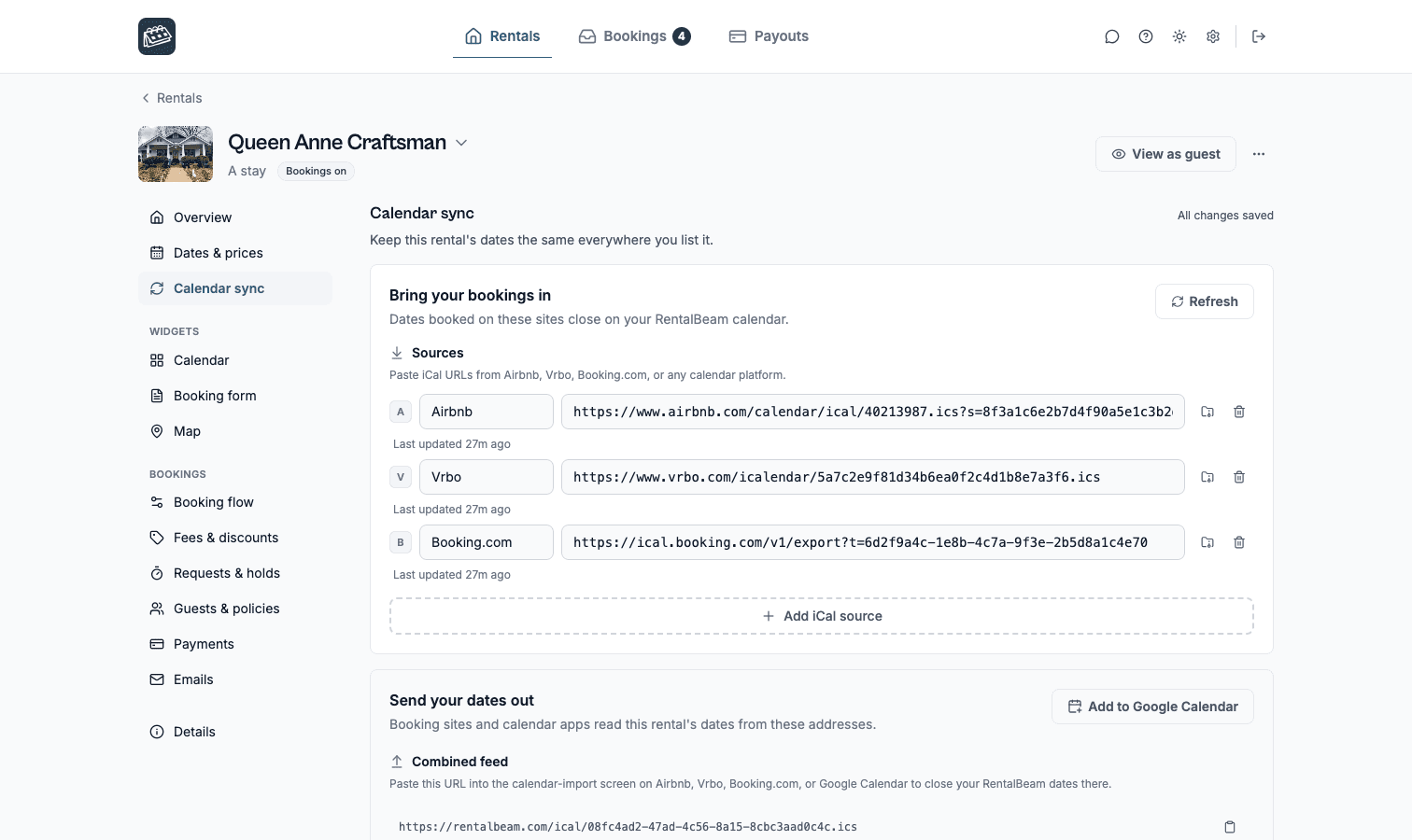
Import iCal availability from Airbnb, VRBO, Booking.com, Google Calendar, or any iCal source so direct requests start from honest dates.

Turn website traffic into booking intent

Give guests a direct booking form on your own site instead of pushing high-intent visitors back to an OTA listing.

Let guests pay when your setup is ready

Use Stripe Connect guest payments on Pro, including Stripe-supported wallet options such as Apple Pay and Google Pay where available.

Show pricing only when it helps

Publish a transparent total, or keep pricing hidden when you prefer to quote manually after reviewing the request.

Booking flows

Choose the guest path that matches how you host

RentalBeam does not force every property into one checkout model. Start inquiry-first, request payment after approval, or take payment in the widget when your pricing and payout setup are ready.

Lowest commitment

Inquiry only

Hosts who want to screen, quote, or reply manually before anything is confirmed.

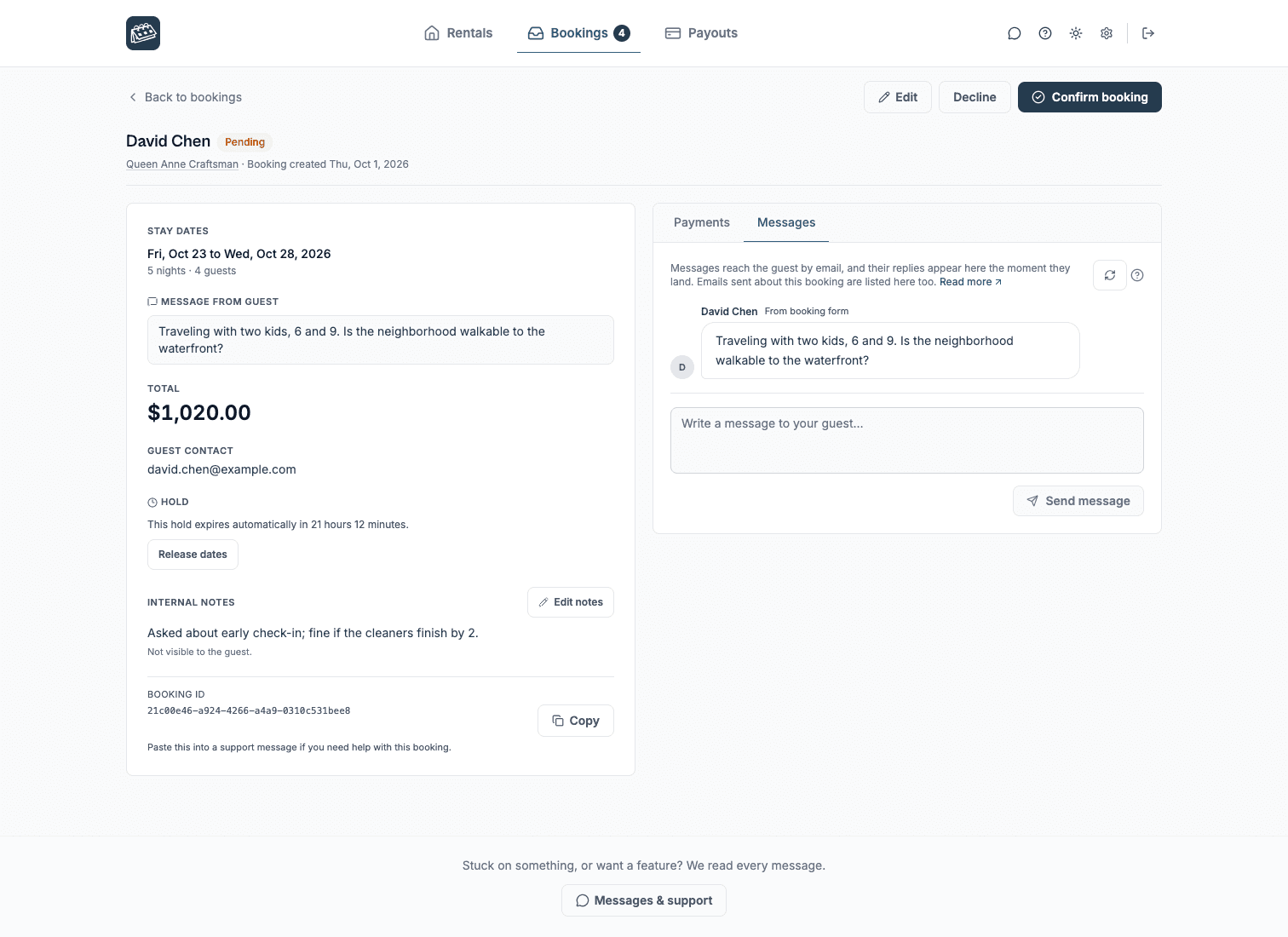
Guests send dates and details from your website. You review the request and reply with the next step.

  1. 1Guest chooses available dates and sends a request
  2. 2Host reviews stay details and guest message
  3. 3Host replies, confirms manually, or declines

Approval first

Request now, bill later

Hosts who want a clear booking request first, then a secure payment link after approval.

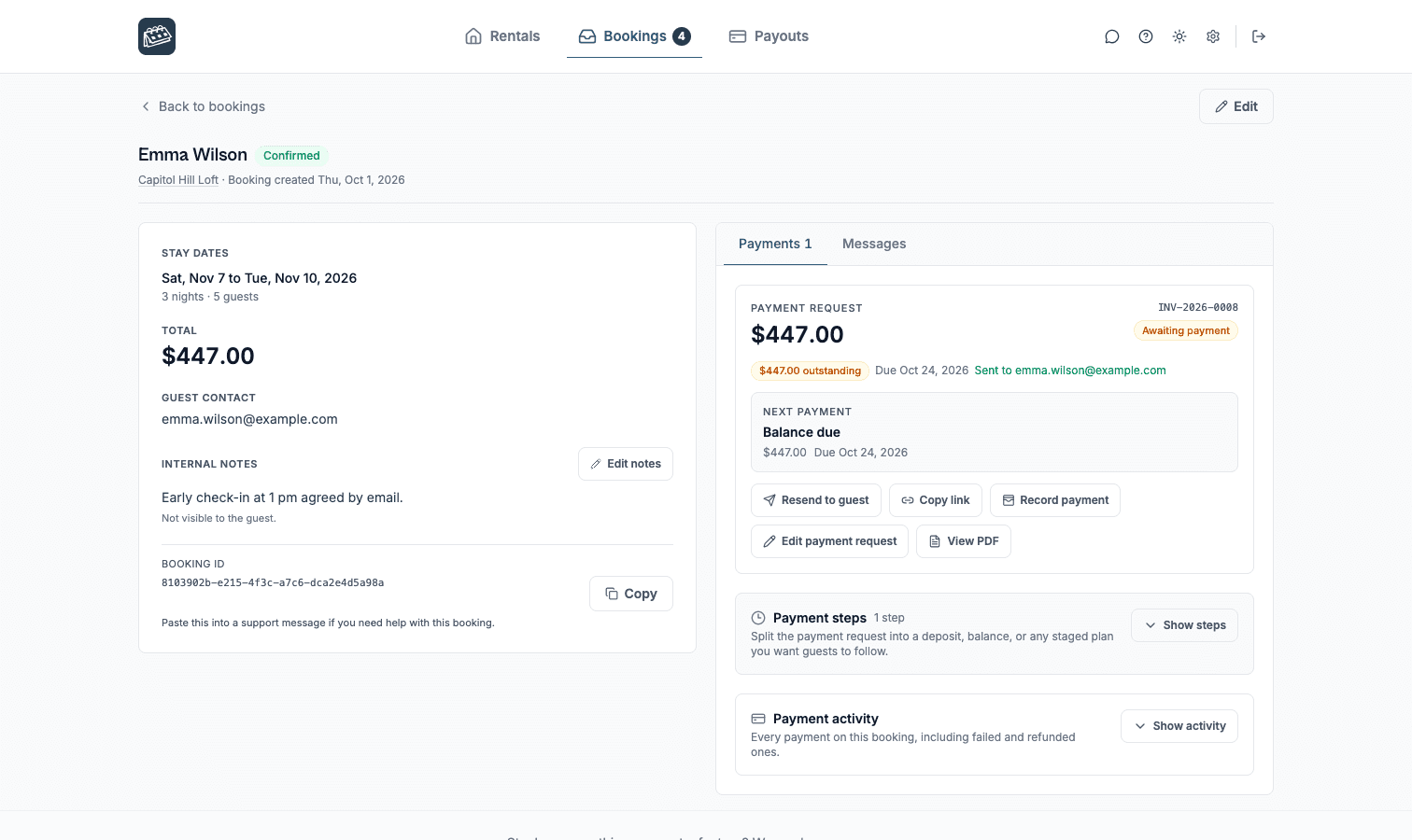
Guests request the stay, you approve it, then send a secure payment request for deposit, balance, or full payment.

  1. 1Guest submits the stay request
  2. 2Host confirms the stay and payment steps
  3. 3Guest pays later through a secure RentalBeam page
Often a strong fit for this host type.

Fastest checkout

Pay in widget

Pro

Hosts with reliable pricing who want guests to complete card payment during the website flow.

Guests choose dates, review the total, and pay in the booking widget when Stripe-powered payments are enabled.

  1. 1Guest chooses dates and sees the amount due
  2. 2Guest pays in the widget with a Stripe-supported method
  3. 3Host receives the booking request and payment status
Often a strong fit for this host type.

Frequently asked questions

Common questions for vacation rental hosts

Yes. RentalBeam Pro is sold publicly in two variants: Standard and No application fee. Both variants include the exact same booking form widget, guest payment workflow, coupon codes, seasonal pricing, custom fields, and booking rules. The only difference is the booking fee model on hosted guest card payments. The No application fee variant removes the RentalBeam application fee entirely, so hosts only pay normal card-processing fees from Stripe.

It depends on which public Pro variant you pick. Standard Pro adds a small RentalBeam application fee on hosted guest card payments. No application fee Pro removes the RentalBeam application fee entirely, leaving only standard Stripe card-processing fees. Direct bookings that you collect off-platform (for example via a pay-later link or bank transfer) never incur a RentalBeam application fee on either variant. The availability calendar itself, on Free and Plus, never takes a percentage.

Yes. RentalBeam Pro includes coupon codes, percentage and fixed-amount discount rules, and seasonal pricing tiers. You can run promotional codes for repeat guests, configure off-season discounts, and combine them with custom fees and booking rules from the same booking form widget setup.

RentalBeam is a lightweight booking engine for independent vacation rental hosts - not a full PMS or channel manager. It provides synced availability, a Pro booking form widget, booking requests, payment links, payment PDFs, and optional Stripe Connect guest payments.

Yes. RentalBeam is designed to work alongside Airbnb, VRBO, Booking.com, and other iCal-compatible tools. It does not replace your OTA listings.

On Pro, guest payments run through Stripe Connect. Apple Pay and Google Pay can appear where supported by the guest device, browser, region, and connected Stripe account setup.

Yes. Hosts can show pricing or keep pricing hidden, then quote manually after the request if that better matches the property or guest conversation.

Vacation rental hosts

How RentalBeam fits a vacation rental hosts workflow

RentalBeam helps vacation rental hosts show live availability on their own website with automatic iCal sync from Airbnb, VRBO, Booking.com, Google Calendar, and any other iCal-compatible source. The availability calendar is available on the Free plan, while Plus and Pro add more control over sources, managed dates, combined exports, custom colors, branding removal, and per-source sync health. On Pro, the same calendar becomes a real direct-booking surface with a booking form widget, coupon codes, seasonal pricing, configurable booking fees, custom guest fields, booking rules, and optional inline guest card payments through Stripe Connect.

RentalBeam is built to work alongside your OTA listings - not replace them. It is not a full PMS, not a channel manager, and not a website builder. It is the bridge between a simple website calendar and a calmer direct-booking flow.

Start with a live availability calendar

  • Free plan available: one calendar, one iCal source, a multi-month view, and an embeddable availability widget.
  • Any iCal source: Airbnb, VRBO, Booking.com, Google Calendar, and other feeds that export iCal or ICS.
  • Automatic syncing: RentalBeam refreshes availability through iCal so your website never relies on manual updates.
  • Built for real websites: responsive layouts, 11 supported languages, and embed options for WordPress, Wix, Squarespace, Webflow, and custom HTML.
  • More control on Plus: managed dates, custom colors, branding removal, and a combined export URL back out to other calendar tools.

Grow into direct bookings on the same foundation

  • Booking form widget on Pro: add a direct booking form alongside your availability calendar so guests can inquire, wait for approval and a secure payment link, or pay in the widget from your own website.
  • Flexible payment path: stay inquiry-first, approve requests and send a secure payment link later, or enable guest card payments when you want a faster checkout flow. Apple Pay and Google Pay can appear where supported by Stripe, the guest device, browser, region, and the host's connected account setup.
  • Host controls: seasonal pricing, configurable booking fees, percentage and fixed-amount discount rules, coupon codes, multi-currency pricing, split payment steps, invoice PDFs, custom guest fields, guest-count settings, and booking rules (booking window, advance notice, prep time, min/max stay).
  • Sync visibility: track Healthy, Stale, or Error status per source and see export access activity from your dashboard.

Pick the Pro fee model that fits your bookings

Pro is sold publicly in two variants: RentalBeam Pro is sold publicly in two variants - Standard and No application fee. Both unlock the same booking form widget, guest-payment workflow, coupon codes, seasonal pricing, custom fields, booking rules, and host email tools. The only difference is the booking fee model on hosted guest card payments: Standard adds a small RentalBeam application fee on top of normal card processing, while No application fee removes the RentalBeam application fee so hosts only pay normal card-processing fees.. Both variants unlock the same booking form widget, guest-payment workflow, coupon codes, seasonal pricing, custom fields, booking rules, and host email tools. The only difference is whether RentalBeam takes a small application fee on hosted guest card payments. Direct bookings collected off-platform never incur a RentalBeam application fee on either variant.

Coupon codes such as MIRA50, ENGINE60, and FREE100 can be applied at checkout on the pricing page.

Install on every major website builder

Typical setup flow

  1. Copy your iCal URL: get the export link from Airbnb, VRBO, Booking.com, or another iCal-compatible source.
  2. Create your widget: paste the feed into RentalBeam and preview your availability calendar instantly.
  3. Embed it on your website: add the snippet to WordPress, Wix, Squarespace, Webflow, or custom HTML.
  4. Add bookings when you are ready: on Pro, keep inquiry-first, send payment after approval, or turn on guest card payments from the same setup.

Related guides

Build the booking flow that fits your property.

Start with a free availability calendar, then add booking requests, secure pay-later links, payment PDFs, and optional guest card payments on Pro.

Compare plans