

Works with familiar booking platforms
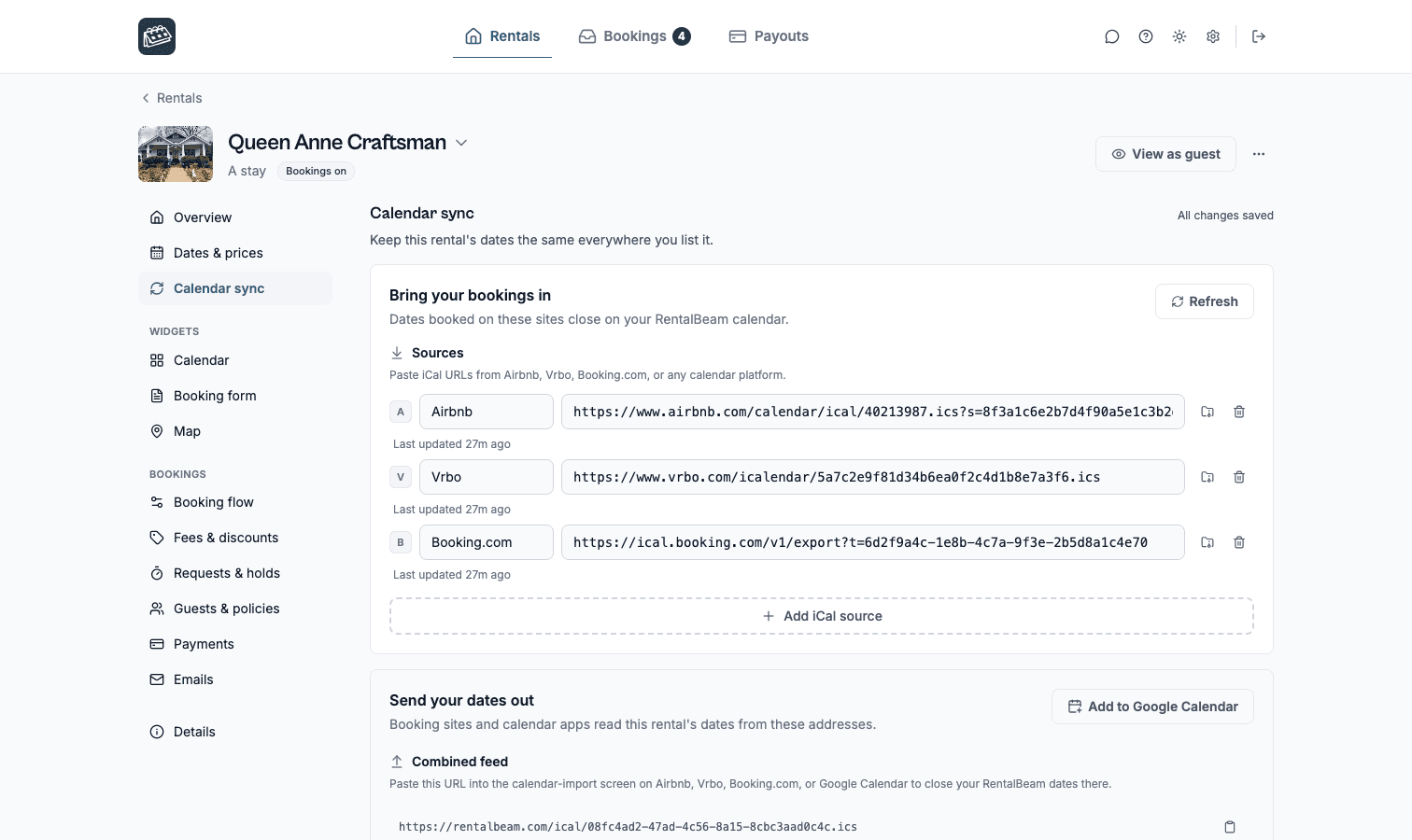
Keep Airbnb, VRBO, and Booking.com in the mix while RentalBeam handles your website flow.
Boutique and small hotels
Add a direct booking widget, live availability, and optional guest payments to your hotel website. RentalBeam handles the guest-facing booking path while your front-desk and operations tools stay separate.
Direct booking workflow
One booking widget, one dashboard, and one host workflow from first request to paid stay.
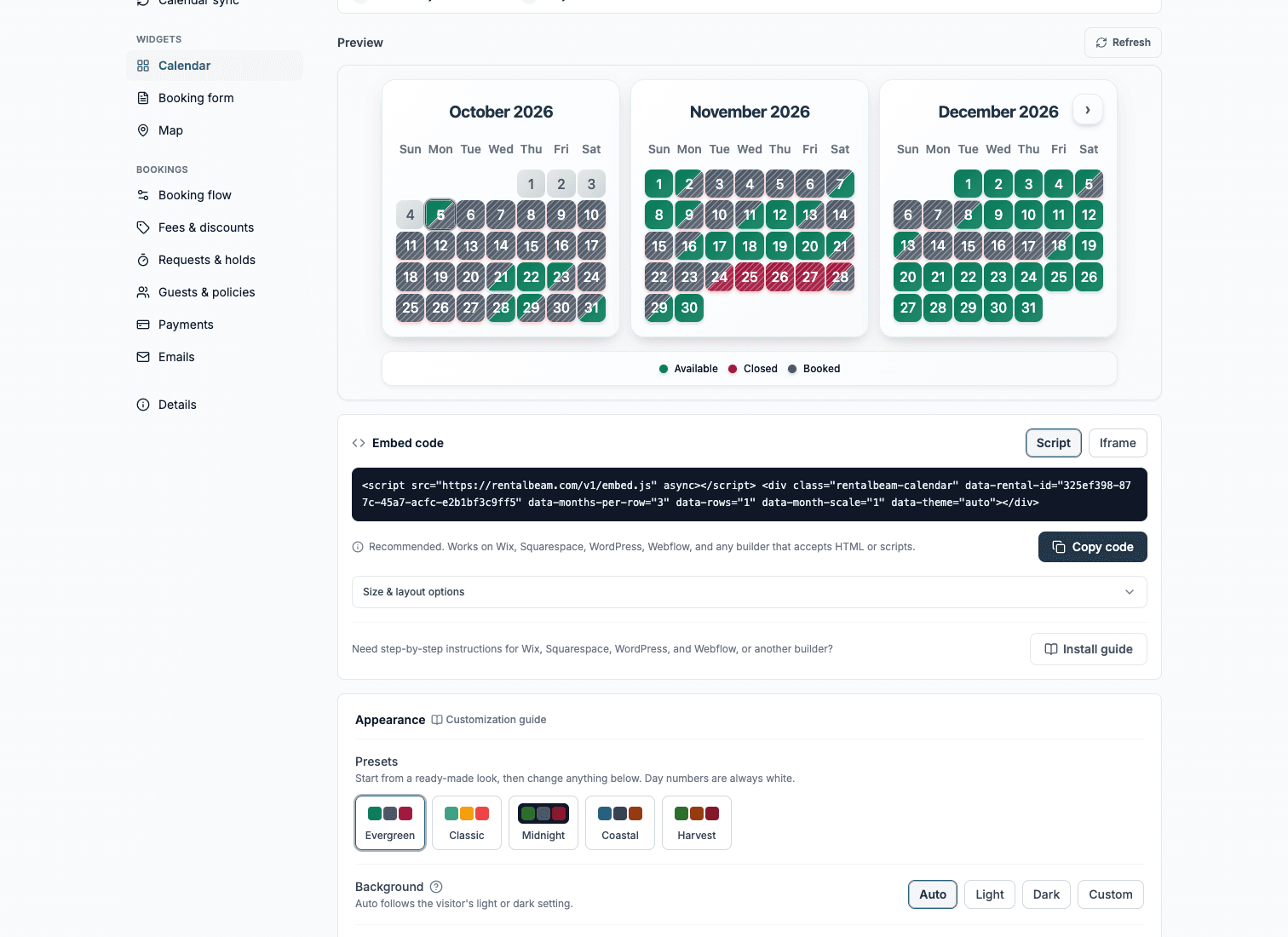
Availability calendar
Synced and ready for direct bookings
Guest booking
Website booking live
Guest stays on your site from dates to payment
Next step
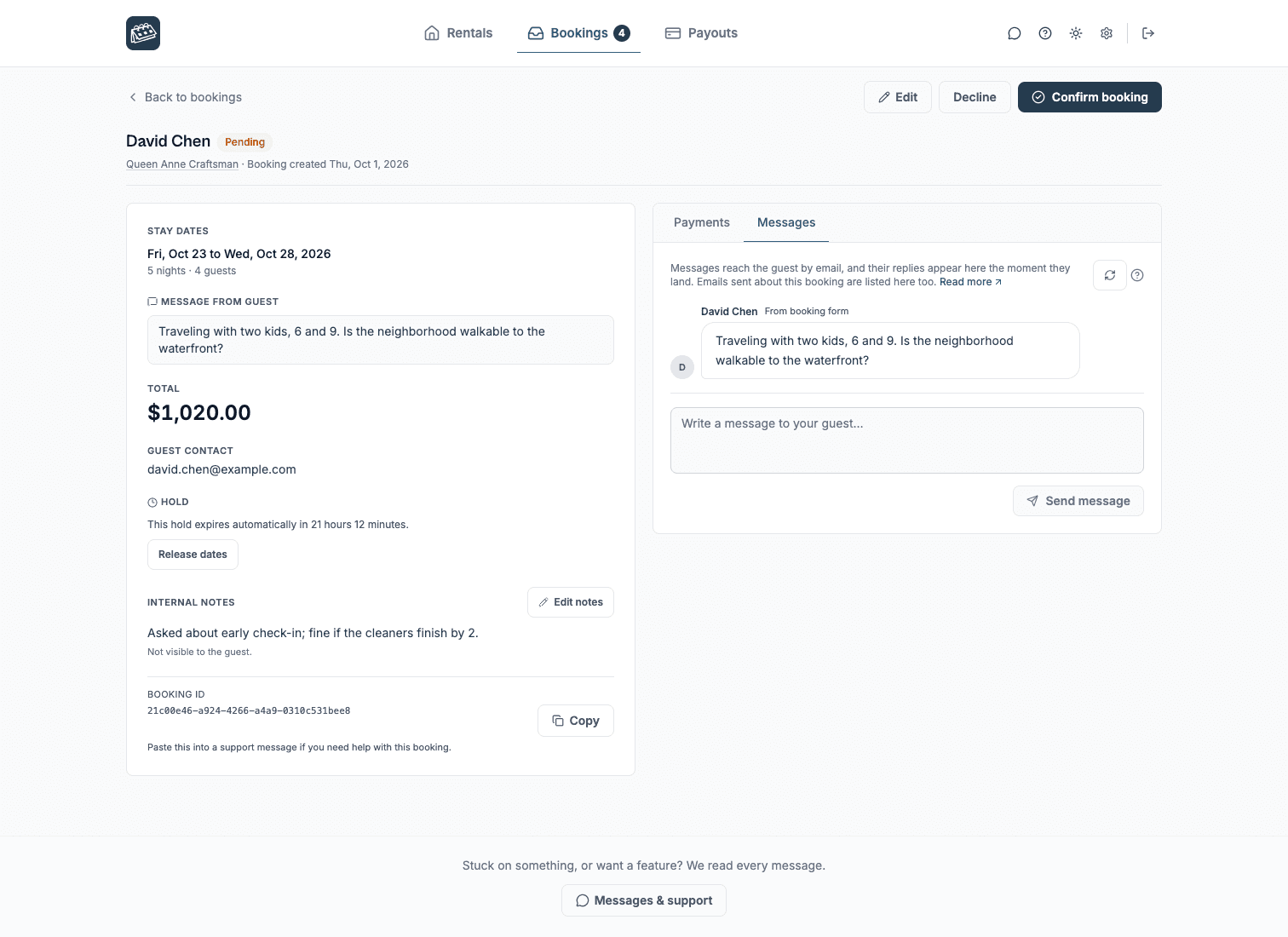
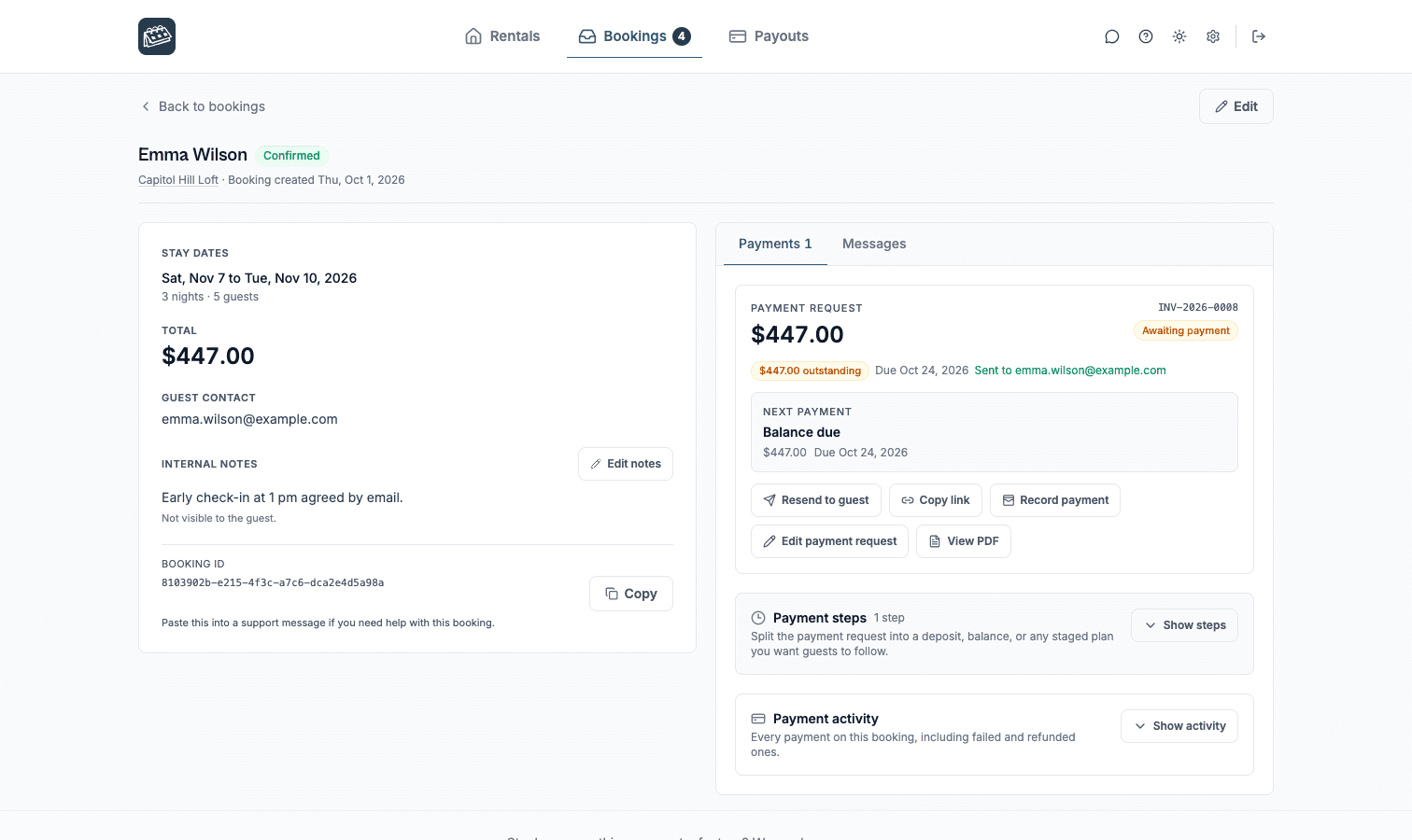
Host stays in control
Works alongside your stack
RentalBeam handles the host workflow while iCal feeds keep availability aligned. Stripe supports guest card payments and wallet options such as Apple Pay and Google Pay where available on Pro.
Works with familiar booking platforms
Keep Airbnb, VRBO, and Booking.com in the mix while RentalBeam handles your website flow.
Supports many major cards and wallets on Pro
Turn on guest payments when you are ready. Card brands and wallets such as Apple Pay and Google Pay appear where Stripe, device, browser, and region support them.
Secure card processing
Hosts use RentalBeam day to day. Stripe supports card processing and payouts underneath the same host workflow.
Third-party names and logos are used for identification only and remain the property of their respective owners.
Product facts
No invented uplift numbers - just the practical capabilities hosts need before they publish a direct booking path.
Why it fits
RentalBeam keeps the guest-facing website flow focused: accurate dates, the right request path, and payment only when that fits how you host.
Use RentalBeam for the website-facing booking path while your front-desk, housekeeping, or PMS tools remain separate.
Use calendar tiers for multiple rooms, units, or property groups without turning the website embed into an enterprise project.
Enable card payments on Pro and let guests see Stripe-supported payment methods based on their device, browser, and region.
Use advance notice, prep time, guest counts, custom fields, and pricing visibility controls to shape the request before review.
Booking flows
RentalBeam does not force every property into one checkout model. Start inquiry-first, request payment after approval, or take payment in the widget when your pricing and payout setup are ready.
Lowest commitment
Hosts who want to screen, quote, or reply manually before anything is confirmed.
Guests send dates and details from your website. You review the request and reply with the next step.
Approval first
Hosts who want a clear booking request first, then a secure payment link after approval.
Guests request the stay, you approve it, then send a secure payment request for deposit, balance, or full payment.
Fastest checkout
Hosts with reliable pricing who want guests to complete card payment during the website flow.
Guests choose dates, review the total, and pay in the booking widget when Stripe-powered payments are enabled.
How to use it
Start with the piece that solves today's problem, then add the booking and payment layers when the guest journey is ready.
Website channel
Place the widget on room, suite, or booking pages so guests can request without leaving your website.
ExplorePayment path
Send secure payment requests after approval, or take payment in the widget when your setup is ready.
ExploreOperational fit
Use RentalBeam for guest-facing availability and booking requests. Front-desk, housekeeping, and PMS tools continue to run as they do today.
ExploreRelated solutions
Compare the same booking engine through nearby host types, then pick the page that matches your sales motion best.
Vacation rental hosts
Show synced availability from Airbnb, VRBO, and any iCal source on your website. Then, on Pro, give guests a booking form where they can inquire, get a payment link after you approve, or pay directly in the widget.
Bed-and-breakfast owners
Give guests a professional B&B booking path without adopting a full PMS. Use inquiry-first requests, send secure payment links after approval, or enable Stripe-powered guest payments on Pro when your pricing is ready.
Campgrounds and glamping hosts
Show campsite or glamping availability, collect the guest details you need, and choose inquiry-first, payment-after-approval, or pay-in-widget flows on Pro.
Common questions for boutique and small hotels
Yes. RentalBeam Pro is sold publicly in two variants: Standard and No application fee. Both variants include the exact same booking form widget, guest payment workflow, coupon codes, seasonal pricing, custom fields, and booking rules. The only difference is the booking fee model on hosted guest card payments. The No application fee variant removes the RentalBeam application fee entirely, so hosts only pay normal card-processing fees from Stripe.
It depends on which public Pro variant you pick. Standard Pro adds a small RentalBeam application fee on hosted guest card payments. No application fee Pro removes the RentalBeam application fee entirely, leaving only standard Stripe card-processing fees. Direct bookings that you collect off-platform (for example via a pay-later link or bank transfer) never incur a RentalBeam application fee on either variant. The availability calendar itself, on Free and Plus, never takes a percentage.
Yes. RentalBeam Pro includes coupon codes, percentage and fixed-amount discount rules, and seasonal pricing tiers. You can run promotional codes for repeat guests, configure off-season discounts, and combine them with custom fees and booking rules from the same booking form widget setup.
No. RentalBeam is not a full PMS. It helps small hotels add live website availability, direct booking requests, secure payment links, and optional guest payments on Pro.
Yes. Plus and Pro support calendar tiers and multiple iCal sources per calendar, which can fit small properties that manage several rooms or units.
On Pro, hosts can enable Stripe Connect guest payments and choose request-now-bill-later or pay-in-widget flows once payment setup is ready. Apple Pay and Google Pay may appear where supported by the guest device, browser, region, and connected Stripe account.
Yes. Pricing can be visible or hidden, so small hotels can publish a simple request flow or a more checkout-like flow depending on the property.
Boutique and small hotels
RentalBeam helps boutique and small hotels show live availability on their own website with automatic iCal sync from Airbnb, VRBO, Booking.com, Google Calendar, and any other iCal-compatible source. The availability calendar is available on the Free plan, while Plus and Pro add more control over sources, managed dates, combined exports, custom colors, branding removal, and per-source sync health. On Pro, the same calendar becomes a real direct-booking surface with a booking form widget, coupon codes, seasonal pricing, configurable booking fees, custom guest fields, booking rules, and optional inline guest card payments through Stripe Connect.
RentalBeam is built to work alongside your OTA listings - not replace them. It is not a full PMS, not a channel manager, and not a website builder. It is the bridge between a simple website calendar and a calmer direct-booking flow.
Pro is sold publicly in two variants: RentalBeam Pro is sold publicly in two variants - Standard and No application fee. Both unlock the same booking form widget, guest-payment workflow, coupon codes, seasonal pricing, custom fields, booking rules, and host email tools. The only difference is the booking fee model on hosted guest card payments: Standard adds a small RentalBeam application fee on top of normal card processing, while No application fee removes the RentalBeam application fee so hosts only pay normal card-processing fees.. Both variants unlock the same booking form widget, guest-payment workflow, coupon codes, seasonal pricing, custom fields, booking rules, and host email tools. The only difference is whether RentalBeam takes a small application fee on hosted guest card payments. Direct bookings collected off-platform never incur a RentalBeam application fee on either variant.
Coupon codes such as MIRA50, ENGINE60, and FREE100 can be applied at checkout on the pricing page.
Continue with the practical setup and strategy guides behind this solution.
Start with a free availability calendar, then add booking requests, secure pay-later links, payment PDFs, and optional guest card payments on Pro.