

Availability calendar
Put a live availability calendar on your website. It reads your booking sites, so you never update it by hand.
What it does
The availability calendar widget shows current open and booked dates on your own website, pulled from the booking sites you connect on the rental's Booking sites page (Airbnb, Booking.com, Vrbo, Google Calendar, or any calendar link). Guests see accurate availability without you updating anything by hand.
To see it with your own dates before you sign up, paste an iCal link into the builder on the vacation rental calendar for your website page.
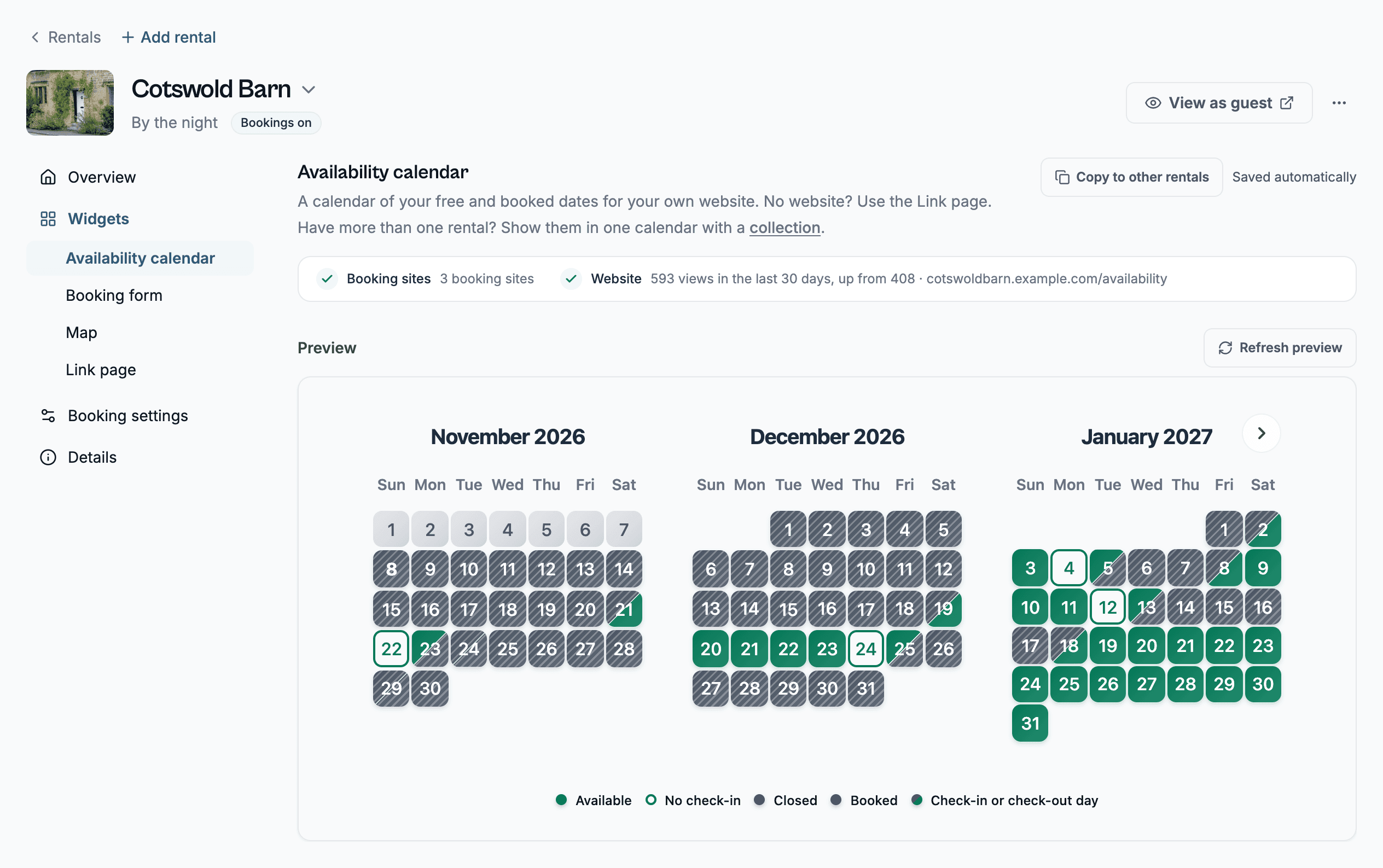
Embed options
A script embed is a small tag that loads RentalBeam's code and draws the widget straight into your page. An iframe embed is a framed window on your page that loads the widget from rentalbeam.com instead.
| Mode | Best for | Notes |
|---|---|---|
| Script embed | WordPress, Wix, Squarespace, Webflow, Weebly, GoDaddy, Framer, Carrd, Jimdo, Duda, Strikingly, Webnode, IONOS, Zoho Sites, Webador, one.com, Yola, Mozello, and custom HTML | Responsive, no fixed height needed, closest to native behavior |
| Iframe embed | Google Sites, Hostinger, SITE123, Square Online, and platforms that strip script tags | Renders without JavaScript, isolated from page styles |
Plan requirements
| Feature | Free | Plus | Pro |
|---|---|---|---|
| Calendar widget embed | ✓ | ✓ | ✓ |
| Multi-month view | ✓ | ✓ | ✓ |
| 1 booking site | ✓ | ✓ | ✓ |
| Several booking sites | - | ✓ | ✓ |
| Custom colors and branding removal | - | ✓ | ✓ |
| Managed (custom) dates | - | ✓ | ✓ |
| Send dates out with your RentalBeam link | - | ✓ | ✓ |
In this section
- Install guide: copy your website code and paste it on your site.
- URL parameters: control layout, scale, and theme.
- Colors & managed dates: custom colors, blocked dates, and prices on the calendar on Plus and Pro.
- Languages: the 25 languages the widgets support and how the language is chosen.
- Fonts: the curated system-font set on Plus and Pro.
- Collections: show several rentals together in one widget.
Where to start
New here? First Connecting sources, so the calendar has your dates. Then Install guide, and your builder under Site builders.