

Bed-and-breakfast owners

B&B booking software for hosts who still want a human touch

Give guests a professional B&B booking path without adopting a full PMS. Use inquiry-first requests, send secure payment links after approval, or enable Stripe-powered guest payments on Pro when your pricing is ready.

Compare plans
Inquiry-first friendly
Pay-later links on Pro
No full PMS required
rentalbeam.com/dashboard/rentals/6f1d2c4e-3b7a-4c58-9e21-8a0f5d7b2c19/widgets/calendar
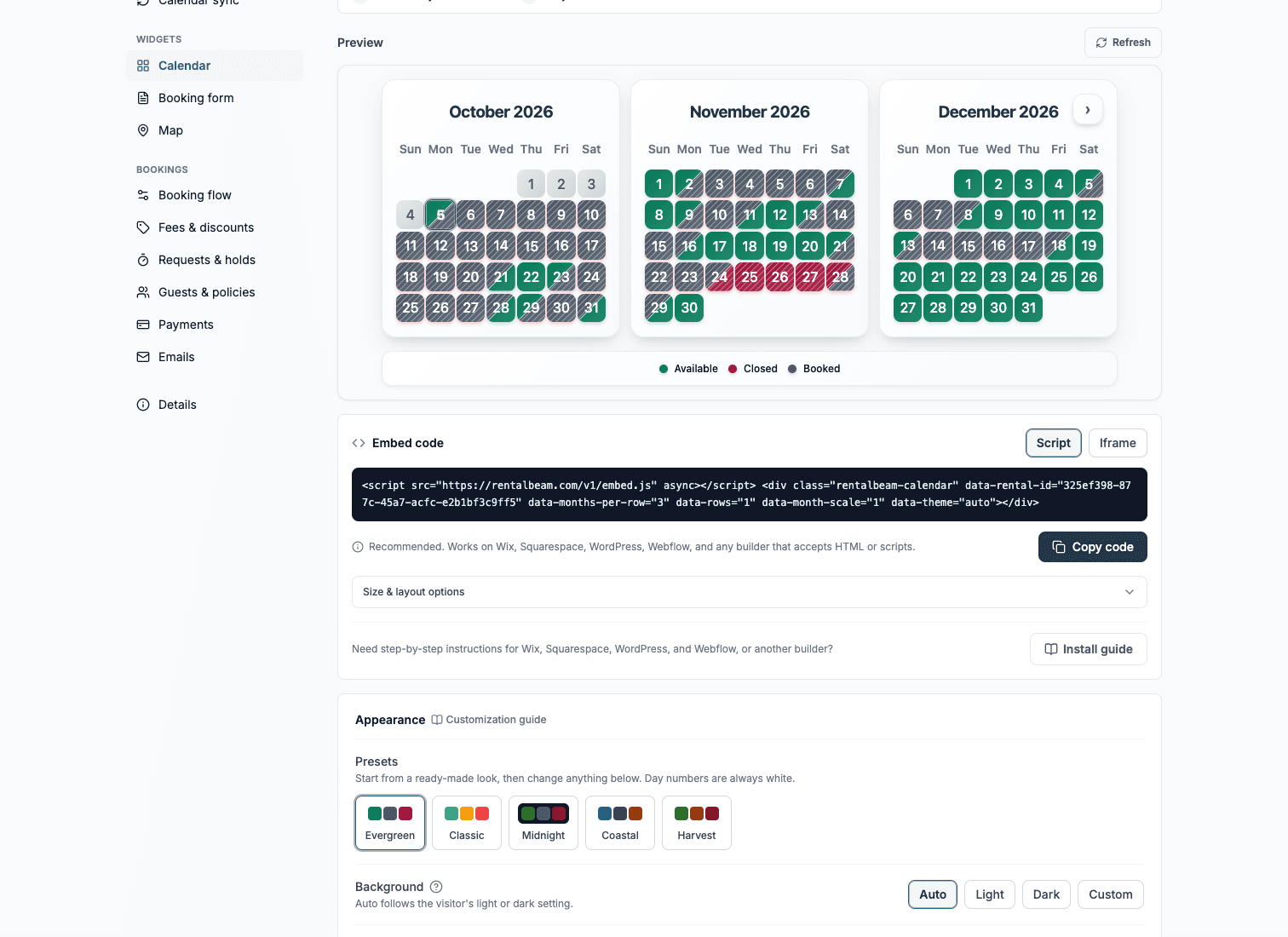
A rental's Calendar widget section: a live three-month preview, its embed code, and the color presets below

Why it fits

A direct booking path without overbuying software

RentalBeam keeps the guest-facing website flow focused: accurate dates, and payment only when it suits how you host.

Keep the conversation before the commitment

Inquiry-only and bill-later flows are ideal when guests ask questions and hosts confirm details before payment.

Look professional without buying a PMS

Publish live availability and a direct booking form from your existing website instead of adopting enterprise hotel software.

Send secure payment requests after approval

On Pro, approve the stay and then send a secure payment link for the deposit, balance, or full amount due.

Keep payment details clear for guests

On Pro, guests get a simple hosted payment page and PDF payment details when you send a payment request after approval.

The back office behind your booking widget

The calendar and form are what visitors see. Behind them sits the RentalBeam dashboard where you review, manage, and get paid for every booking, all on your own website, and we never take a cut.

Approve every stay before it is confirmed

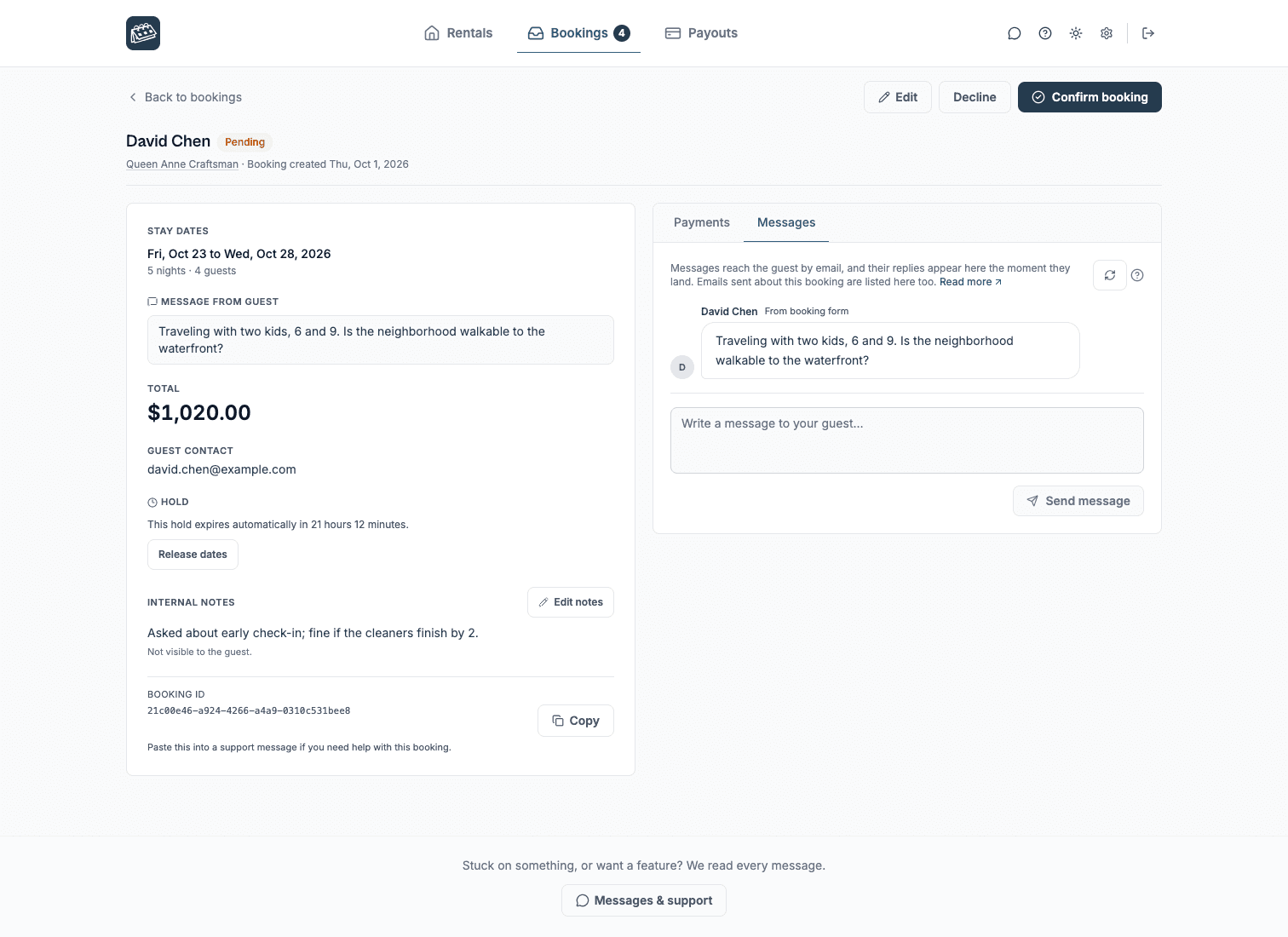
Guests submit dates, guest count, and a message from your bed-and-breakfast website. Each request arrives by email with a secure review link where the full stay is in front of you to approve, decline, or send a payment request.

rentalbeam.com/dashboard/bookings?booking=d4f81b6a-2e93-47c5-9a0d-5b3e6c1f8a27
A booking request open in the dashboard, with the guest, dates and total, and Confirm booking and Decline buttons

Keep the conversation in your own inbox

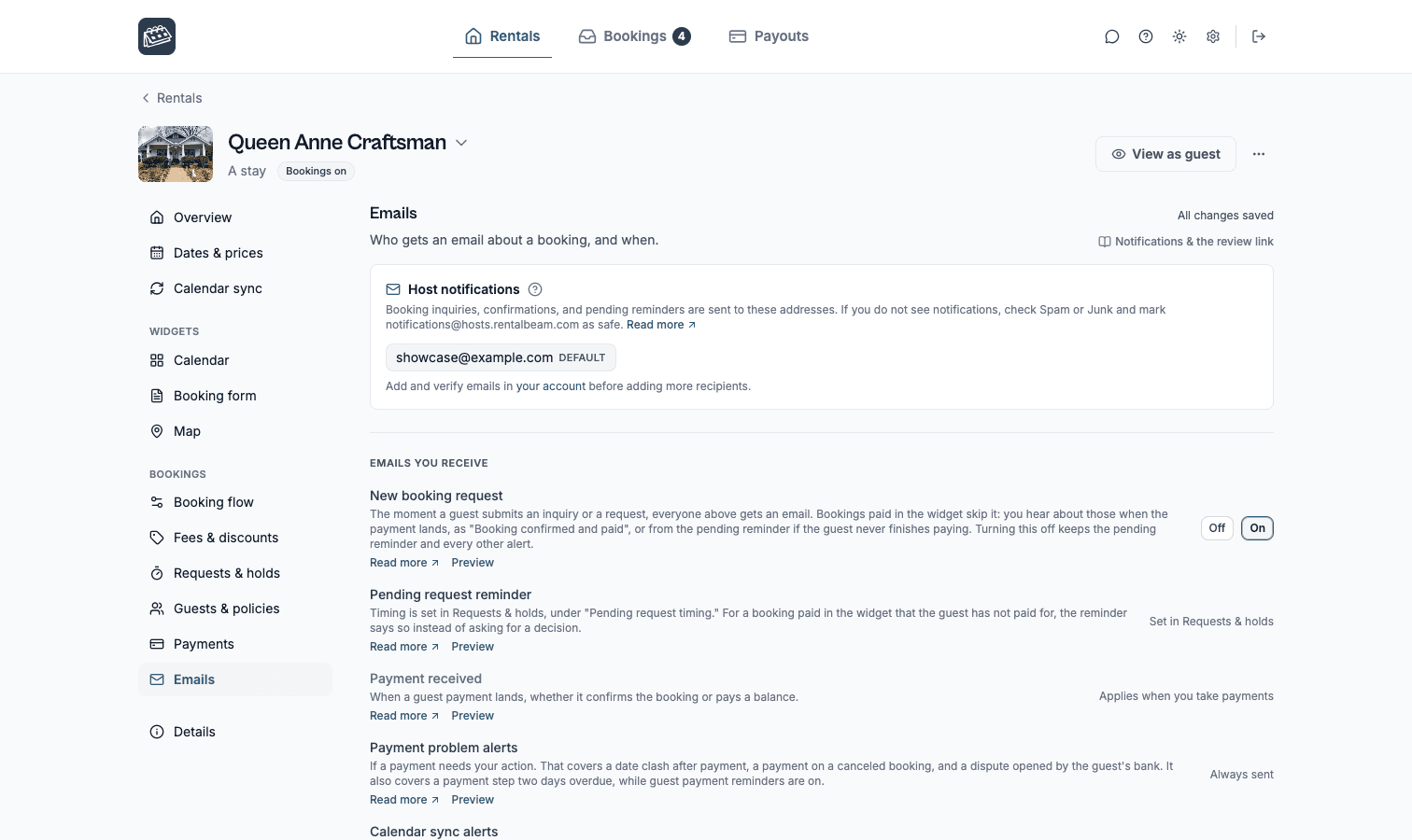
Confirmations and receipts send automatically in your brand color. Reply to a booking email from Gmail or Apple Mail and it reaches the guest; their reply comes back and is saved in the dashboard. Your personal address stays private.

rentalbeam.com/dashboard/rentals/6f1d2c4e-3b7a-4c58-9e21-8a0f5d7b2c19/bookings/emails
A rental's Emails section: the addresses that get booking emails, and each email the host receives about a request

Send payment only after you approve

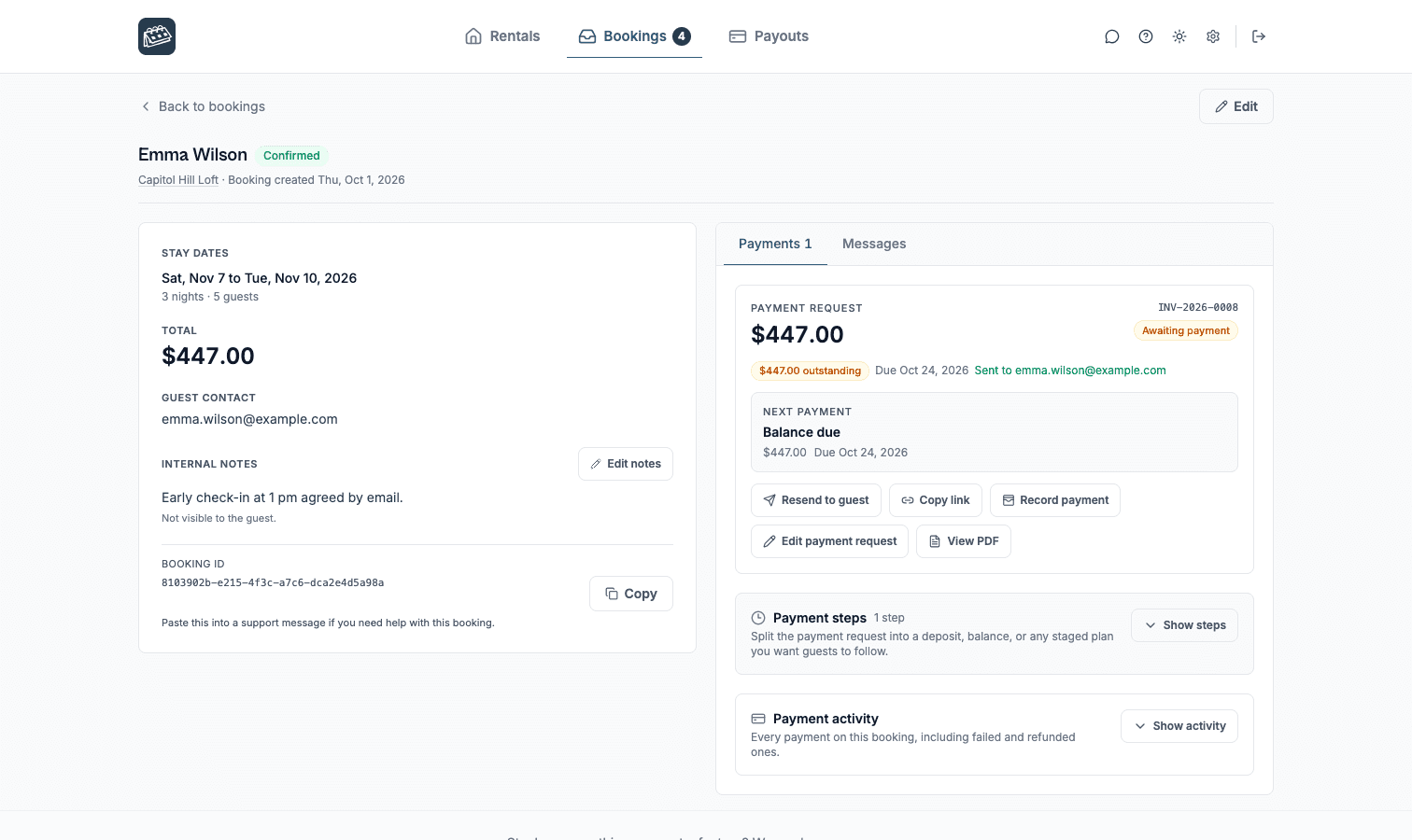
We never take a cut of what you charge. Approve a stay and send a secure pay-later link for a deposit or balance, let guests pay by card in the widget through Stripe, or record a bank transfer yourself, with a branded invoice PDF either way.

rentalbeam.com/dashboard/bookings?booking=d4f81b6a-2e93-47c5-9a0d-5b3e6c1f8a27
A booking's Payments pane in the dashboard: the payment request sent to the guest, its amount and status, and the secure link

Booking flows

Choose the guest path that matches how you host

Start inquiry-first, request payment after approval, or take payment in the widget when your pricing and payout setup are ready.

Lowest commitment

Inquiry only

Hosts who want to screen, quote, or reply manually before anything is confirmed.

Guests send dates and details from your website. You review the request and reply with the next step.

  1. 1Guest chooses available dates and sends a request
  2. 2Host reviews the request and guest message
  3. 3Host replies, confirms manually, or declines
What most hosts here pick.

Approval first

Request now, bill later

Hosts who want a clear booking request first, then a secure payment link after approval.

Guests send the request, you approve it, then send a secure payment request for deposit, balance, or full payment.

  1. 1Guest submits the booking request
  2. 2Host confirms the booking and payment steps
  3. 3Guest pays later through a secure RentalBeam page
What most hosts here pick.

Fastest checkout

Pay in widget

Pro

Hosts with reliable pricing who want guests to complete card payment during the website flow.

Guests choose dates, review the total, and pay in the booking widget when Stripe-powered payments are enabled.

  1. 1Guest chooses dates and sees the amount due
  2. 2Guest pays in the widget with a Stripe-supported method
  3. 3Host receives the booking request and payment status

Frequently asked questions

Common questions for bed-and-breakfast owners

Does RentalBeam charge a commission or booking fee on Pro?

No. RentalBeam Pro takes no commission and no booking fee - your direct booking revenue is 100% yours. The booking form widget, guest payment workflow, coupon codes, seasonal pricing, custom fields, and booking rules are all included. The only cost when a guest pays by card through RentalBeam is the standard Stripe card-processing fee, which is paid to Stripe, not RentalBeam. Inquiry-only and pay-later flows have no per-transaction cost.

Does RentalBeam take a commission on my direct bookings?

No. RentalBeam never takes a commission on your booking revenue on any plan, and Pro adds no RentalBeam booking or application fee. If a guest pays by card through RentalBeam, only the standard Stripe card-processing fee applies - that fee goes to Stripe, the same as any payment processor. Inquiry-only, pay-later, and off-platform bookings (such as bank transfer) have no per-transaction cost at all.

Does RentalBeam support coupon codes and discounts?

Yes. RentalBeam Pro includes coupon codes, percentage and fixed-amount discount rules, seasonal prices, and a weekend price. You can run promotional codes for repeat guests, configure off-season discounts, and combine them with custom fees and booking rules from the same booking form widget setup.

Can I charge sales tax, VAT, or occupancy tax on my booking form?

Yes. RentalBeam Pro supports percentage fees built for taxes: you enter the rate (up to three decimals, so rates like 8.875% work) and it is calculated on the discounted subtotal plus your other fees, the same base tax authorities use. The rate can be added on top of your prices (US-style sales tax) or shown as already included in them (EU-style VAT, with an "Includes VAT (20%)" line under the total). You can exclude individual fees from the tax base when your jurisdiction does not tax them, and guests see the tax clearly labeled with the rate. Fixed per-person tourist taxes are also supported through per-guest-per-night fees with child age rules.

Can I message guests from my email inbox?

Yes. On Pro, every booking notification email includes a reply address linked to that booking. Reply in Gmail, Apple Mail, or any email app and your message goes to the guest. When they reply, it comes back to your inbox and is saved with that booking in your dashboard. Your personal email address is never shared with the guest.

Is RentalBeam suitable for a small B&B?

Yes. RentalBeam is best for independent hosts who want live website availability and direct booking workflows without adopting a full PMS.

Can I approve every request before payment?

Yes. On Pro, you can configure the booking form widget to stay inquiry-first, or use request-now-bill-later so payment only happens after you review and approve the stay.

Can I take online payments from B&B guests?

Yes, on Pro, when Stripe Connect guest payments are enabled and the selected payout account is ready. Wallet options such as Apple Pay and Google Pay depend on Stripe, browser, device, and region support.

Do I need to show room prices publicly?

No. RentalBeam lets hosts show pricing or keep it hidden, which works well when you prefer to quote manually before sending payment details.

Start free. Upgrade when it earns its keep.

Every plan runs on the same synced calendar foundation. Move up only when you need more rentals, your own look, or direct bookings.

Free

Live availability on your website

One rental, one iCal source, and a synced multi-month calendar embedded in about 2 minutes.

  • Import Airbnb, Vrbo, Booking.com, or any iCal feed
  • Multi-month calendar with light, dark, and auto themes
  • 25 display languages, mobile-ready
  • Simple script or iframe embed

Plus

Your calendar, your look

Your rentals with the full appearance studio, managed dates, and a combined two-way iCal export.

  • 1 or 3 rentals, or any number from 5 to 50, with 10 iCal sources each
  • Custom colors, background, fonts, and one-click presets
  • Managed dates with your own labels and colors, and your rate on open days
  • Combined iCal export and branding removal

Pro

Direct bookings, zero commission

Add the booking form widget and take direct bookings with no commission and no RentalBeam booking fee. Card payments carry only Stripe's fee.

  • Booking requests with pricing shown or hidden
  • Seasonal and weekend pricing, fees, discounts, and coupon codes
  • Optional guest card payments through Stripe Connect
  • Custom guest fields, file uploads, and guest messaging

Build the booking flow that fits your business.

Start with a free availability calendar, then add booking requests, secure pay-later links, payment PDFs, and optional guest card payments on Pro.

Compare plans