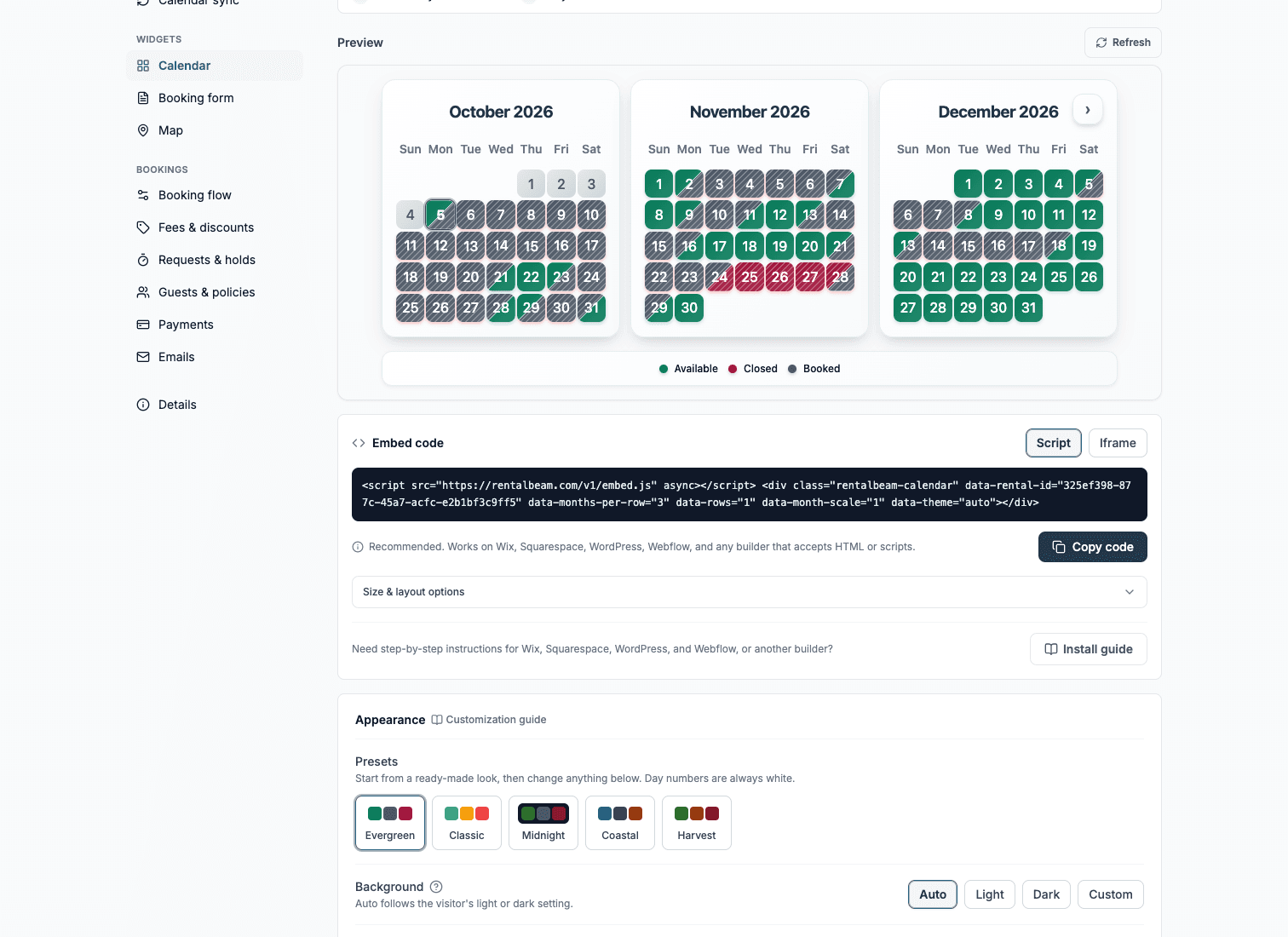
RentalBeam vs Google Calendar for vacation rental availability
Google Calendar is free, and you can subscribe it to your Airbnb or Vrbo iCal link and embed it on a website, so it comes up whenever hosts look for a no-cost way to show availability. It works, up to a point. Google Calendar was built to organize your day. Guests need to see which nights a rental is free, and that is where RentalBeam picks up. Here is an honest look at how far Google Calendar goes and where a purpose-built availability widget helps.
How RentalBeam compares to Google Calendar
RentalBeam next to Google Calendar, from publicly available information checked August 25, 2026.
What it is
RentalBeam
(Us)
Google Calendar
Cost
RentalBeam
(Us)
Google Calendar
Shows only available vs booked
RentalBeam
(Us)
Google Calendar
Hides guest and event details
RentalBeam
(Us)
Google Calendar
Merges Airbnb, Vrbo, Booking.com into one view
RentalBeam
(Us)
Google Calendar
Matches your website styling
RentalBeam
(Us)
Google Calendar
Direct booking form and guest payments
RentalBeam
(Us)
Google Calendar
Location map widget
RentalBeam
(Us)
Google Calendar
Subscribes to an iCal URL
RentalBeam
(Us)
Google Calendar
Embeds on your website
RentalBeam
(Us)
Google Calendar
Best suited for
RentalBeam
(Us)
Google Calendar
| Feature | RentalBeam(Us) | Google Calendar |
|---|---|---|
| What it is | Guest-facing availability calendar + booking widgets | A personal general-purpose calendar |
| Cost | Free plan + paid tiers | Free |
| Shows only available vs booked | Included | Not included |
| Hides guest and event details | Included | Not included |
| Merges Airbnb, Vrbo, Booking.com into one view | Included | Separate overlapping calendars |
| Matches your website styling | Included | Not included |
| Direct booking form and guest payments | Yes, on Pro | Not included |
| Location map widget | Included | Not included |
| Subscribes to an iCal URL | Included | Included |
| Embeds on your website | Included | Public calendar embed only |
| Best suited for | Guest-facing availability and direct bookings | Your own personal scheduling |
RentalBeam or Google Calendar?
Google Calendar is a free general-purpose calendar you can subscribe to iCal feeds and embed on a website. Here is the honest split.
Pick Google Calendar
Choose Google Calendar if you just want a private, personal view of your bookings and you are comfortable with a plain calendar that shows event blocks. It is free, you already have it, and subscribing to your Airbnb or Vrbo iCal link takes a couple of minutes. For your own internal planning, it is hard to beat.
Pick RentalBeam
Choose RentalBeam when the calendar is for your guests, not for you. It shows a clean available-or-booked view with no event details to leak, merges Airbnb, Vrbo, and Booking.com into one widget, matches your site colors, and adds a direct booking form on Pro. Google Calendar does none of those things, because it was never meant to.
What a purpose-built availability widget adds
Guests see availability, not your schedule
RentalBeam shows only open versus booked. A public Google Calendar embed shows your event blocks, and any detail you put in an event can be exposed.
One widget, every platform
RentalBeam merges Airbnb, Vrbo, Booking.com, and any iCal source into a single availability view. In Google Calendar each feed is a separate overlapping calendar.
It matches your website
Set the calendar colors and styling to fit your site. A Google Calendar embed looks like Google Calendar.
A path to direct bookings
Add the RentalBeam booking form on Pro so guests can request or pay for a stay. Google Calendar has no booking step at all.
Want the number for your own listings? Calculate what OTA commissions cost you per year.
Google Calendar is a trademark of its respective owner and is not affiliated with RentalBeam. This comparison reflects publicly available information checked on August 25, 2026. Vendors change their plans without notice, so confirm current terms before deciding.