VRBO availability

Free VRBO calendar widget

Show your VRBO availability on your own website and turn the visitors who searched for your place into direct bookings. No PMS, no code, setup in about 2 minutes.

How to get your VRBO iCal link:

  1. Open the listing in your Vrbo owner dashboard and select Calendar
  2. In Settings, open the Availability tab
  3. Under Calendar sync, choose Connect calendars, then Export calendar
  4. Select Copy URL
  5. Paste it above

Vrbo export guide

Works with Airbnb, Booking.com, or any iCal URL.

Live Preview
Embed Code

Paste an iCal link above and the code for your own calendar appears here.

Your calendar, on your own website

Paste your iCal link above to fill in your dates, or create a free account and set it up from your dashboard.

See it live

How your VRBO availability looks on your own website

Rotate through example rentals to see how a synced availability calendar sits naturally on a host's website with a copy-paste embed.

Beachfront Villa

Luxury Coastal Property

Loading

Click arrows to see different rental calendars

Why hosts add it

Turn your VRBO availability into direct bookings

Commission rates vary by market and listing type. Showing your VRBO availability on your own website gives a high-intent visitor a reason to book with you rather than go back to the listing.

Keep the commission on a direct booking

A stay booked through VRBO carries a commission. The same stay booked on your own website does not, so the guests who searched for your name go through a door you own.

One calendar, every channel

Add your VRBO feed, and your Airbnb and Booking.com feeds beside it, and the widget shows one merged calendar. A date booked on any channel reads as booked on your website too.

Dates only, never guests

A VRBO iCal feed carries dates. Guest names, contact details, and payout information stay in your VRBO account and never reach the page.

Behind the widget

A calendar that updates itself

The embed on your website is backed by a sync engine that keeps your VRBO availability current and an appearance studio that makes the calendar look like yours.

Sync engine

Your VRBO availability, mirrored on your own site

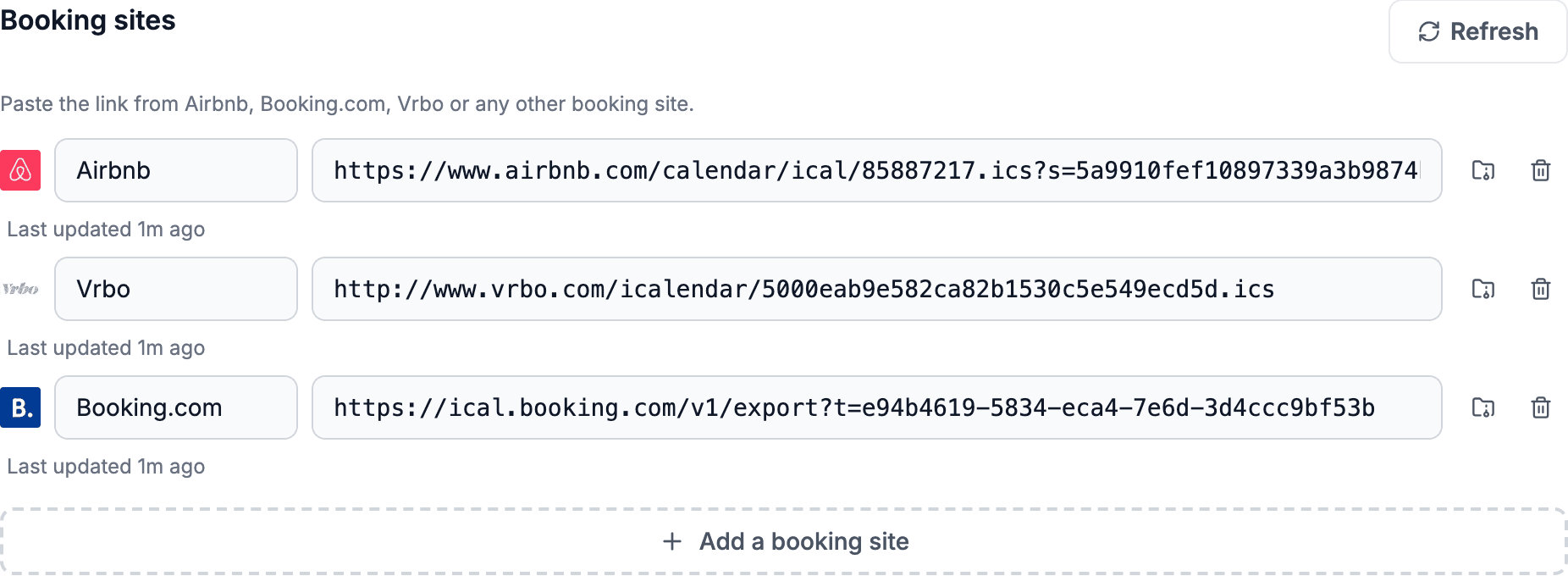
RentalBeam reads the calendar export link VRBO publishes, alongside Airbnb, Booking.com, or any other iCal URL, and keeps one combined calendar current on its own, re-checking yours at most every 15 minutes.

  • Merge VRBO, Airbnb, and Booking.com into one calendar, up to 10 iCal sources per rental
  • Automatic refresh, with Healthy / Stale / Error sync health per source
  • Export one combined feed back out on Plus and Pro
rentalbeam.com/dashboard
The dashboard Home tab with one rental expanded: Airbnb, VRBO and Booking.com sources each marked synced, and the combined export feed beside them

Appearance studio

Style the calendar to match your website

A guest who came looking for your place should not land on a widget that looks bolted on. Plus and Pro start you from a one-click preset, then let you set the available, booked, and closed colors, the font, and the background. The calendar follows your site's own light, dark, or auto theme.

  • Preset color schemes, or set the available, booked, and closed colors yourself
  • Custom font, background, and light / dark / auto theme
  • Branding removal on Plus and Pro
rentalbeam.com/dashboard?tab=widgets&widget=calendar
The Widgets tab calendar builder: a live three-month preview beside the color presets and appearance controls

Widgets tab

The widget builder in your dashboard

Real dashboard
rentalbeam.com/dashboard?tab=widgets&widget=calendar
The Widgets tab calendar builder: a live three-month preview beside the color presets and appearance controls

Your side of it

Preview, embed code, and a view count on one tab

Paste your VRBO iCal link once. The Widgets tab shows the same calendar guests will see on your website, the embed code sits right under it, and the view count tells you it is live.

Pick a look, copy the code, and stop updating dates by hand.

Three months side by side or one month at a time, chosen before you copy
Script or iframe embed, pasted into Wix, Squarespace, WordPress, Webflow, and any builder that accepts HTML or scripts
Imported dates refresh on their own, re-checked at most every 15 minutes

Widget features

Everything the VRBO calendar widget can do

Free starts with one source and one embed. Plus and Pro add source aggregation, manual date controls, export URLs, branding removal, and sync monitoring.

Availability calendar

Always in sync

Availability stays current on its own, across every channel you use.

  • Auto sync
  • Source aggregation
  • Two-way iCal sync
  • Sync health monitor
  • Export access tracking
  • Google Calendar quick-add

Make it yours

Style it, control it, and scale it to match your brand and portfolio.

  • Custom date blocking
  • Branding and colors
  • Dark mode
  • Scales with your portfolio
  • Collections

Built for any guest, any site

Free to start, private by default, and ready for every visitor.

  • Free plan
  • Responsive
  • 25 languages
  • Privacy safe
  • Widget view stats
  • Guided install

Speaks your guests' language

Your VRBO availability, read in 25 languages

The widget detects each visitor's browser language automatically, or you can force one language in the embed, so a guest who found you from anywhere still reads open and booked dates in their own words.

  • English
  • Deutsch (German)
  • Français (French)
  • Español (Spanish)
  • Italiano (Italian)
  • Nederlands (Dutch)
  • Português (Portuguese)
  • Dansk (Danish)
  • Norsk (Norwegian)
  • Svenska (Swedish)
  • Suomi (Finnish)
  • Polski (Polish)
  • Čeština (Czech)
  • Magyar (Hungarian)
  • Română (Romanian)
  • Hrvatski (Croatian)
  • Slovenčina (Slovak)
  • Slovenščina (Slovenian)
  • Ελληνικά (Greek)
  • Türkçe (Turkish)
  • Русский (Russian)
  • Українська (Ukrainian)
  • 日本語 (Japanese)
  • 한국어 (Korean)
  • 中文 (Chinese)

Guest experience

See what your guests experience

Open the real booking form, keep the flow inquiry-first if you want, or start guest card payments from the same widget when you are ready.

The real booking form, live on this page
Guests stay on your website from dates to payment
Inquiry-first and card-payment flows use the same widget setup
your-rental.com/book
Loading preview…

The real RentalBeam demo booking form, shown the way your guests see it on your own website.

Setup in 3 steps

1

Get your iCal URL

Copy the calendar export link from your VRBO owner dashboard, or from Airbnb or Booking.com.

2

Customize your widget

Paste the URL above, pick your colors and language. See a live preview instantly.

3

Embed on your site

Copy the embed code and paste it into Wix, Squarespace, WordPress, Webflow, and any builder that accepts HTML or scripts.

RentalBeam vs. the alternatives

Why VRBO hosts pick a synced website calendar over a full property management system

Availability calendar on your site

RentalBeam

(Us)

Included

All-in-one operations suite

Included

Standalone website builder

Included

Manual calendar updates

Not included

Free to start

RentalBeam

(Us)

Included

All-in-one operations suite

Not included

Standalone website builder

Not included

Manual calendar updates

Included

Setup in minutes

RentalBeam

(Us)

Included

All-in-one operations suite

Not included

Standalone website builder

Not included

Manual calendar updates

Not included

Auto iCal sync

RentalBeam

(Us)

Included

All-in-one operations suite

Included

Standalone website builder

Some plans

Manual calendar updates

Not included

Multi-platform sync

RentalBeam

(Us)

Included

All-in-one operations suite

Included

Standalone website builder

Some plans

Manual calendar updates

Not included

Custom colors and branding

RentalBeam

(Us)

Plus/Pro

All-in-one operations suite

Included

Standalone website builder

Included

Manual calendar updates

Not included

Direct booking form

RentalBeam

(Us)

Pro plan

All-in-one operations suite

Included

Standalone website builder

Included

Manual calendar updates

Not included

No monthly fee

RentalBeam

(Us)

Included

All-in-one operations suite

Not included

Standalone website builder

Not included

Manual calendar updates

Included
Yes No Varies|Pricing and features accurate as of 2026

Frequently asked questions

Where do I find my VRBO iCal link?

Open the listing in your Vrbo owner dashboard and select Calendar. In Settings, open the Availability tab. Under Calendar sync, choose Connect calendars, then Export calendar. Select Copy URL. That link is the feed RentalBeam reads. Paste it into the widget builder and your website calendar shows the same booked and open dates your VRBO calendar has.

How often does the VRBO calendar widget update?

RentalBeam re-checks your VRBO feed at most every 15 minutes, on its own, with nothing for you to press. The timing you see also depends on how quickly VRBO itself refreshes the feed it publishes, which is measured in hours on every booking platform, so treat the calendar as close to current rather than instant.

Does the widget show guest names from my VRBO bookings?

No. A VRBO iCal feed carries dates, and the widget displays only whether a date is booked or open. Guest names, email addresses, phone numbers, and payout details never travel through the feed and never appear on your website.

Can I show VRBO and Airbnb availability in one calendar?

Yes, on Plus and Pro. Add the iCal URL from VRBO, Airbnb, Booking.com, or any other calendar that publishes one to the same rental, up to 10 iCal sources per rental, and the widget merges them into one calendar. A stay booked on any of those channels blocks that date everywhere the widget is embedded. The Free plan reads one source, so it suits a host who lists on VRBO only.

Does the VRBO calendar widget work on Wix, Squarespace, WordPress, and Webflow?

Yes. RentalBeam gives you a short script snippet, or an iframe if you prefer one, and it works on Wix, Squarespace, WordPress, Webflow, and any builder that accepts HTML or scripts. Paste it where you want the calendar to appear. The whole setup takes about 2 minutes.

Is the VRBO calendar widget free?

Yes. The availability calendar is on RentalBeam's Free plan with one rental and one iCal source, which covers a single VRBO listing shown on your own website. Plus starts at 1 rental and Pro at 3, and both scale to any number from 5 to 50 rentals, priced per rental, adding more rentals, more iCal sources per rental, custom colors and fonts, branding removal, and a combined export URL.

Can guests book from the VRBO calendar widget?

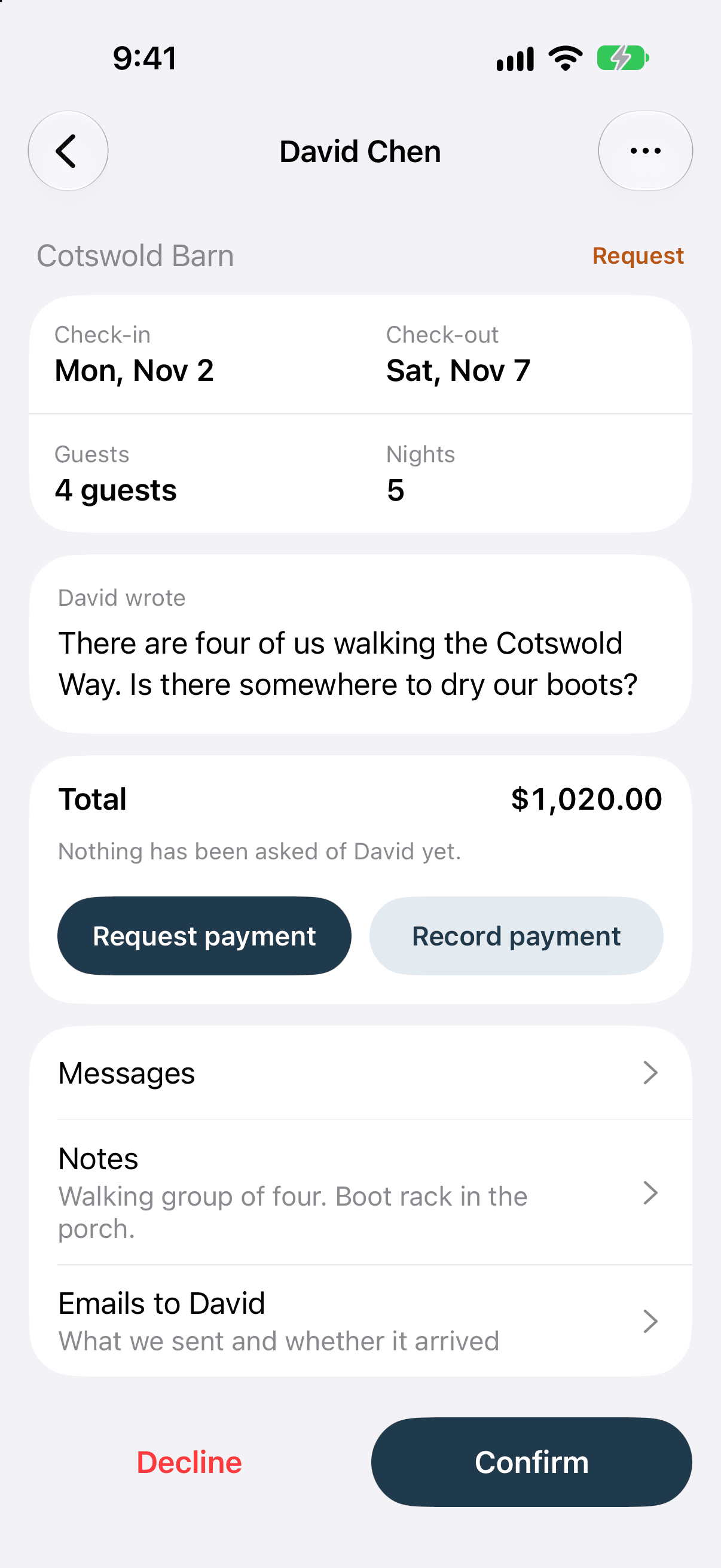
The calendar widget shows availability; it does not take a reservation. To accept direct bookings on your own website, add the booking form widget, which is on the Pro plan. Guests then check your open dates and send a booking request, or pay for the stay, without going back to VRBO.

Will embedding my VRBO calendar affect my VRBO listing?

No. RentalBeam reads the calendar export link VRBO publishes for exactly this purpose. It does not sign in to your account, change your listing, or touch your rates or your ranking on VRBO.

The rest of the widget set

The booking form and the map fit the same page

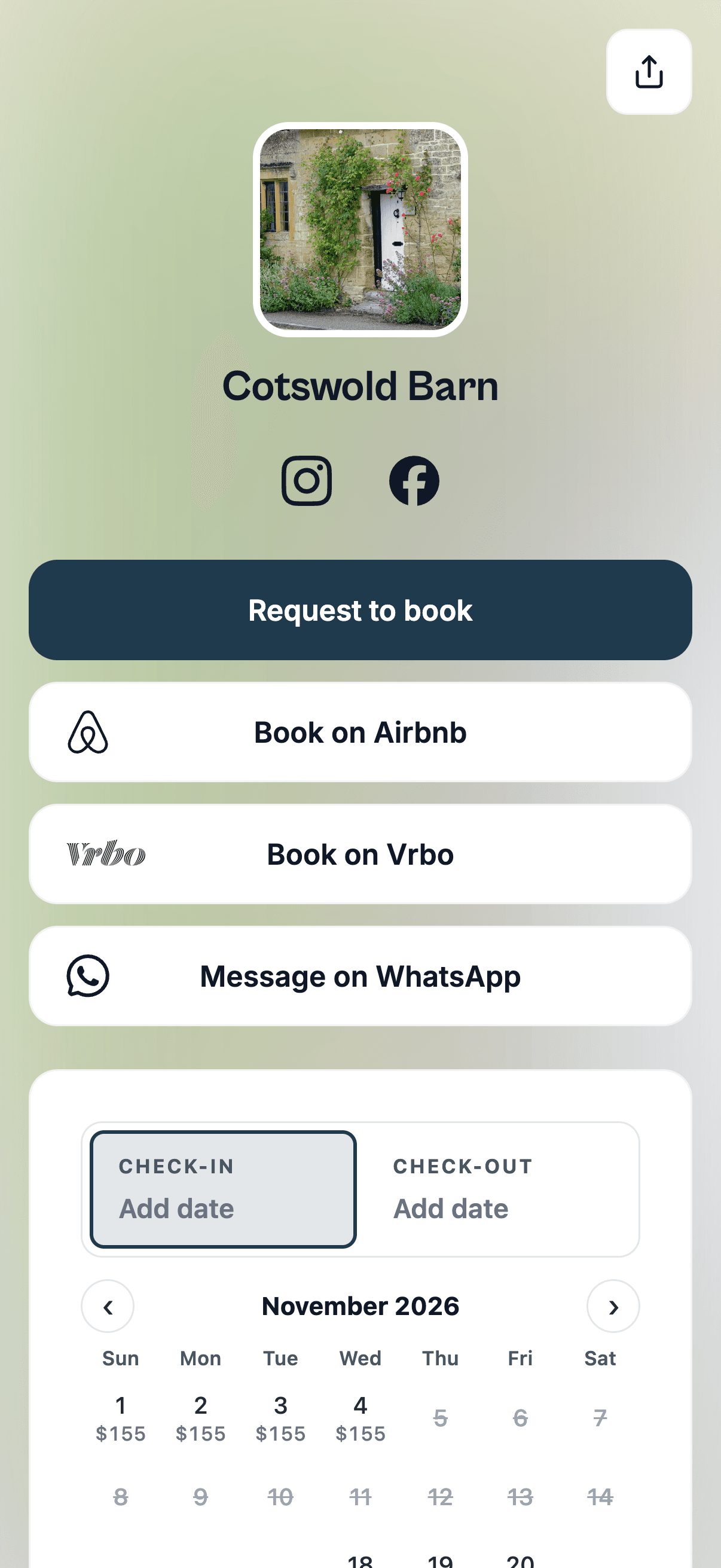
All three read the same rental, so a guest can see your free nights, find where the place is, and book, without leaving your site.

Ready to get started?

Set up your free availability calendar in about 2 minutes. No credit card needed.

Compare plans