How to accept direct bookings on your Duda vacation rental website
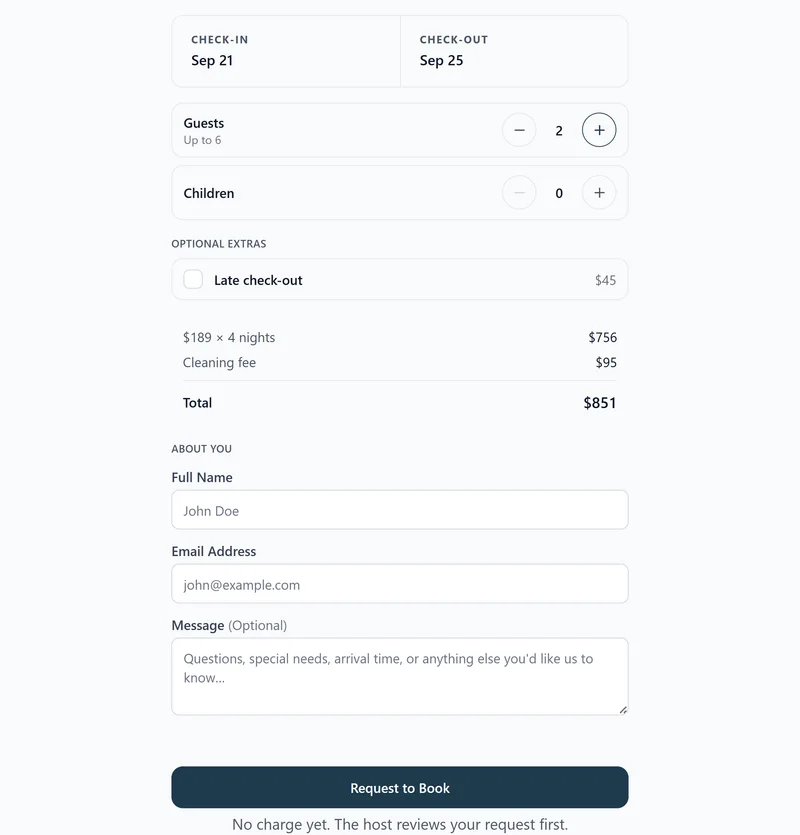
A Duda site can take real booking requests without a PMS or a separate form builder. Duda's HTML widget runs JavaScript loaded over HTTPS, so the recommended setup pastes the RentalBeam booking widget script into an HTML widget in its own row, next to your availability calendar. Custom code needs a Duda Team plan or higher. You decide whether guests submit an inquiry, get billed after you approve by bank transfer, cash, or a secure card payment link, or pay inline with Stripe Connect, all with no commission and no RentalBeam booking fee on your direct bookings.
Why add a direct-booking form to your Duda site?
Guests who reach your own website are your highest-intent traffic. Letting them request or book a stay without leaving the page, and without paying an OTA service fee, is the most underused conversion lever in vacation rentals. A direct-booking form on Duda turns the page from a brochure into a booking surface.
- Take booking requests directly from your own website
- Keep Airbnb, Vrbo, and Booking.com synced so the form never sells double-booked dates
- Offer coupon codes, seasonal pricing, custom fields, and booking rules
- Choose between inquiry-only, bill later by bank transfer, cash, or a card link, or inline Stripe Connect card payment
- Zero RentalBeam commission on direct bookings: hosts keep 100% of their booking revenue
What you need
- A Duda site on a Team plan or higher, or an agency that can edit it
- A RentalBeam Pro plan with a booking-ready calendar
- At least one connected OTA or iCal availability source
Pro plan required
The booking widget is part of RentalBeam Pro. We never take a cut of what you charge. When a guest pays by card, only the standard Stripe card-processing fee applies, paid to Stripe rather than RentalBeam.Setup steps
- 1
Create a booking-ready RentalBeam calendar
- Open your RentalBeam dashboard and add or open a rental.
- Connect at least one iCal source (Airbnb, Vrbo, Booking.com, Google Calendar) so the booking widget never offers double-booked dates.
- Set your nightly pricing, optional seasonal rules, minimum stay, advance notice, and prep time.
- Decide whether bookings should be inquiry-only, host-reviewed and billed later by bank transfer, cash, or a card link, or paid inline with Stripe Connect.
Choose payment flow at any time
You can start with inquiry-only or pay-later requests today and switch to inline card payments later without rebuilding the page. The widget URL stays the same. - 2
Copy the right booking widget embed for Duda
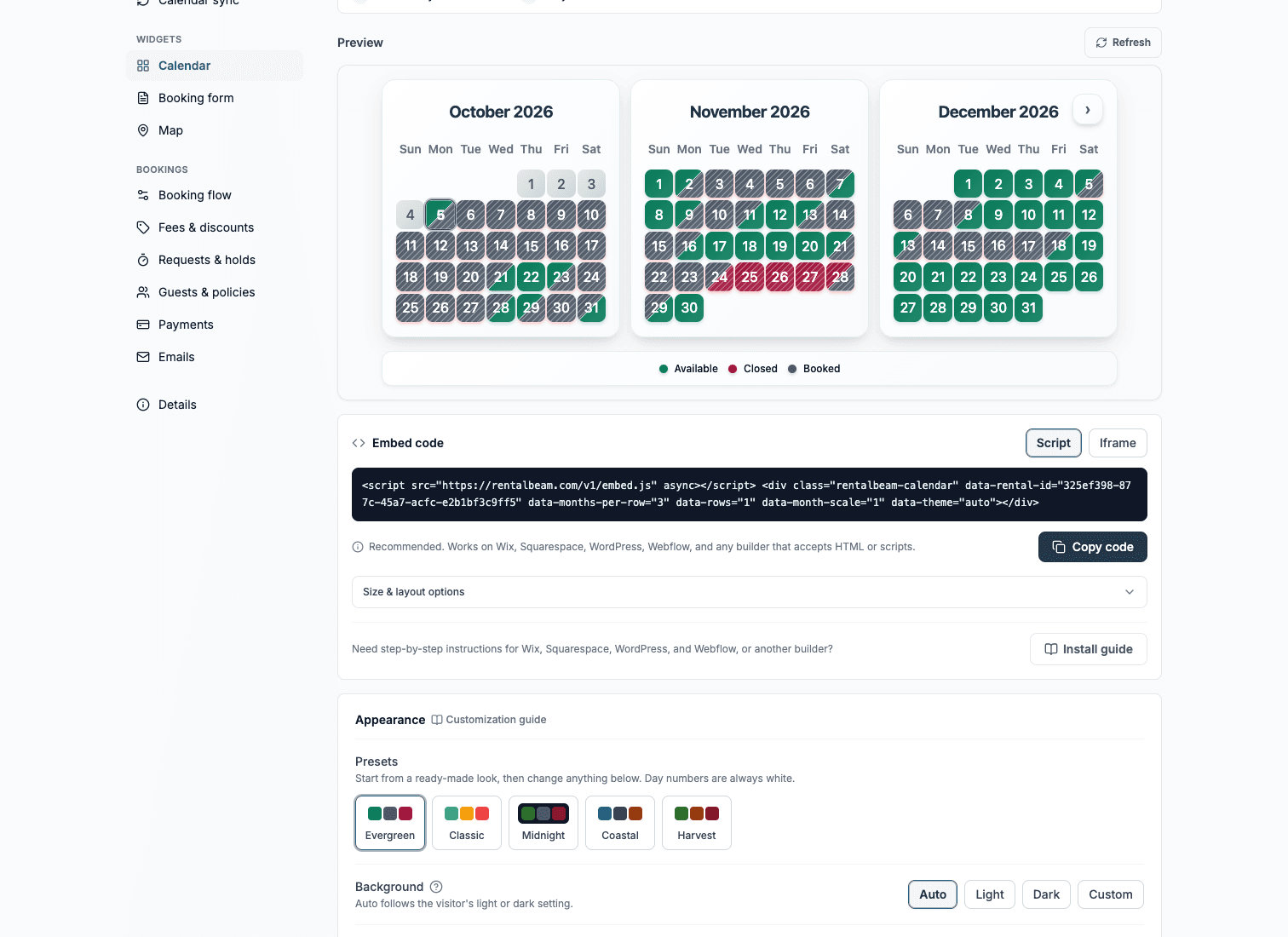
RentalBeam recommends the script embed for Duda. Use the matching code format below as your reference.
html<script src="https://cdn.rentalbeam.com/v1/embed.js" async></script> <div class="rentalbeam-booking-form" data-rental-id="your-calendar-id"></div>The HTML widget runs the booking form script, so the form can grow as guests fill it in.
Duda publishing reminders
- Custom code needs a Duda Team plan or higher.
- Keep the form in its own row so neighboring columns do not squeeze it on a phone.
- Send one real test inquiry from the published page to confirm the email reaches you.
- 3
Paste the booking widget into Duda
Builder-specific install steps
Use these steps to place the RentalBeam booking widget exactly where guests are ready to book.
Recommended: ScriptDuda
Drag in the HTML widget and paste the script snippet. Custom code needs a Duda Team plan or higher.
The HTML widget runs the booking form script, so the form can grow as guests fill it in.
Use the Script tab for this builder.
- Open the page where guests should send booking requests
- Choose Add, then Elements, search for HTML, and drag the HTML widget into its own row
- Open the widget's code and paste the RentalBeam booking widget script snippet
- Publish, then send a test inquiry from the live page on a computer and a phone
Before you publish
- Custom code needs a Duda Team plan or higher.
- Keep the form in its own row so neighboring columns do not squeeze it on a phone.
- Send one real test inquiry from the published page to confirm the email reaches you.
- 4
Publish and submit one live test inquiry
Where to place the booking widget on the page
- Keep the form in its own row so neighboring columns do not squeeze it on a phone.
- Send your test inquiry from the preview or the live page rather than inside the editor.
- Booking settings you change in RentalBeam update the live widget automatically, so the code never needs another edit.
Treat the booking form as the page's primary CTA
High-converting direct-booking pages put the booking form directly next to or under the availability calendar so guests can check dates and request a stay in a single visual area.No commission on your direct bookings
RentalBeam Pro never takes a cut of what you charge: your booking revenue is 100% yours. When a guest pays by card through RentalBeam, the only deduction is the standard Stripe card-processing fee, which is paid to Stripe, not RentalBeam.
- No commission: RentalBeam never takes a cut of your booking revenue.
- No RentalBeam booking or application fee on guest card payments.
- Card payments carry only the standard Stripe card-processing fee; inquiry-only and pay-later bookings have no per-transaction cost.