

Features
Everything RentalBeam does, in one list.
Search every feature, or filter by plan to see what each one includes.
What can RentalBeam do?
RentalBeam puts your availability, bookings and payments on your own rental website. Every plan shows a synced availability calendar; Plus and Pro add your own look and the map on your site; Pro adds the booking form and guest payments. The full list groups every feature by the job it does and names the plan that has it.
208 features. Each plan includes the ones before it.
Show your open dates on your own website. One calendar that merges every booking site, so guests see what is really free.
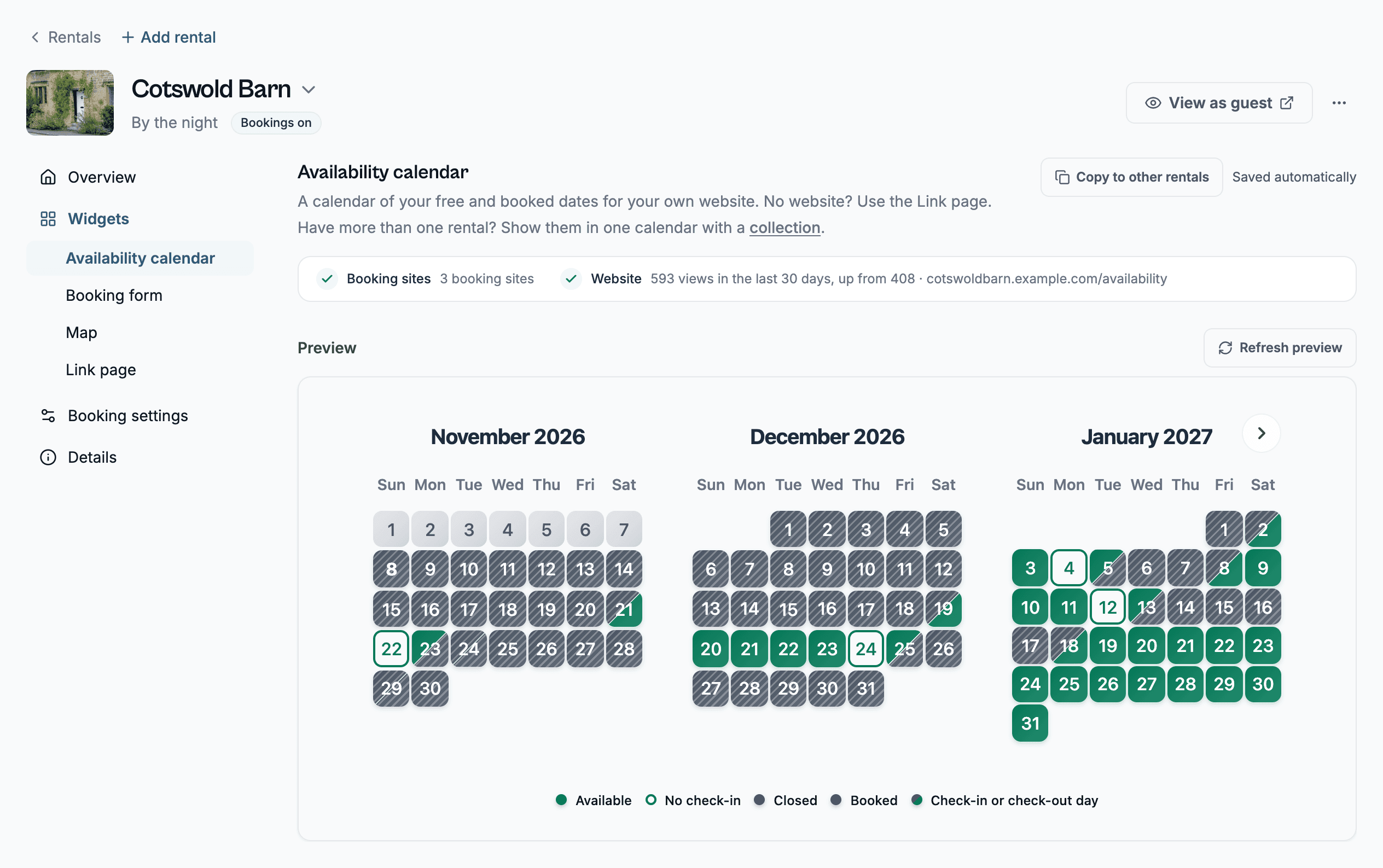
Availability calendar on my website
Your open, booked and closed days from every booking site, on your own site.
Prices under each open day
Guests see your price under each open night.
Plus, ProHalf days for check-in and check-out
Arrival and departure days show as half days, so a same-day turnover reads right. Plus and Pro can switch this off.
Color key (legend)
A small key under the calendar names each color. Plus and Pro can change it.
Plus, ProBooking site colors
Color each day by the booking site it came from, so Airbnb and Vrbo stays are easy to tell apart.
Plus, ProMonths across and size
Choose how many months sit side by side and how big the calendar is.
Swipe between months on a phone
Guests swipe from month to month on a touch screen.
Guest's own week start
The week starts on the day your visitor's region uses, or you fix the language and week start yourself.
Never shows open when it cannot read
If a calendar can't be read, guests see "unavailable, try again shortly" and never a day wrongly shown as free.
Widget views
See how many real people opened each widget. Bots, previews and your own visits don't count.
"You're live" detection
The first time your widget loads on your site, we tell you where and when.
View as guest
Open your rental exactly as a guest sees it: the booking form if it takes bookings, the calendar if not.
Make it look like your site. Colors, fonts and shapes that match your pages, and the RentalBeam mark gone.
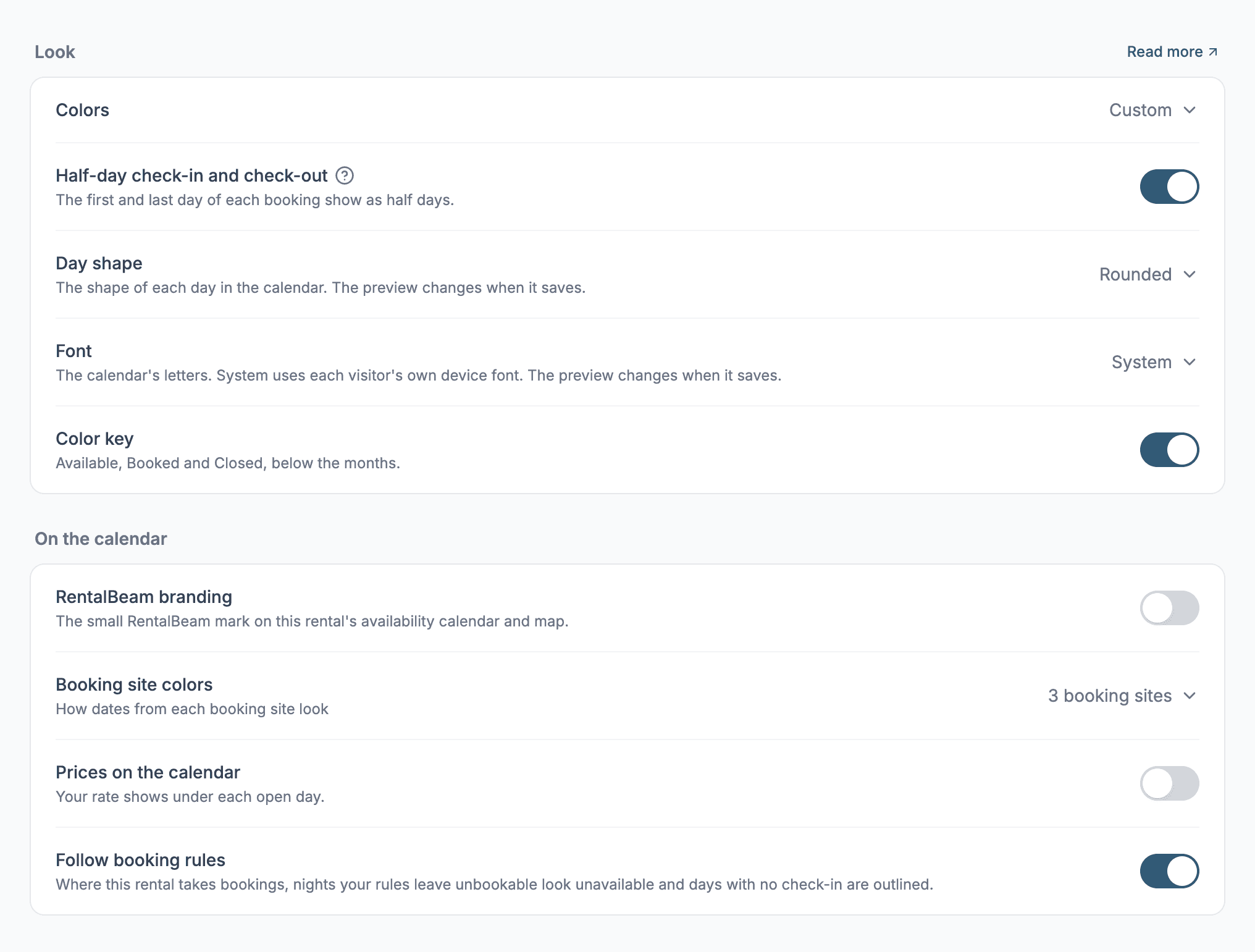
Auto, Light or Dark background
Match your website automatically, or lock the calendar to light or dark.
Custom background color
Pick any background color for your calendar.
Plus, ProSix color presets
One tap gives you a finished set of colors, black and white included.
Plus, ProDay status colors
Choose the colors for open, booked and closed days.
Plus, ProDark numbers on light colors
Day numbers turn dark when a day color is light. Turn it off to keep them white.
Plus, ProDay shape
Choose circle or square days.
Plus, ProSeven fonts
Seven font choices that use the fonts already on your guest's device, so nothing extra downloads.
Plus, ProRemove the RentalBeam mark
Hide the small RentalBeam mark on your own site.
Plus, ProNo mark on our own domains
On link pages, dashboard previews and demos the mark never shows, whatever your plan.
Booking form look
Add your logo, accent color, title, subtitle and button text to the booking form.
ProThank-you messages
Write one message for after a request and another for after a payment.
ProSend guests to my own page afterwards
After booking, send guests to a page on your own site.
ProMap look
Five themes, three pin styles (one uses your rental's photo), plus your color, shape, corners and zoom. Build it on any plan. Showing it on your own site takes Plus or Pro.
Plus, ProCopy the look to other rentals
Copy one section's settings to your other rentals in one go, with Undo. You need two or more rentals, and the money sections need Pro.
Plus, Pro
Let guests ask to book, or book outright. A form on your own site that follows the fees, questions and rules you set.
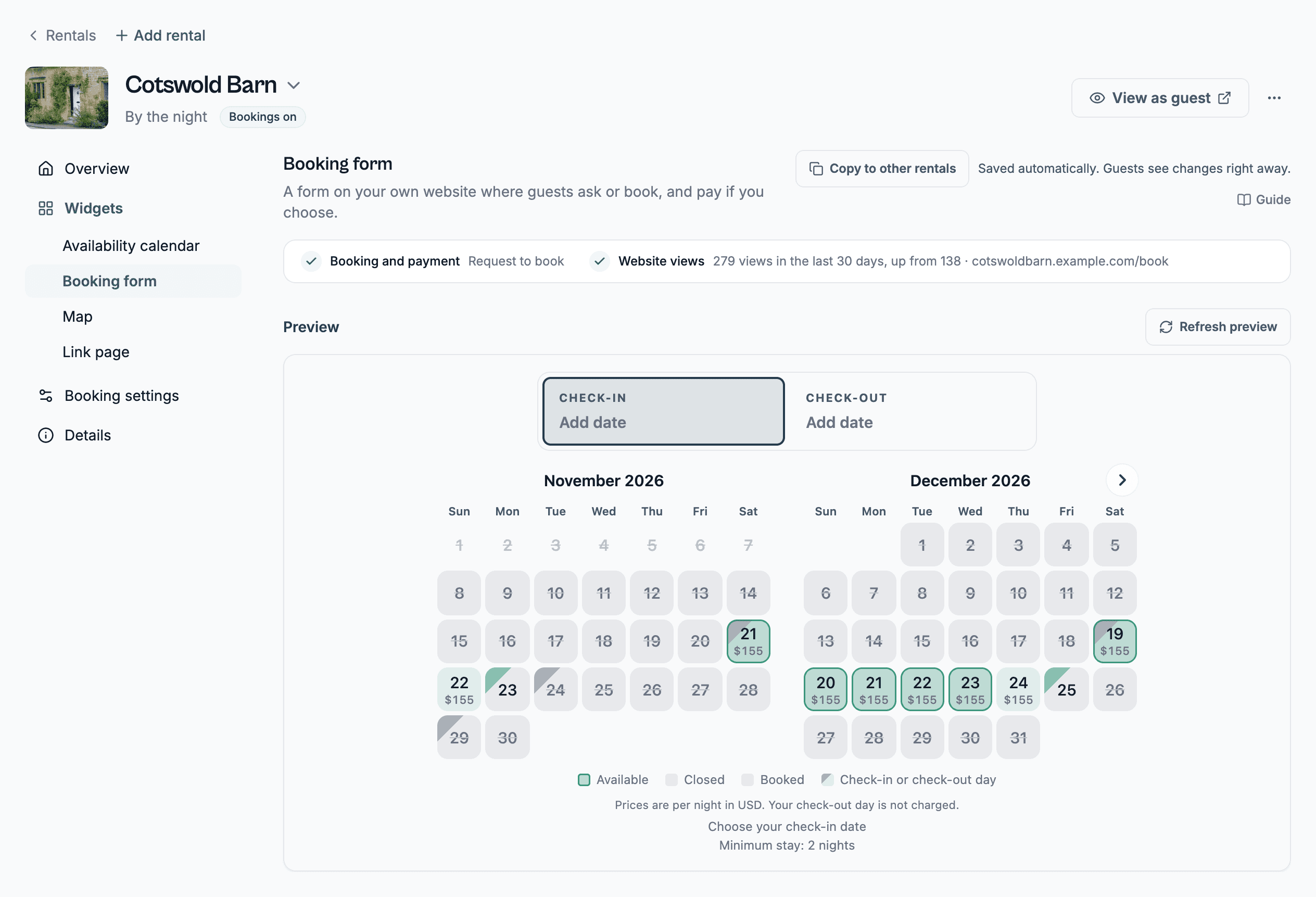
Booking form on my website
Guests ask for dates, or pay, right on your own site.
ProThree booking types
Choose Inquiry, Request to book or Instant book.
ProShow or hide prices
Take requests without showing a price. Instant book always shows one.
ProThree form shapes
The full form with the calendar open, a compact one with date boxes, or a small search bar that opens a popup.
ProFees, five types
A flat fee, or one per night, per guest, per guest per night, or a percentage.
ProTax as a percent fee
Add tax on top of your price, or show that it is already included.
ProOptional extras
Offer extras that guests tick on or off in the form.
ProGuests included in the price
Per-guest fees can start after a set number of guests, and skip children if you like.
ProOne fee above a guest number
Charge one flat or per-night fee once a party goes over a number, however many more come.
ProChild rates by age
Set up to two age bands, each a percent of a guest's price or a fixed price per night.
ProPets
Let guests ask to bring pets, up to a maximum you set.
ProMax total guests
Set your party size. At one guest, the form skips the guest count.
ProDiscounts
Offer length-of-stay, early bird and last-minute discounts, applied best one only or added together.
ProCoupon codes
Give guests percent or fixed-amount codes to type into the form.
ProMy own questions
Ask up to 20 questions of your own: text, number, list, checkbox, time, phone, date or file.
ProGuests upload files
A question can take up to 3 files of 10 MB each, such as an ID or a license.
Pro"I agree" checkbox with a link
Add a checkbox that links to your house rules or terms.
ProCancellation policy
Set a refund window, a refund percent and date-change rules, or pick a preset. Guests read it in their own language.
ProSecurity deposit notice
Tell guests about a deposit. RentalBeam never collects it.
ProTime to answer
A request to book holds its dates while you decide, 24 hours unless you pick another time. An inquiry holds nothing.
ProRequest expiry
A request nobody answers expires and frees its dates.
Pro15-minute payment hold
Dates stay held for 15 minutes while a guest pays, so no one else can take them.
ProAdd a booking by hand
Save a phone or walk-in booking, mark it paid, or send a payment request.
ProConfirm, decline, cancel, change dates
Each one can email your guest with a note from you. Confirm, decline and cancel keep working if you leave Pro.
ProAnswer from email without signing in
The request email has a secure link to confirm or decline. It works for 24 hours.
ProVehicles and equipment
Rent by the day, with pick-up and drop-off in place of check-in and check-out. The words work on every plan. Bookings need Pro.
Run the day from your phone. It comes with every plan. Plus and Pro close nights and change prices. Pro gets an alert for each request and answers it.
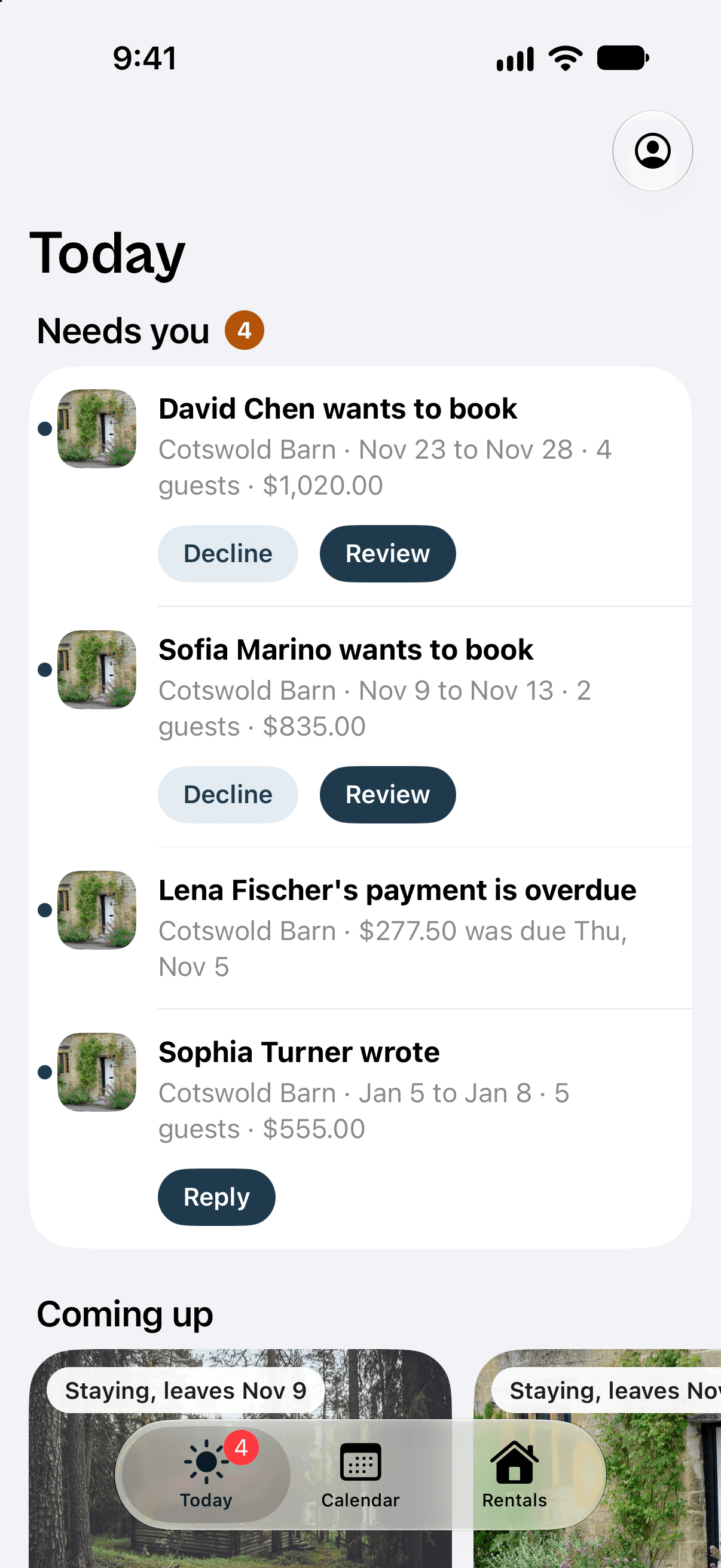
Today (what needs me)
The home tab lists requests waiting, payment requests to send and unread guest messages. Decline, Review or Reply right on the row.
ProComing up
Photo cards for the next arrivals at every rental, from your bookings and every connected booking site.
Alerts on the phone
A push for a new request, a guest message or a payment. Tapping it opens that booking or conversation.
ProChoose how alerts arrive
For each kind of alert, pick email, phone or both.
Badge count on the app icon
The icon shows how many bookings need you, the same number as Today. Android shows it where the launcher supports badges.
ProConfirm a request
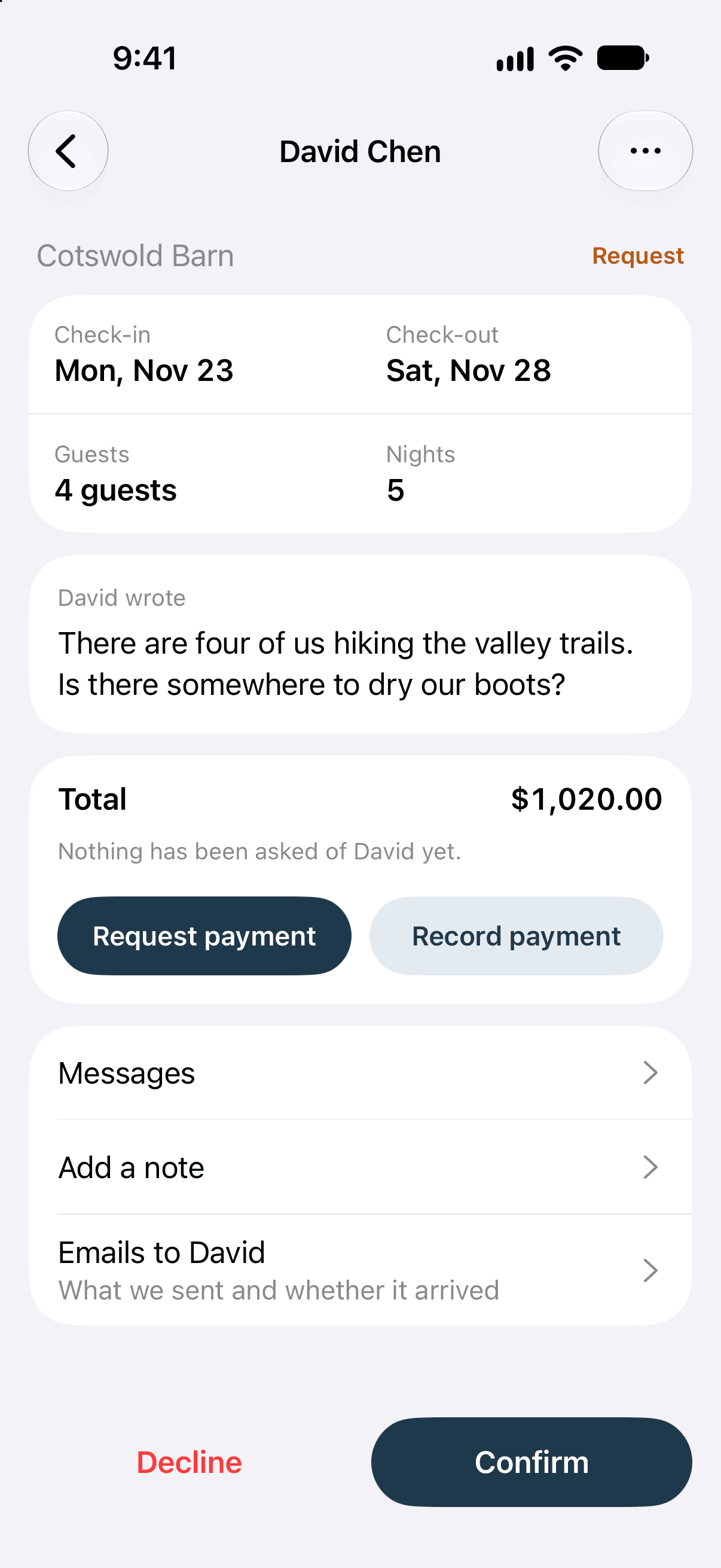
Open a request with its dates, guests, nights, what the guest wrote and the total, then tap Confirm.
ProDecline, release dates or cancel
Close a request or a confirmed stay, with an optional email to the guest.
ProSend a price
Answer an inquiry with one total, a pay-by date and an optional line to the guest.
ProRequest payment / share payment link
Make a payment request and share its secure link from your phone's share sheet.
ProRecord a cash or bank payment
Record money you collected yourself, prefilled with what's owed, with an optional receipt to the guest.
ProPayment steps, charges and tax
For these less frequent edits, the app opens the booking page from the website inside the app.
ProChange dates and guests
Move a booking's dates, guest count and price.
ProAdd a booking
Add a stay taken by phone or in person, on the nights you pick, as a real booking.
ProNotes
Private notes on a booking that your guest never sees.
ProEmails to the guest
Every email sent about a booking, whether it arrived, and Send again.
ProTalk to guests
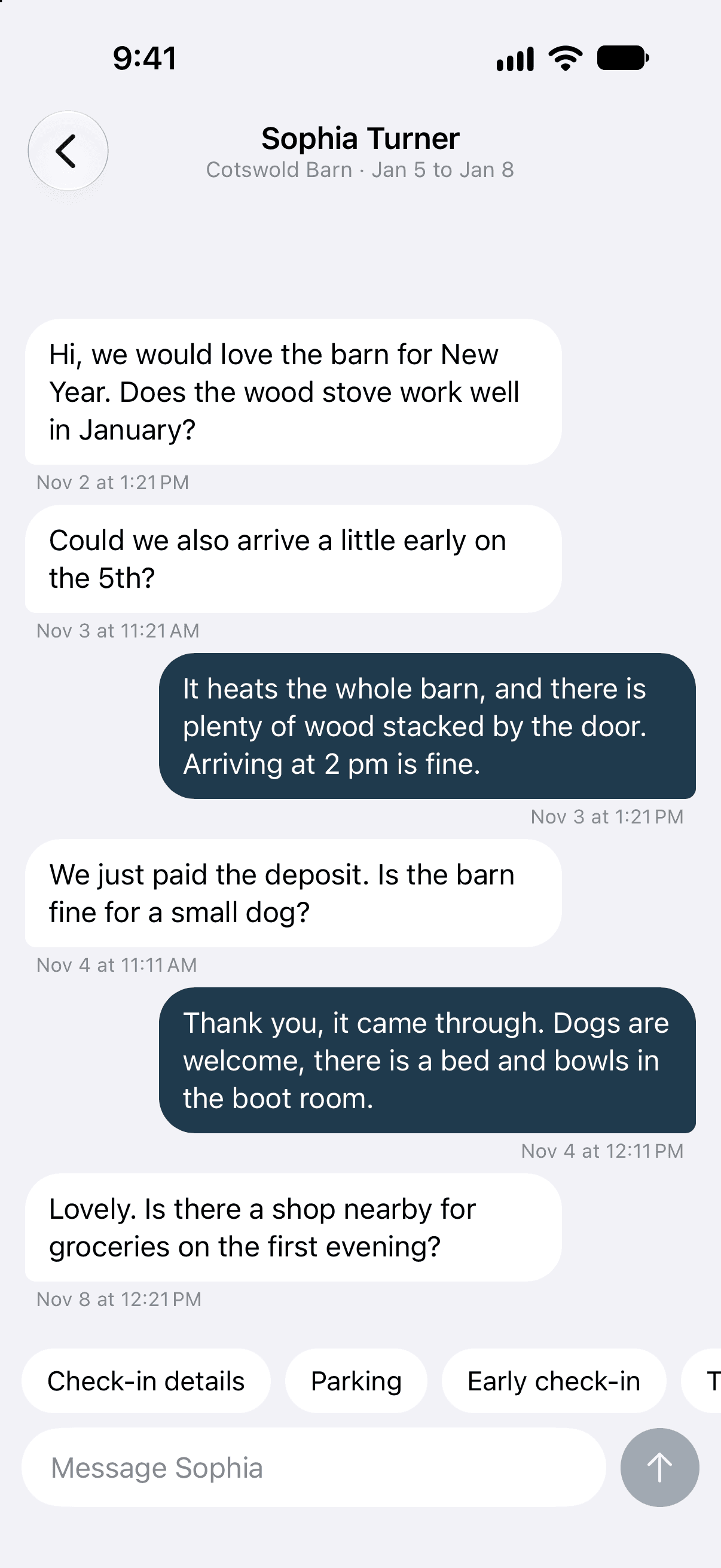
A thread for each guest. Your replies reach them by email, and their answers come back here. A half-written reply is kept.
ProSaved replies
Reusable answers above the keyboard that fill in the guest's name and dates. Add and edit them in Account.
ProBookings list
Needs you, Upcoming (with This week first) and Past. Stays booked on Airbnb and other sites slot in without a price.
ProStay from another site
A sheet with the site, the nights and its own words, an Open in Airbnb button when Airbnb names the reservation, and a way to read the calendar again now.
Calendar board
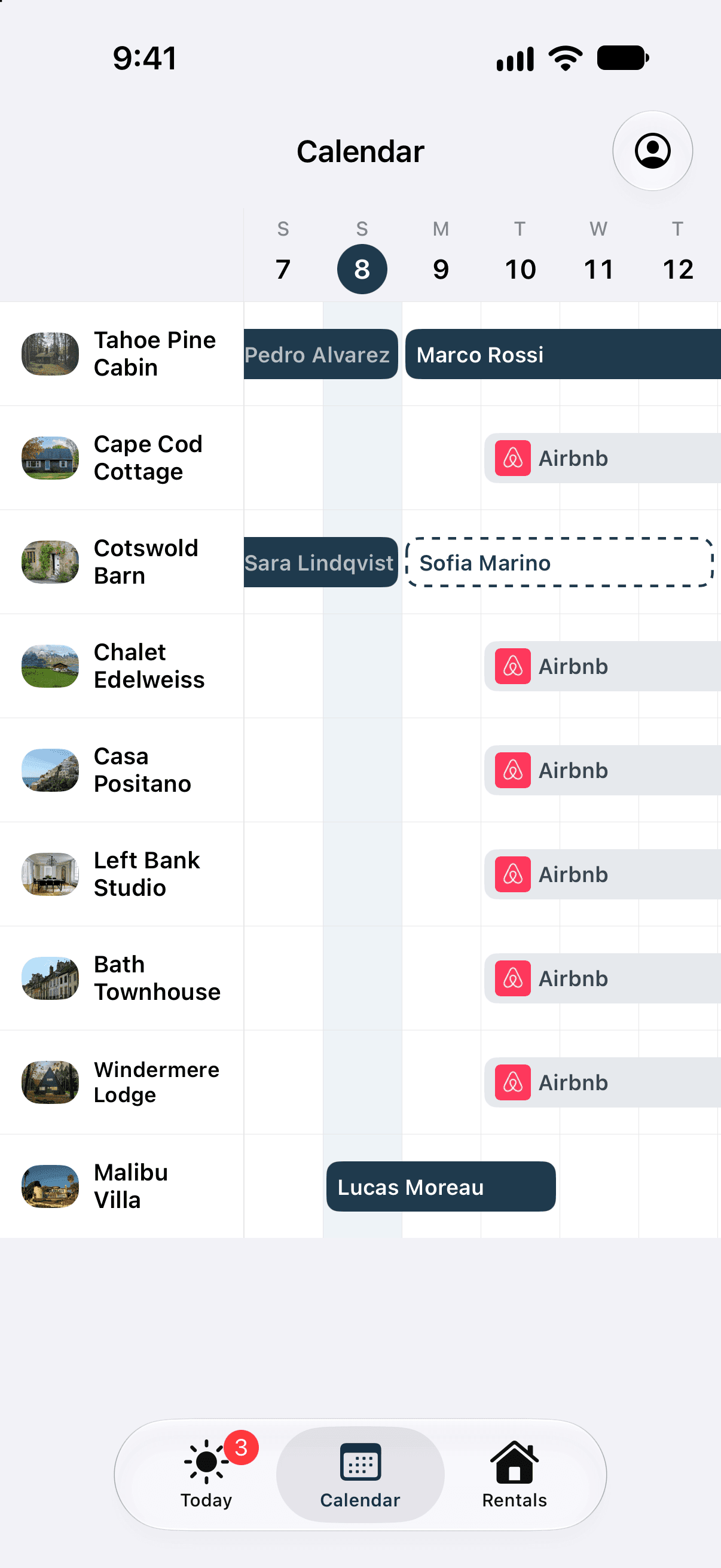
Every rental in rows, each stay drawn as a bar across its nights. With one rental you go straight to its months.
Close and open nights, prices, minimum stay
Open a rental's months, tap a night, tap twice for a range, or hold and slide. The sheet offers Open or Closed, Add a booking, price, minimum stay and more.
Plus, ProRentals and their sync health
Every rental with its calendar sync in the website's words, so a broken feed shows on your phone.
A rental's page
Photo, the next setup step such as Connect Airbnb, next stays, link page, then every setting in the website's order.
Add rental from a booking site link
Paste an Airbnb, Booking.com or Vrbo link and the rental is made.
Link page from the phone
Turn on or edit a rental's link page, see its views over 30 days and share it from the share sheet.
Widget setup goes to a computer
A widget builder link offers Set up on a computer and Send link, instead of opening the builder on a small screen.
Review link from an email
The Review request button in a new-request email opens that booking in the app.
ProLive updates
An open app updates when a request or guest message arrives.
ProSign in with Apple
On iPhone, Apple sign-in comes first.
Sign in or create an account
Google or email and password, on the same account as the website.
Two-step sign-in
An authenticator code for accounts that use two-step sign-in.
Account, support, delete account
Account settings, writing to support, signing this phone out and deleting your account.
Share app usage (ask once)
The app asks once, from its second opening, whether to share usage. Nothing is sent before a yes, and your answer is saved on your account.
iPhone Duo layout
Fills the inner display and lays out again when you fold and unfold.
Set your prices and stay rules once. Rates, minimum stays, notice and gaps, all edited night by night.
Usual price and weekend price
One nightly rate, plus an optional weekend rate.
Plus, ProPrice per date
Give any run of nights its own price, up to three years ahead.
Plus, ProMinimum and maximum stay
Set a usual minimum, different minimums for certain dates, and a maximum stay.
Plus, ProArrival and departure days
Choose which weekdays guests can arrive or leave, or close arrivals on a date.
Plus, ProAdvance notice
No bookings closer than the number of days you set, up to 365.
Plus, ProDays between stays
Leave up to 30 days of prep time after each stay.
Plus, ProBooking window
Decide how far ahead guests can book, in days or up to a date.
Plus, ProSame-day cutoff
Set a time after which today can't be booked.
Plus, ProGap nights
We mark nights squeezed between stays that nobody could book, and you can allow them.
Plus, ProClose and open nights
Close nights by hand, or mark them as booked somewhere else.
Plus, ProNamed, colored closed dates
Give a closed stretch its own name and color.
Plus, ProOpen a night another site blocked
Open a block from another site on your site and in your export. It never touches a real stay.
Plus, ProOne calendar editor
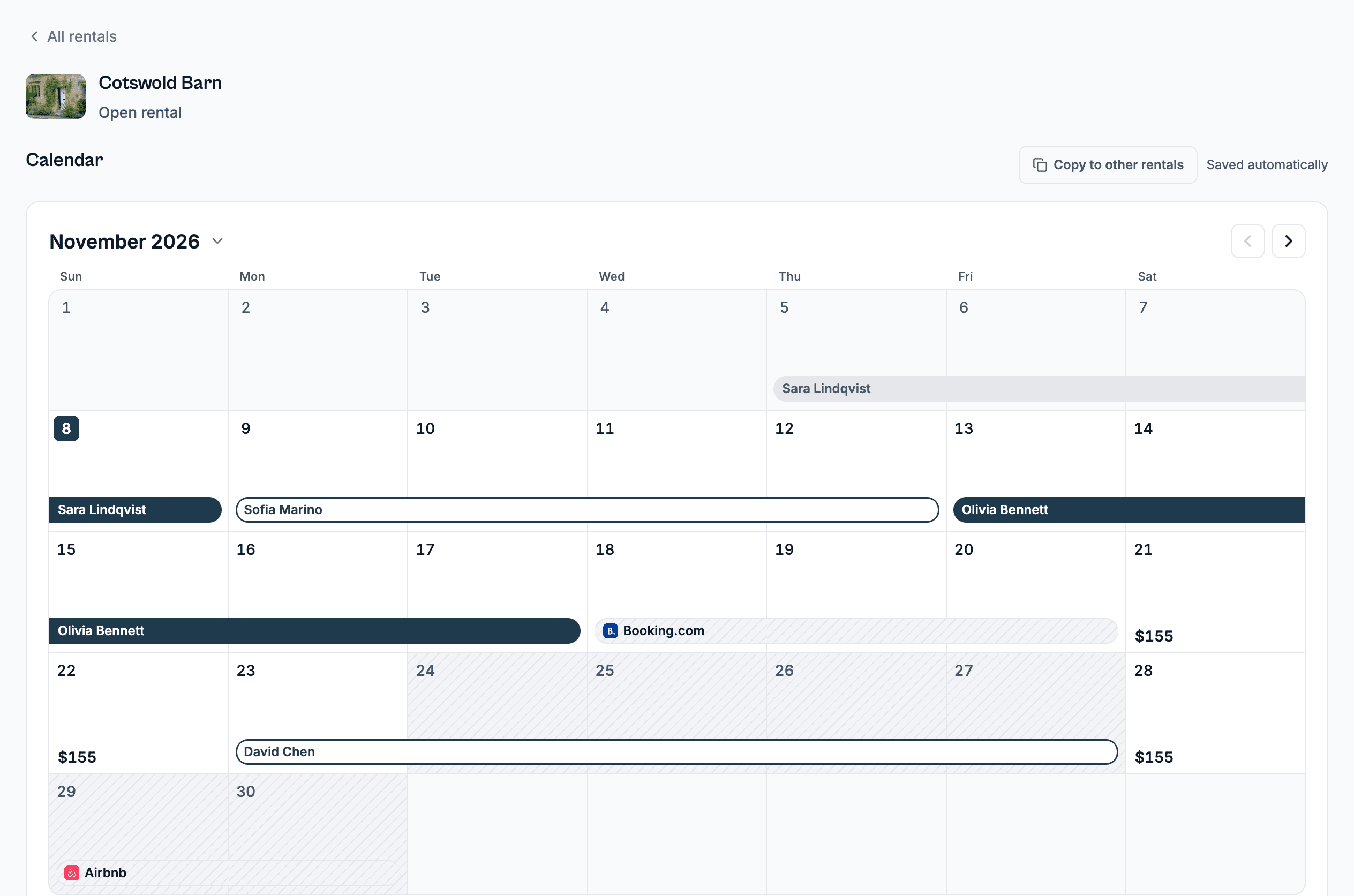
Every rule and price shown night by night, like a host calendar, with Undo. Free can read it. Editing takes Plus or Pro.
Plus, Pro
Get paid without giving up a cut. Guests pay into your own Stripe account, or you record bank and cash yourself.
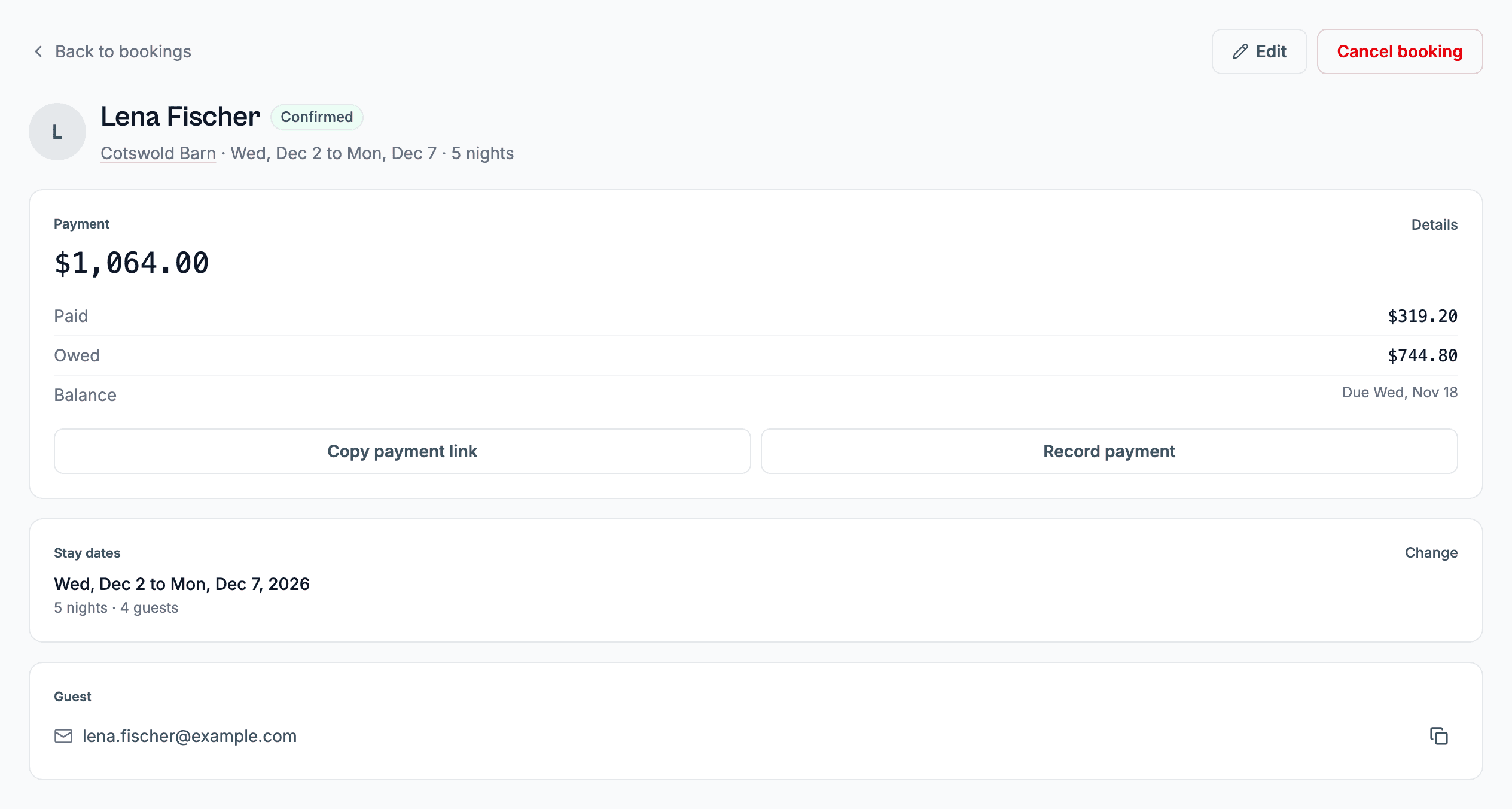
Guest card payments, no commission
Guests pay into your own Stripe account. RentalBeam takes no fee.
ProApple Pay, Google Pay, Link and local methods
Wallets show on the pay page. In the booking form, Apple Pay appears only in Safari 17 and newer.
ProPay in the booking form
With Instant book, the card form sits right inside the widget.
ProPayment requests with a pay page
Send a payment request with its own secure pay page and a PDF, when you're ready.
ProPayment steps
Split a price into a deposit, a balance, an extra charge or a step of your own, each due at booking, before check-in, on arrival, after you confirm or on a date.
ProBank transfer and cash
Let a step be paid by bank or cash with your instructions, and record it yourself.
ProUndo a recorded payment
Entered a cash or bank payment by mistake? Undo it. It stays on the list, marked Undone.
ProPayment reminders
Guests get one email three days before a step is due and one two days after, never during their stay.
Pro"Finish your booking" email
A guest who left an Instant book unpaid gets one nudge about an hour later.
ProReceipts
Guests get a receipt for every payment, online or recorded by you.
ProRefunds
Refund in Stripe and RentalBeam picks it up, showing it as its own Refunded line.
ProDispute alerts
We email you when a guest disputes a card payment.
ProSeveral payout accounts
Connect up to 10 Stripe accounts and let each rental pick its own.
ProBusiness details on documents
Your business name, address and tax ID print on payment requests.
ProPayment request numbering
Choose your own prefix, separator and number length. One series covers all your rentals.
ProDocument notes and terms
Add terms, a footer, a note for the guest and extra bank or cash notes to each payment request.
ProOverdue flag
A step two days late lands in Needs attention, and we email you.
ProPayment with no booking
A payment we can't match to a booking shows up in Needs attention.
Pro
Hear about it when it matters. Pick email, phone or both for each kind of alert, and who else gets them.
Phone app
Bookings, replies, confirm or decline, prices and closing nights, on iPhone and Android. It comes with every plan and shows what your plan has.
Email or phone alerts
Choose email, phone or both for each kind of alert. Booking alerts need Pro.
Extra notification addresses
Up to 3 more addresses can get booking emails, each confirmed by a code.
ProRequest still waiting reminder
We email you if a request waits too long, after 12 hours unless you change it.
ProRequest closes soon
A warning two hours before a held request reopens its dates.
ProLinks open the app
A rentalbeam.com link in one of our emails opens the app on that screen.
Talk to your guests in one place. Answer requests, send emails and keep notes without a pile of inboxes.
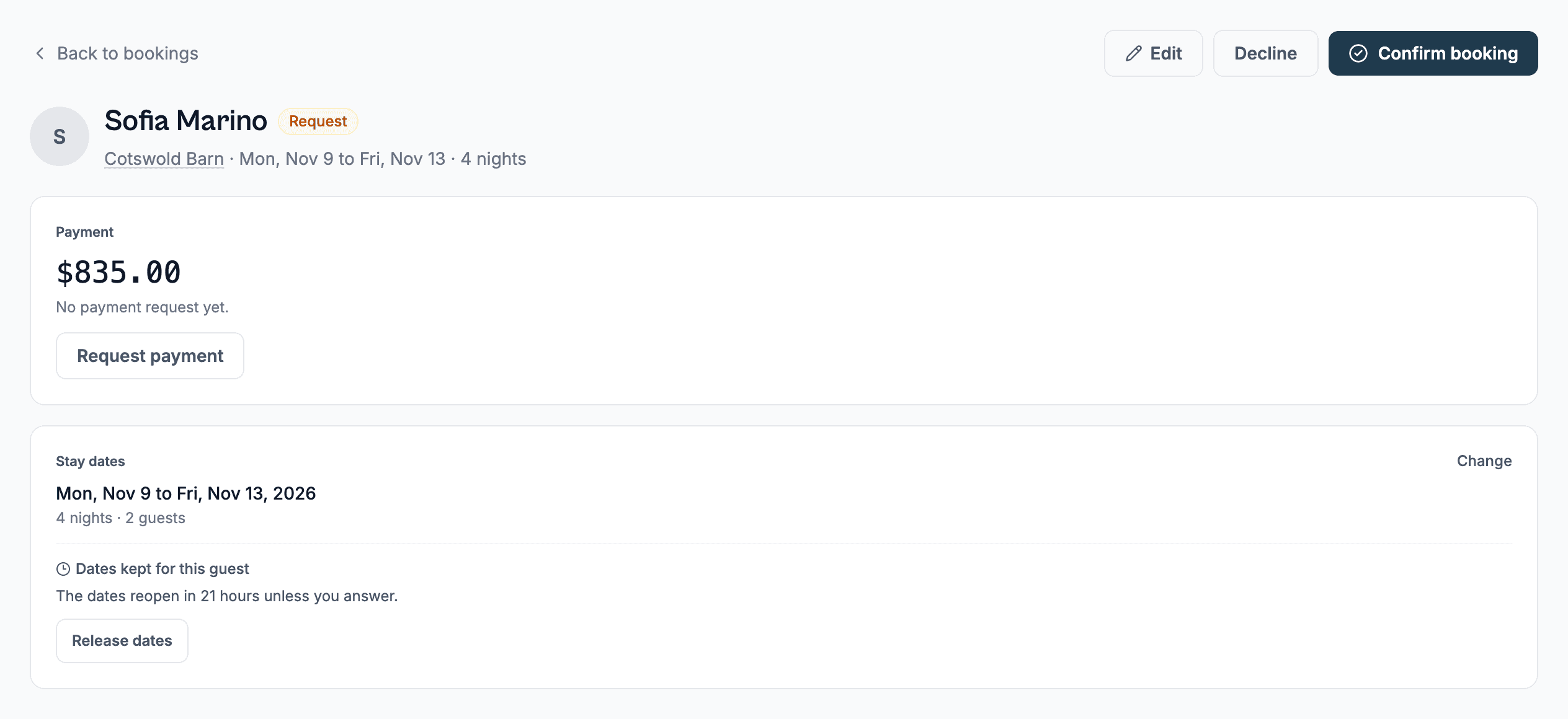
Bookings inbox
Needs attention, Upcoming, Expired requests and Past, with search. After you leave Pro it is read-only.
ProNeeds attention
Five things that need you: a waiting request, an unread message, a payment with no booking, an overdue step and a bounced email.
ProAct from the row
Decline, Review or Send link right from the list.
ProMessages by email
Write in your dashboard, your guest gets an email, and their replies land back in the same thread. You can also reply from your own inbox.
ProSaved replies
Keep the answers you use often. They fill in the guest's name and dates.
ProAutomatic guest emails
Up to 10 emails you write for each rental, sent before check-in or after check-out at the hour you pick.
ProEmail previews and test copy
See every email your guest and you get, and send a test to yourself.
ProTurn guest emails on or off
Choose which automatic guest emails go out.
ProEmail delivery and Send again
Each email to a guest shows whether it arrived, with a Send again button.
ProGuests view
One row per guest, repeat guests marked, with their next or last stay.
ProBooking notes
Private notes on each booking. They stay if you leave Pro.
ProGuest answers and files
Your guest's answers and uploaded files sit on the booking page.
Pro
Keep every booking site in step. Calendars come in from Airbnb, Booking.com and Vrbo, and one link goes back out.
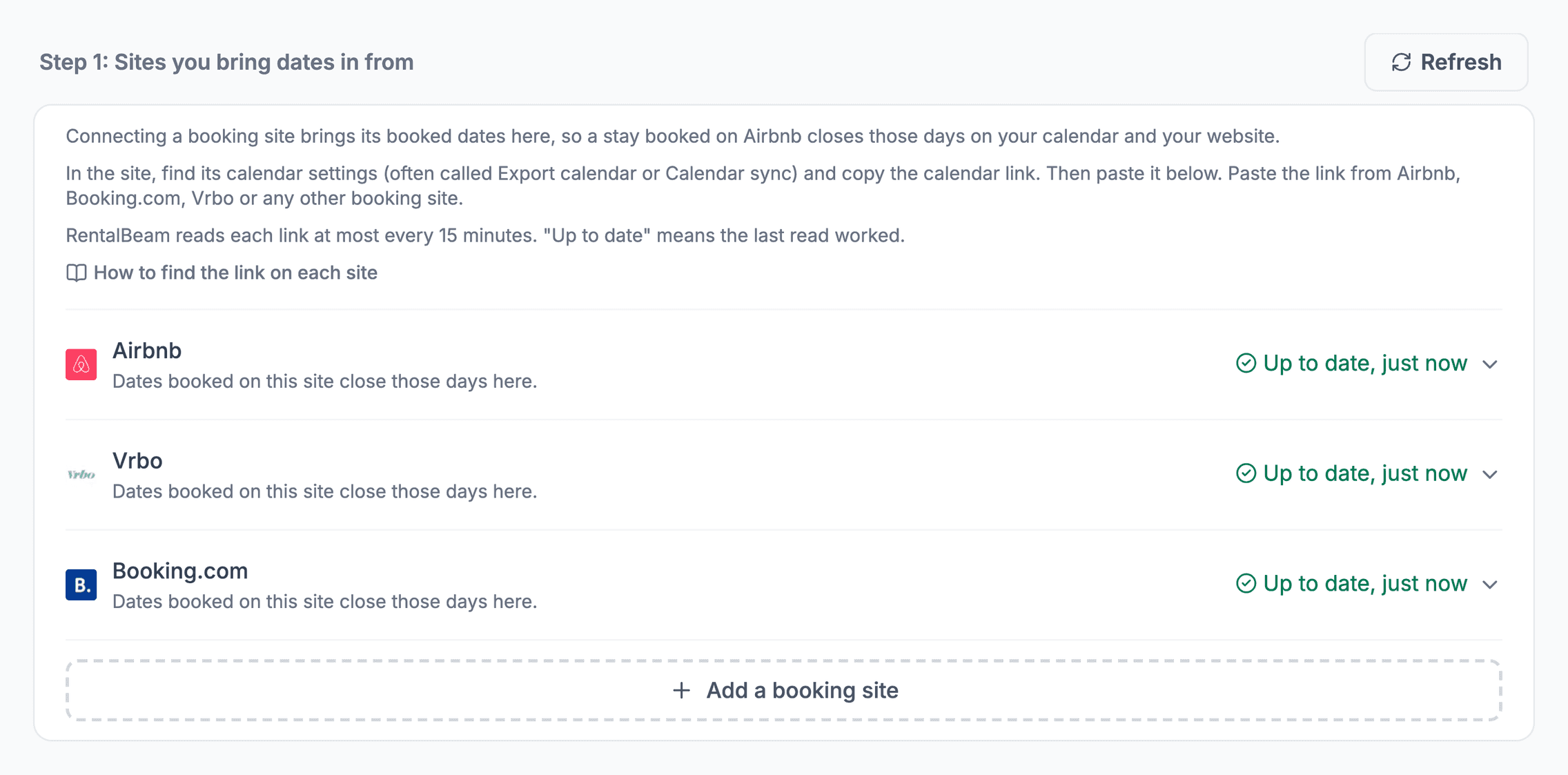
Import calendars from booking sites
Paste iCal links from Airbnb, Booking.com, Vrbo and 19 more. Free takes one link. Plus and Pro take 10 per rental.
Paste link, site detected
A pasted link names its own site, and a wrong one tells you what to copy instead.
Refresh at most every 15 minutes
Busy rentals refresh about every 15 minutes and quiet ones less often. A Refresh button is there too.
Link health
Each link shows Up to date, Checking, No bookings yet, Not updating or Link broken.
Broken link email
One email after 24 hours of failures, and a reminder at 7 days.
Export one combined link
One RentalBeam link to paste back into Airbnb and the others.
Plus, ProExport hides guest details
New export links carry dates only, unless you turn guest details on.
Plus, ProWho read my export
See when each site last pulled your link.
Plus, ProGoogle Calendar subscribe
One click puts a rental's dates in your Google Calendar. It uses your export link.
Plus, ProUpcoming stays from booking sites
Stays booked elsewhere are listed with their dates, and Airbnb ones link to the reservation.
Double booking email
We email you once when another site lands on nights already booked, or two sites clash. Clashes with your own bookings need Pro.
Clash warning on a booking
A request or Add booking names the other site and the nights before you save it.
ProPaid booking confirms only after a fresh check
A paid booking confirms on its own only if every calendar answers a fresh check.
ProDirect bookings back to Airbnb
Bookings from your site go out in your export, so the other sites close those nights. It needs Pro bookings and the export.
Pro
Add more rentals when you need them. One table, one calendar board and copy buttons, so the fifth rental takes minutes.
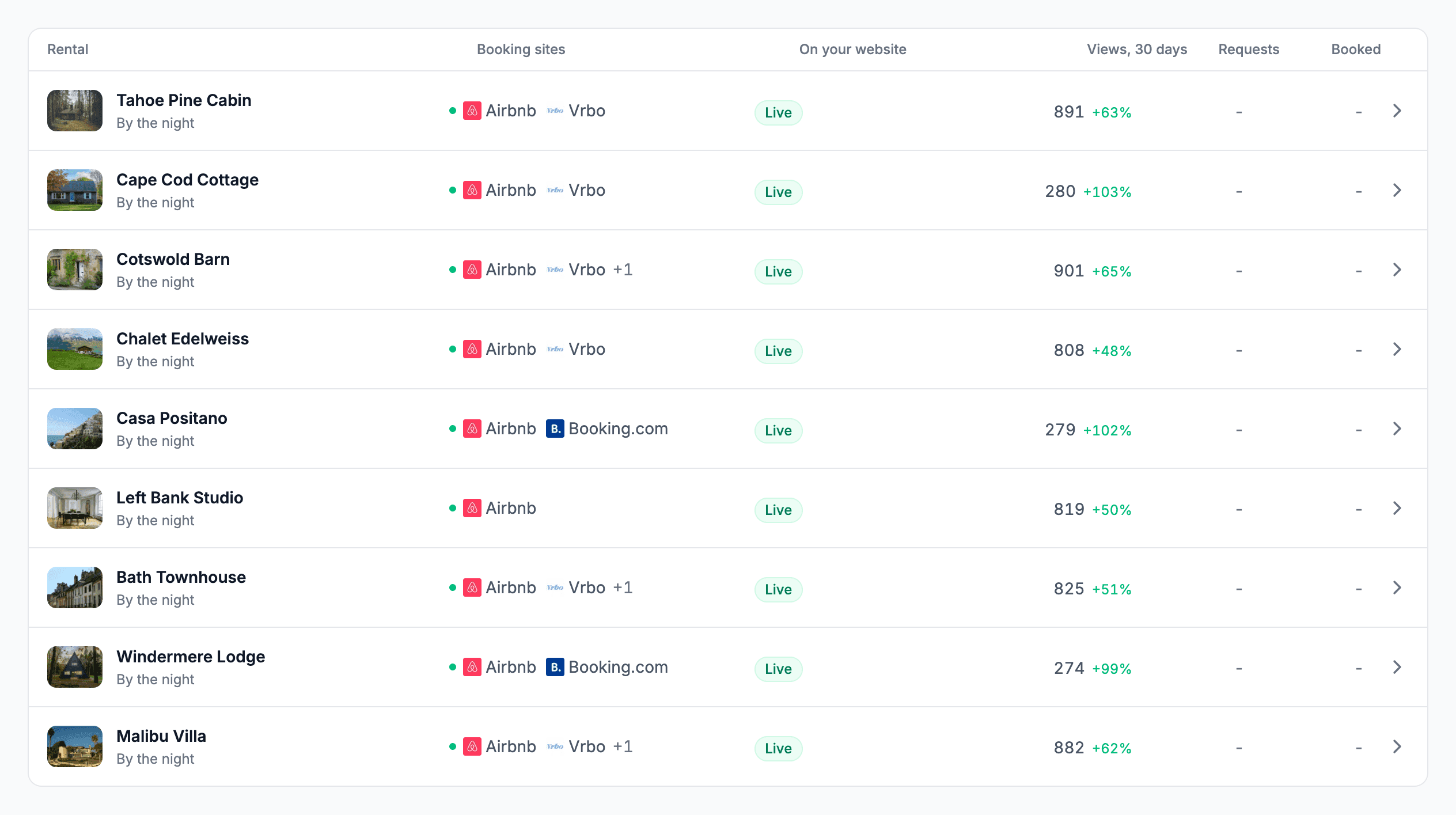
1 to 50 rentals
Plus and Pro cover any number of rentals from 1 to 50, and you pay for exactly that number.
Plus, ProRentals table
Each rental's photo, booking sites, website status and warnings in one table.
Warning pills
Flags setup that costs bookings, like Double-booking risk or Check your rate.
Next step
One step at a time on each rental until setup is done.
Calendar board
Every rental's days side by side. Editing takes Plus or Pro.
Collections
Put 2 to 25 rentals in one widget, and make up to 10 collections.
Plus, ProCollection calendar views
Show a collection as one combined calendar, a timeline or tabs.
Plus, ProCollection booking form
Guests pick dates and then a free rental with its photo and price, or pick the rental first.
ProBook several rentals at once
Guests tick other rentals for the same dates. Each becomes its own request.
ProCollection map
Many rentals on one map, with an optional list.
Plus, ProCopy settings to other rentals
Copy stay rules, look, booking type, fees, policies, booking and payment or emails to the rentals you tick. You need two or more rentals, and the booking sections need Pro.
Duplicate a rental
Copy a rental in one go, with Undo, as long as you are within your rental limit.
Archive and restore
Take a rental offline without deleting it. That frees its rental and link slots.
Rental switcher
Jump between rentals once you have two.
Share the work. Invite co-hosts, keep the money settings yours and hand a rental over.
Co-hosts
Invite up to 10 people per rental to help, each from their own account.
Owner-only money settings
Co-hosts run the rental but can't change where money goes or your business details.
Hand a rental over
Transfer a rental to a co-host. Money due follows the new owner.
Recent activity
See who changed prices, dates, bookings and payments over the last year. It appears once a co-host exists.
Email the code to my web person
One press opens your email app with the code and the builder steps filled in.
Old payment requests after a handover
Download the payment requests you issued for rentals you no longer run.
Pro
No website? Share a link. Each rental gets a public page with its photo, calendar and links.

Link page
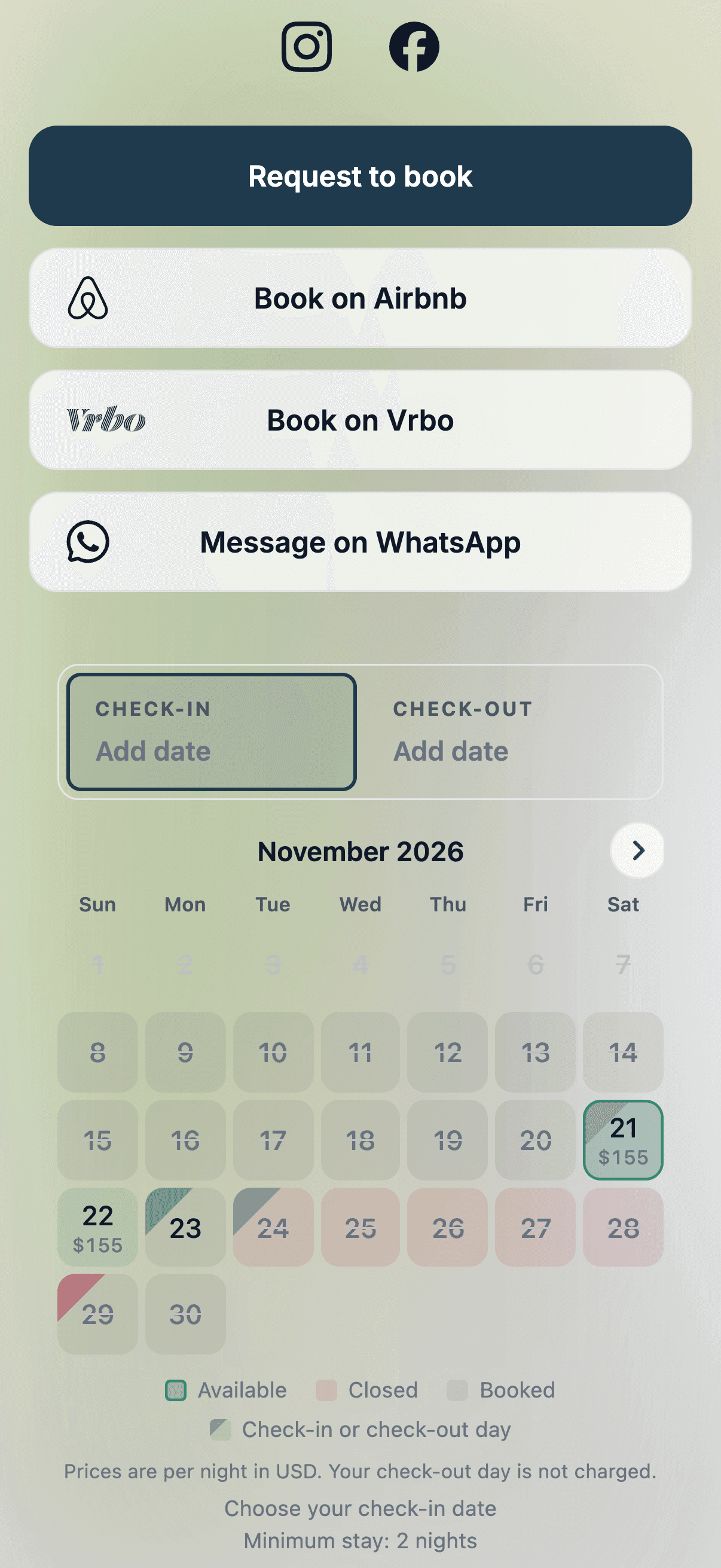
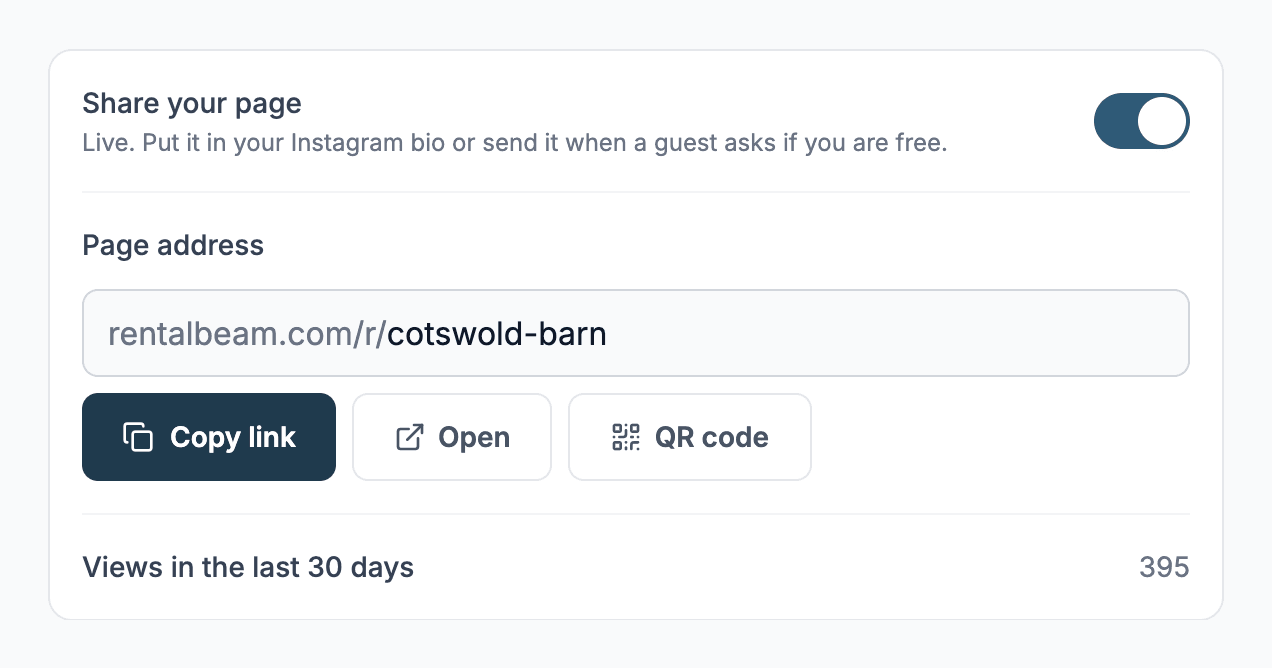
A public page for each rental, at rentalbeam.com/r/name, with a photo, your words, a calendar and links. The form needs Pro. The map and prices need Plus or Pro.
Social links and buttons
Instagram, Facebook, TikTok, YouTube and WhatsApp icons, plus up to 10 links.
QR code
Download a QR code PNG for your page, ready to print.
Link page views
See the views from the last 30 days, people only.
Old addresses keep working
Change your page's address and the old one redirects for good.
Collection link page
One page for every rental in a collection, with photos, a form or calendar and a map.
Plus, ProClaim my link from the homepage
Type your rental's name on rentalbeam.com/link-page and sign up with that address.
No cookie banner for guests
Link pages, pay pages and widgets count visits without cookies, so your guests see no banner.
Put it on your site in a minute. One line of code, or an iframe, with a guide for your builder.
One script for every widget
One line of code runs the calendar, the form and the map. Every old snippet keeps working.
Iframe version
A plain iframe for builders that strip scripts.
Builder guides
One guide for each of 22 website builders, with steps for all three widgets.
Install guide and live check
Press Check again and we look for your widget every 15 seconds for five minutes.
No page jump
The snippet saves the widget's space before it loads, so your page doesn't shift.
Works on Ajax and single-page sites
A widget added after the page loads appears without a refresh.
Developer events and openBooking
Page events and RentalBeam.openBooking() for your own buttons. The form itself needs Pro.
Map on my website
Show an exact pin or only the approximate area, with nearby places you pick. Build it on any plan. Showing it on your site takes Plus or Pro.
Plus, Pro
Your account, kept simple. Sign in your way, change plans when you like, and nothing is deleted when you downgrade.
Sign in with Apple, Google or email
All three work on one account. Add them from Sign-in on your account page.
Two-factor sign-in
Use an authenticator app. It's needed to add a payout account.
Free trial
Try Plus or Pro on one rental, once, when you start on Free.
Plus, ProYearly billing
Pay for a year and get two months free.
Plus, ProChange, cancel or keep a plan
Upgrades apply now and other changes at renewal. Keep my plan takes a cancel back.
Plus, ProNothing deleted on downgrade
Settings stop applying and come back when you upgrade.
Refer a host
Share a link. Your friend gets a month on us and you get two.
Support from anywhere
A Support button, a support page and email, with replies by email.
Email settings
Two switches: account alerts and tips.
Delete account with 30 days to restore
Access ends right away. Your data is erased within 30 days unless you restore.
Undo changes from this visit
Put a section back the way it was when you opened it.
Help improve RentalBeam (website)
A card asks once whether to share usage so we can improve things. The same choice is a switch under Privacy in Account.
What your guests see. A booking flow in their own language that asks for as little as it can.
25 languages, picked automatically
Widgets follow your visitor's language across 25 languages, or you fix one.
Host text shown as written
Your own words are never machine translated. Ours are.
One-screen booking
Dates, party, extras, coupon, total, contact details, your questions and one button. No review screen.
ProPrice details
Price details opens the nightly price, fees and discounts.
ProErrors beside the field, in the guest's language
A problem shows next to the field it's about.
ProAdults and children apart, with ages
Guests count adults and children, and child ages set child rates.
ProSearch bar carries into the form
Dates and party picked in the search bar fill the full form.
ProSecure pay page
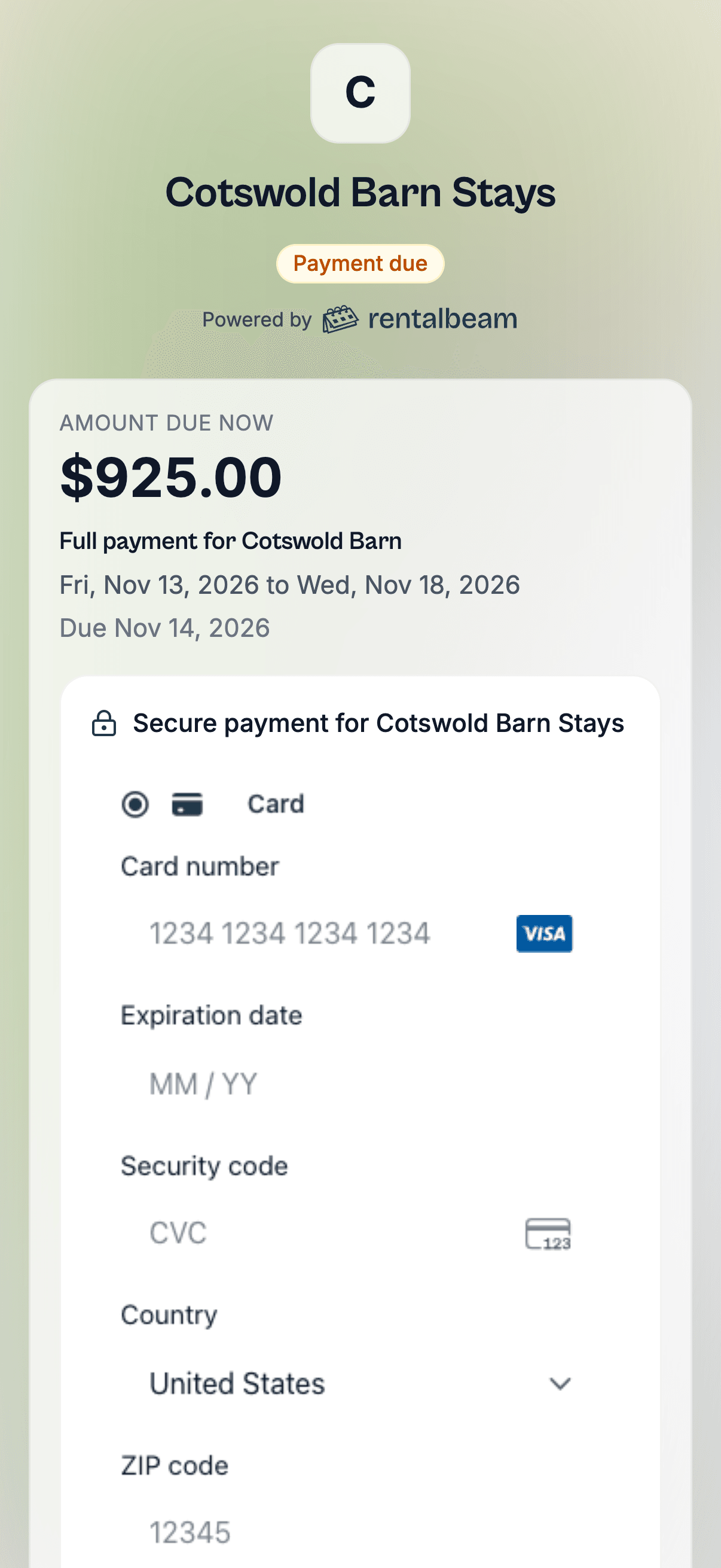
Opens with the amount due, what it is for and the dates, then Continue to payment.
ProPayment request PDF
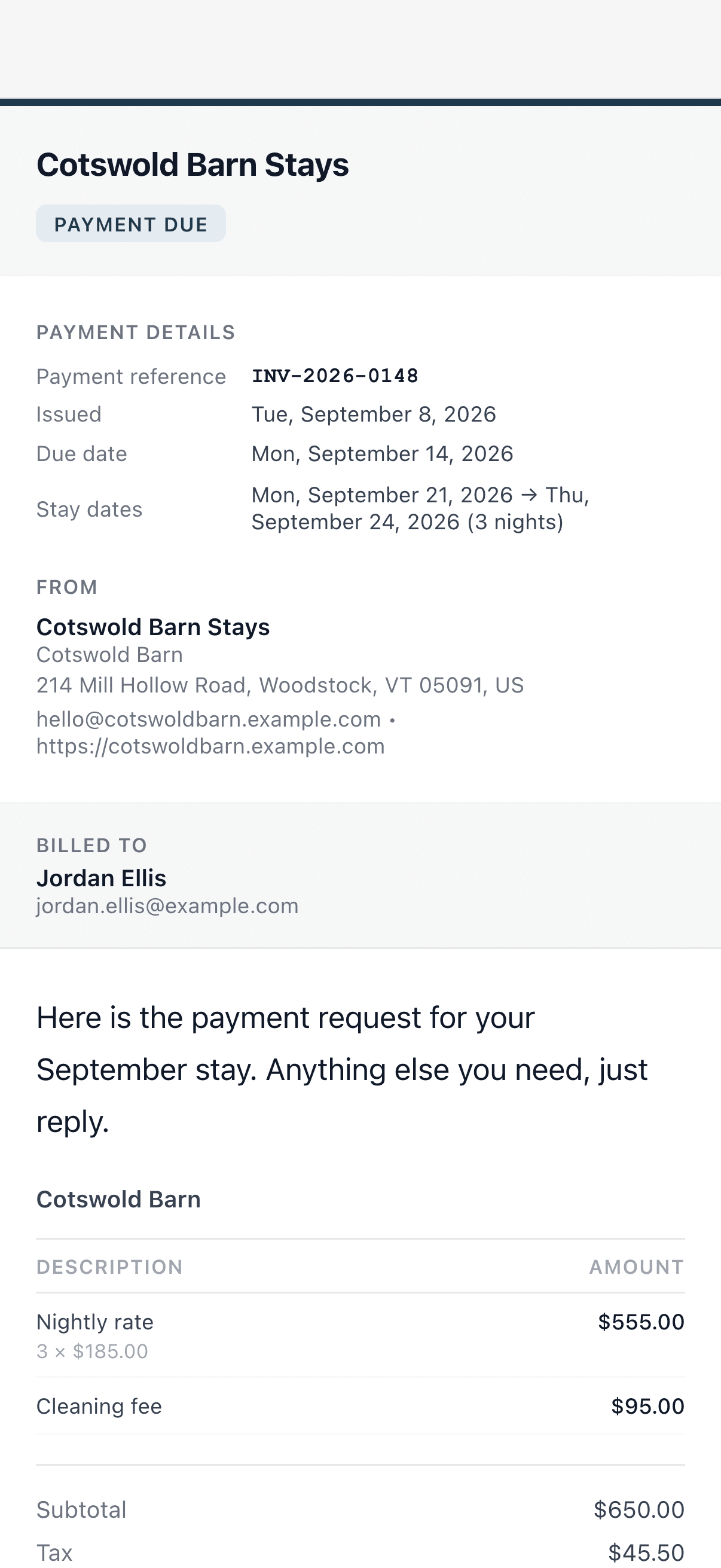
A PDF the guest can keep, showing Paid, Refunded, Not owed and Owed.
ProOne booking per press
Pressing Book twice, or after a dropped connection, still gives one booking.
ProGuest emails
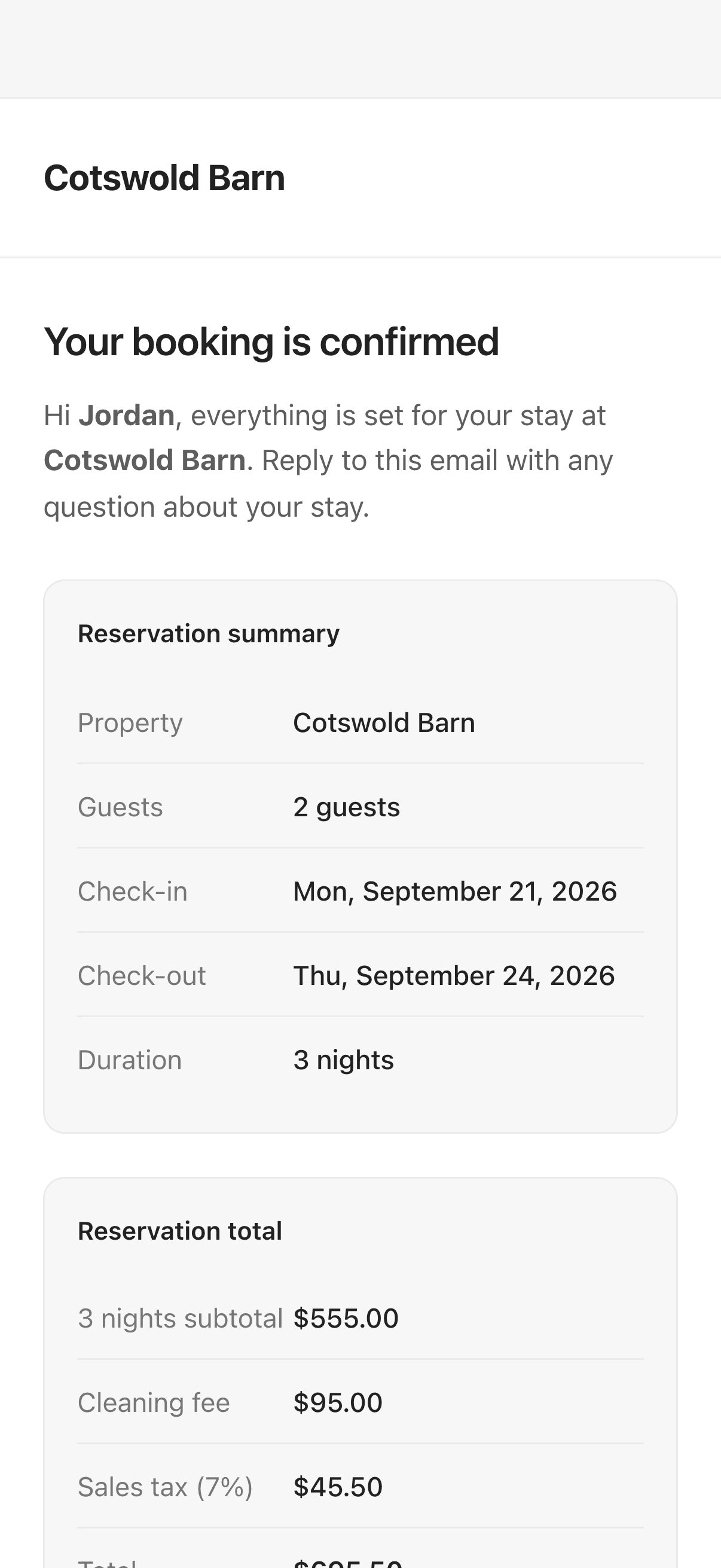
Request received, confirmed, dates changed, declined or canceled, payment request, reminder and receipt.
Pro