How to sync Airbnb and Vrbo calendars to prevent double bookings
To sync Airbnb and Vrbo, copy each site's iCal export link and import it into the other, so a booking on either blocks the same dates on both. iCal is not instant: Airbnb refreshes every few hours and Vrbo can take up to 24. A day of advance notice on both listings covers that gap.
Why Airbnb and Vrbo sync matters
Both Airbnb and Vrbo offer built-in iCal import and export, but each platform refreshes on its own schedule. During the gap between syncs, a date booked on one platform still shows as available on the other. That gap is where double bookings happen.
By combining both feeds into a single URL and importing that URL back into each platform, you reduce the number of separate sync paths and give each platform the most complete picture of your availability.
How much does this actually help?
Instead of Airbnb pulling from Vrbo directly (one sync path), both platforms pull from a single combined feed that includes all sources. This means a booking on Airbnb is visible to Vrbo as soon as Vrbo fetches the combined feed, with no waiting for a second hop.
Step by step: sync Airbnb and Vrbo calendars
- 1
Export your Airbnb iCal URL
Open your Airbnb calendar.
Click Availability settings, scroll to Sync calendars, and click Export calendar.
Copy the URL. It will look something like:
texthttps://www.airbnb.com/calendar/ical/12345678.ics?s=abc123... - 2
Export your Vrbo iCal URL
Open the listing in your Vrbo owner dashboard and select Calendar. In Settings, choose Availability.
Under Calendar sync, choose Connect calendars, then Export calendar, and select Copy URL.
- 3
Combine feeds with iCalendar Sync
Go to icalendarsync.com and paste both URLs into the sync tool. Click Preview combined calendar.
The tool shows both feeds merged into one calendar. Get your sync link saves it to RentalBeam, where the one link to paste back comes with Plus and Pro.
- 4
Import the combined URL into each platform
In Airbnb: go to Calendar, then Connect calendars, then Import calendar. Paste the combined URL.
In Vrbo: go to Calendar settings, then Import calendar. Paste the same combined URL.
Both platforms now pull from one feed that includes all your blocked dates.
What the combined feed gives you
- Both platforms see each other's bookings through one URL
- Fewer sync hops means faster availability updates
- Works with Booking.com, Google Calendar, and any iCal-compatible tool
- The merged preview is free, with no account
- The combined link comes with RentalBeam Plus and Pro, with nothing to install
Limitations to keep in mind
iCal sync only handles date availability. It does not sync pricing, guest messages, listing content, or cancellation status. For that, you need a full channel manager or PMS.
Sync speed depends on how frequently each platform fetches the iCal URL. Airbnb tends to refresh every few hours, while Vrbo can take up to 24 hours. There is no way to force a platform to fetch more often from your end.
Same-day bookings are riskier
Because of sync delays, same-day or next-day bookings carry higher double-booking risk. Consider adding advance notice requirements on your listings (for example, 1 day minimum notice) to give syncs time to propagate.
Adding Booking.com to the mix
The same process works for Booking.com. Log in to the Extranet, go to Calendar, scroll to the Sync calendars box, click Export calendar, then Copy link, and add it as a third source in the sync tool. Your merged calendar will include all three platforms. The full walkthrough is in how to sync your Booking.com calendar with Airbnb and Vrbo.
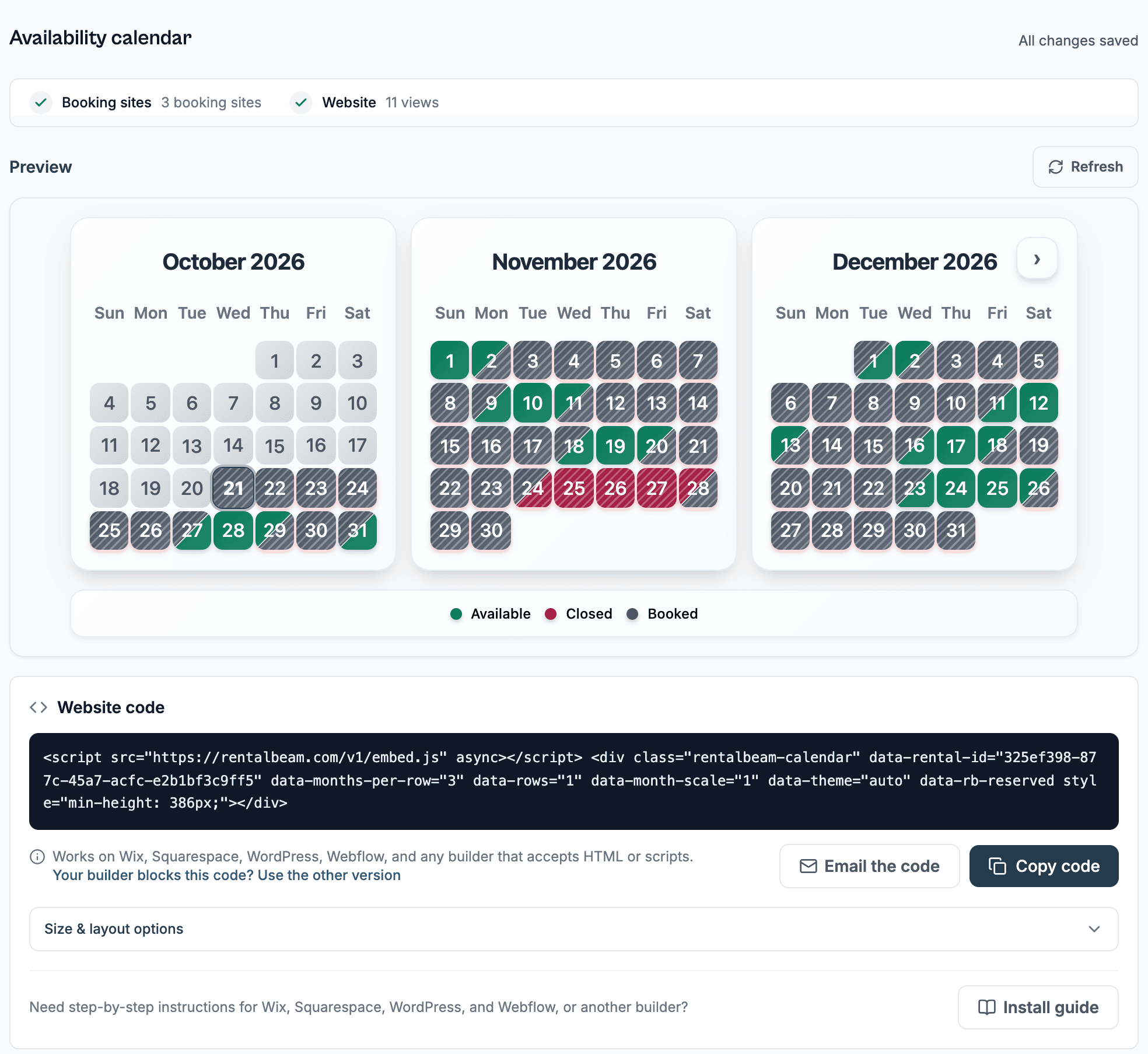
The tool previews up to 3 iCal sources. The combined link, more sources, custom date blocking, and an embeddable availability calendar come with RentalBeam Plus and Pro.
Going further: sync visibility with RentalBeam
The free preview shows you the merged calendar. For hosts who want to see exactly what is happening with each calendar source, RentalBeam adds visibility and control that iCal alone cannot provide.
Calendar sync
A unified view of all iCal sources with Up to date, Not updating, or Link broken status and exact last-sync times.
Export access tracking
See when Airbnb, Vrbo, or Google Calendar last fetched your export URL, including access counts and fetcher identity.
Selective iCal export
Choose which sources, custom blocked dates, and bookings to include in each export feed.
Custom date blocking
Block owner stays or maintenance windows with labels and colors. These override any imported feed data.
RentalBeam also includes an embeddable availability calendar for your property website, and a Pro booking form with configurable pricing, fees, and discount rules.