What's new in RentalBeam: July 2026
A roundup of what has shipped recently, written for hosts rather than engineers. Every item below is live today: here is what changed and what it means for your website and your guests.
A refreshed widget look, out of the box
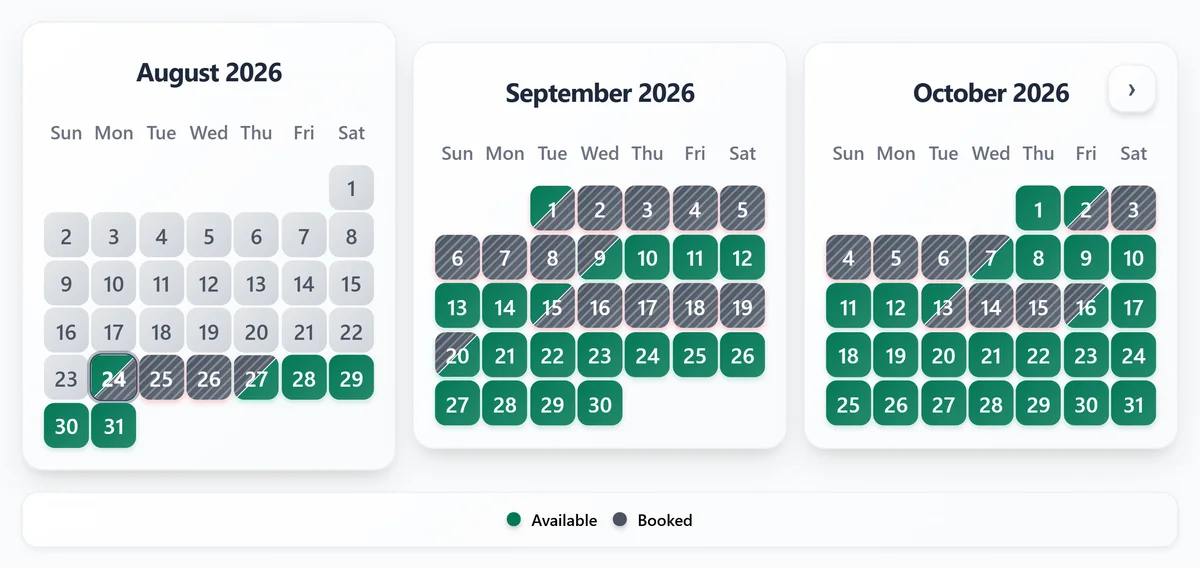
The availability calendar widget has a new default color palette: a deep emerald for open dates, a receding slate for booked dates, and a muted rose-red for closed dates. It replaced the older green/amber/red look on every rental that has not set custom colors, so most hosts will see a cleaner, more premium calendar without changing anything.
One-click color presets and a date-cell shape option
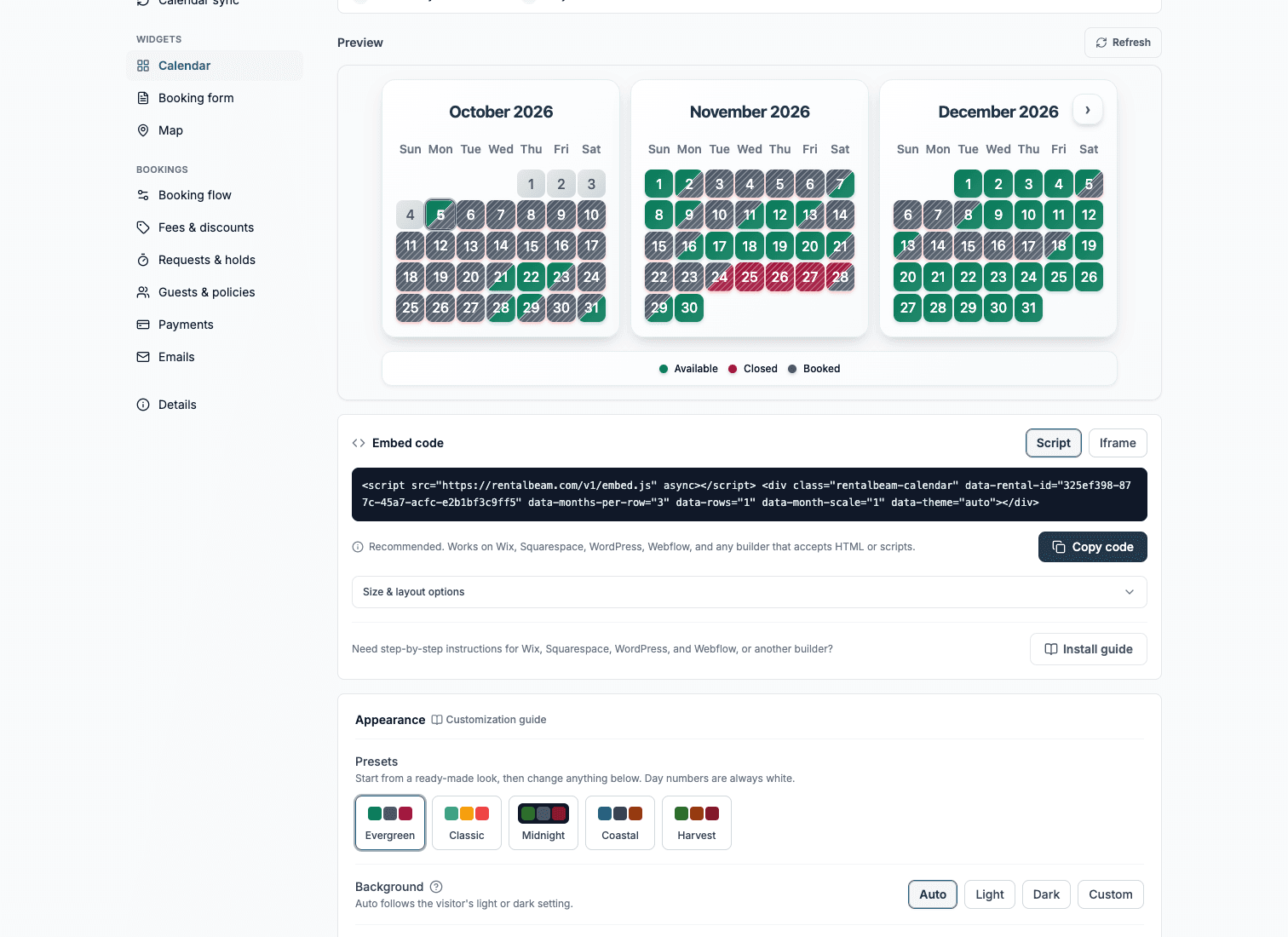
On Plus, the widget appearance settings now include five named color presets (Evergreen, Classic, Midnight, Coastal, and Harvest) so you can restyle your calendar in one click instead of picking each color by hand. Classic reproduces the original green/amber/red look for hosts who preferred it.
Also on Plus, day cells can now be rounded, square, or circular, so the calendar can match your site's own corner style. Both options live alongside your existing color and background settings and only apply if you choose them.
Show more than one rental in a single widget
Collections let you group several of your rentals into one embeddable widget, available on plans with multiple rentals. The availability calendar collection widget offers three views: combined (one calendar where a date is open if any rental is free), timeline (one row per rental with a photo), and tabs (each rental's full calendar side by side).
The booking form widget got its own collection mode too. Guests can pick dates first and then choose from the rentals that are free for those dates, or browse rentals first and then pick dates, each shown with its own photo and real price. Every booking still belongs to exactly one rental, so pricing, fees, and custom fields stay fully independent per rental.
Reply to guests straight from your inbox
On Pro, you can now reply to a booking notification email from your own inbox to message a guest, no need to open the dashboard first. Their reply routes back to you by email and is also saved on the booking in your Bookings inbox, so the conversation stays in one place either way.
Guest emails now carry your brand color
On Pro, guest-facing booking emails (confirmations, payment receipts, and message relays) now use the accent color you set in your rental's Booking form section, so the emails read as coming from your property rather than a generic tool.
24 widget languages
Both the availability calendar and booking form widgets now support 24 languages, detected automatically from the visitor's browser. A guest browsing your site in their own language sees the calendar and booking form in that language too, with no setup required on your side.
More ways to get paid, on Pro
Split payments let you collect a deposit now and the balance later, as separate payment steps for one stay, instead of collecting everything up front.
Invoice PDFs give guests a branded, downloadable record of what they paid and when, with customizable payment details and notes: useful for guests who need a receipt for their own records or reimbursement.
See your rental's location on a map
A new map widget shows a rental's location on your own website, with five curated themes, a signature color that matches your booking accent, and optional nearby highlights for guests. Build and preview it on any plan from a rental's Map section in the dashboard; embedding it on your own site is a Plus feature. See the map widget docs for themes, privacy modes, and embed snippets.
See what fits your rentals
Most of what is above is available today on your current plan, and the rest is a plan change away. Visit the pricing page to compare Free, Plus, and Pro and see exactly what each one includes.