

Map widget
Show your rental's location on your own website with a curated, theme-matched map.
What it does
The map widget shows a rental's location on your own website: a single styled map for one rental, or a shared map with multiple pins for a collection of your rentals. Guests see your brand-matched pin, any nearby highlights you've added, and a link to get directions in their own maps app. The map itself carries zoom, fullscreen, and Street View controls, and the pin card on an exact-location map links straight into Street View at your rental's spot.
Before you start
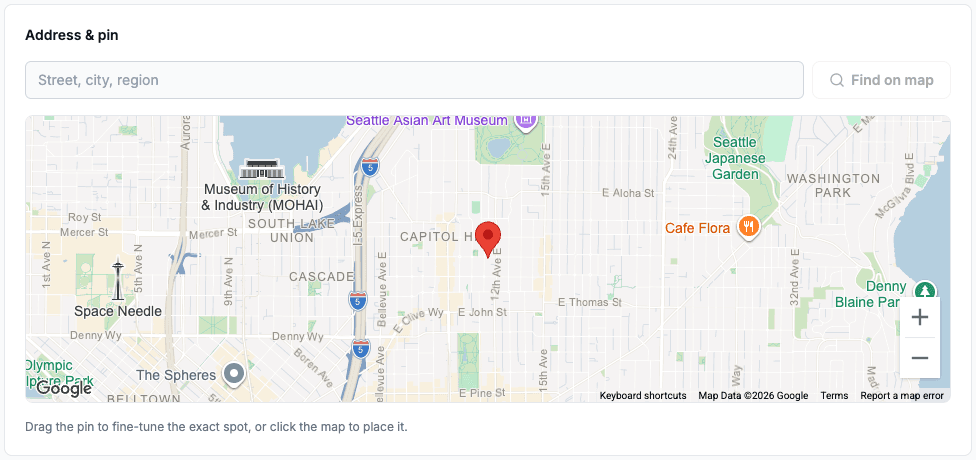
A rental needs a saved location before it can appear on a map. Open the rental in the dashboard, go to its Details section, and search for the address or drop the pin directly on the map. Drag it to fine-tune the exact spot.
Building your map
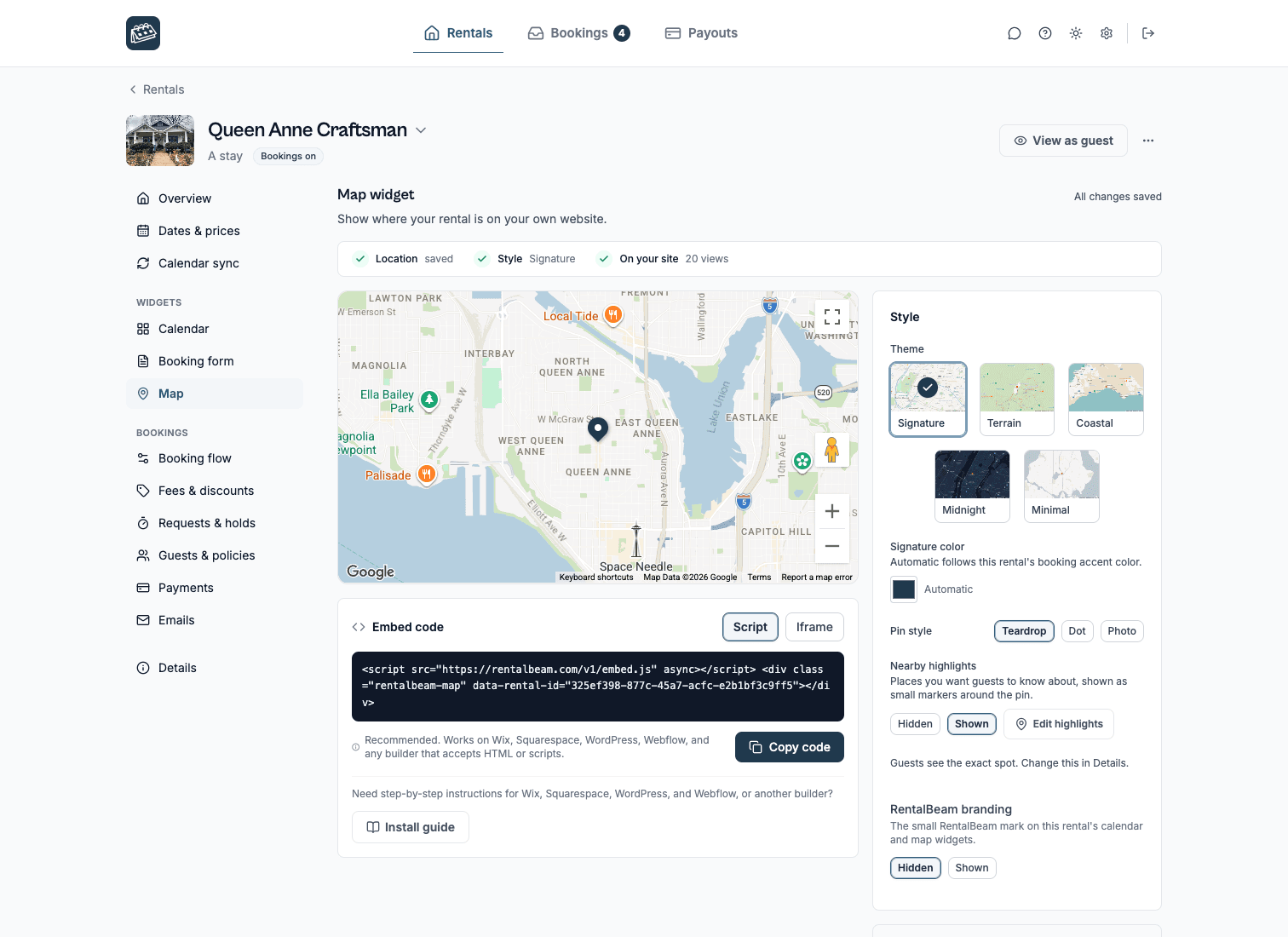
Open a rental or a collection in the dashboard and choose Map in its side menu, and the builder shows a live preview above its settings, grouped in Look, On the map, and Size & shape:
| Control | What it does |
|---|---|
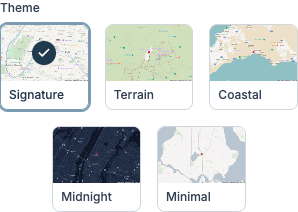
| Theme | Signature (default), Terrain, Coastal, Midnight, or Minimal: a fixed look that never changes with the visitor's device theme |
| Signature color | Automatically matches your booking accent color, or set a custom color |
| Pin style | Teardrop (default), Dot, or Photo: the photo pin uses the rental's photo, set in the rental's Details section |
| Nearby highlights | Show or hide the points of interest you've added in the rental's Details section |
| Size & shape | Aspect ratio (wide 16:9, standard 4:3, or square), corner rounding, and a default zoom level |
Collection maps
A collection map shows every rental in one of your collections together on one map, with pins that cluster at busy zoom levels as guests zoom out. Turn on the rental list in the builder to add a synced list beside the map: clicking a rental in the list highlights its pin, and clicking a pin highlights its rental.
Location privacy: exact vs. approximate area
In each rental's Details section, choose how precisely its location shows to guests:
| Mode | What guests see |
|---|---|
| Exact pin (default) | Your exact saved location, plus any nearby highlights you've added |
| Approximate area | A shaded circle (250 m to 2 km, your choice) centered near your location instead of an exact pin |
Languages
The map widget supports the same 25 languages as the other widgets, detected automatically from the visitor's browser. To force one language regardless of the visitor's browser, add data-lang="de" to the script embed, or ?lang=de to the iframe URL.
Embedding your map
Open a rental or collection, choose Map in its side menu, and copy the ready-made snippet, or use these shapes directly. Single-rental and collection maps use the same two embed modes: swap data-rental-id for data-collection-id, and /embed/map/ for /embed/map/collection/:
Single rental
Script embed:
<script
  src="https://cdn.rentalbeam.com/v1/embed.js"
  async
></script>

<div
  class="rentalbeam-map"
  data-rental-id="YOUR-RENTAL-ID"
></div>
Iframe embed:
<style>@media(max-width:600px){.rentalbeam-map-frame{min-height:min(78vh,640px);min-height:min(78svh,640px)}}</style>
<iframe
  class="rentalbeam-map-frame"
  src="https://rentalbeam.com/embed/map/YOUR-RENTAL-ID"
  title="Rental location map"
  loading="lazy"
  allow="fullscreen"
  style="width:100%;aspect-ratio:16/9;min-height:320px;border:0;border-radius:12px;display:block;"
></iframe>
Collection
Script embed:
<script
  src="https://cdn.rentalbeam.com/v1/embed.js"
  async
></script>

<div
  class="rentalbeam-map"
  data-collection-id="YOUR-COLLECTION-ID"
></div>
Iframe embed:
<style>@media(max-width:600px){.rentalbeam-map-frame{min-height:min(78vh,640px);min-height:min(78svh,640px)}}</style>
<iframe
  class="rentalbeam-map-frame"
  src="https://rentalbeam.com/embed/map/collection/YOUR-COLLECTION-ID"
  title="Rentals location map"
  loading="lazy"
  allow="fullscreen"
  style="width:100%;aspect-ratio:16/9;min-height:320px;border:0;border-radius:12px;display:block;"
></iframe>
Plan requirements
| Feature | Free | Plus | Pro |
|---|---|---|---|
| Build, style, and preview a map in the dashboard | ✓ | ✓ | ✓ |
| Embed a map on your own website | - | ✓ | ✓ |
The small RentalBeam mark in the corner of the map follows the rental's RentalBeam branding setting (set to Hidden) on Plus and Pro. It is the same one switch that governs the availability calendar, so turning it off in either builder clears the mark from both.
See plan pricing for details.