The RentalBeam app is on Google Play
Your direct bookings now fit in your pocket. The RentalBeam app for Android tells you the moment a guest asks to book, and lets you confirm, reply and close nights from wherever you are.
What you get
- An alert the moment a guest asks to book, sends a message or pays.
- Confirm or decline a request in one tap, after seeing the dates, the guests and the total.
- Reply to a guest from anywhere. Your answer reaches them by email.
- Close nights and change prices on the go, so your website calendar stays right.
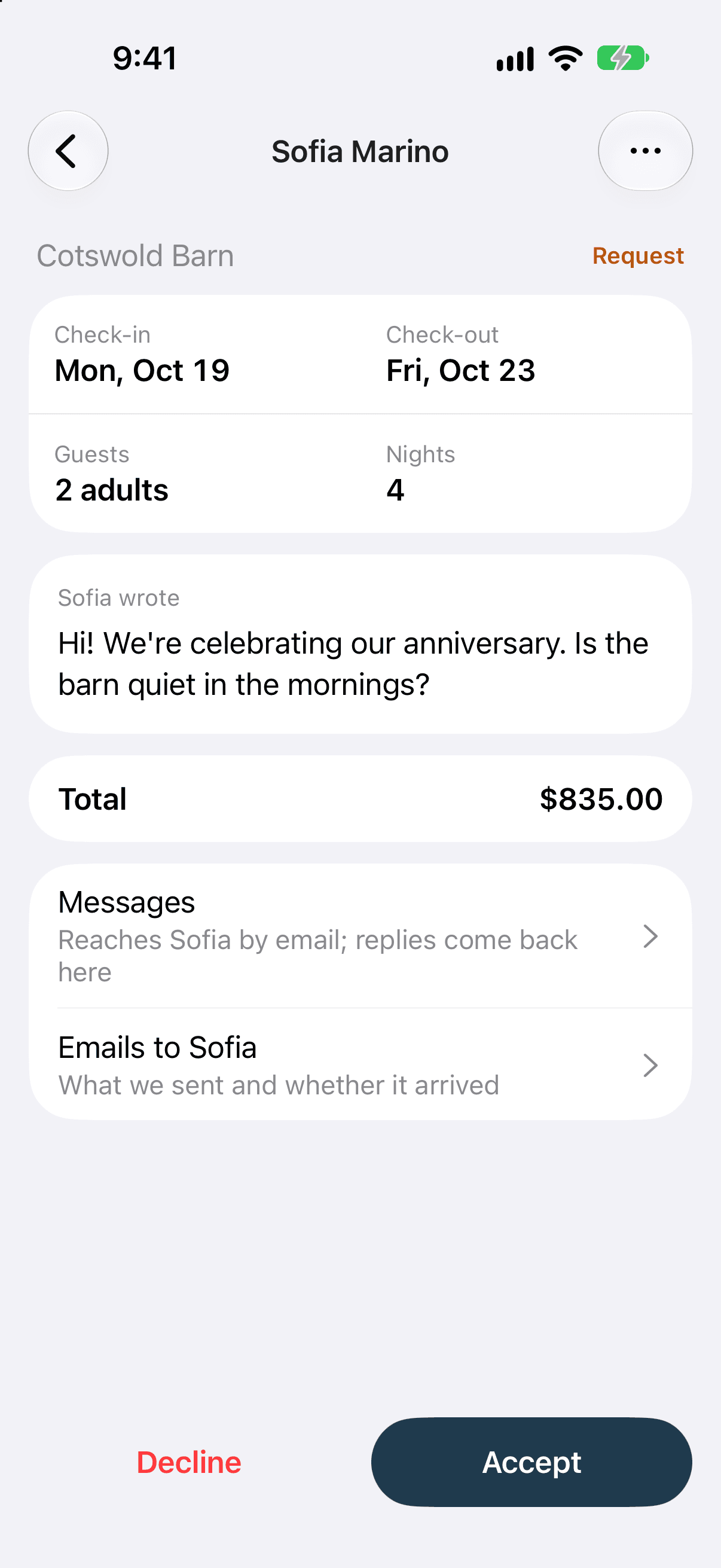
For each kind of alert you choose email, phone or both. Tapping an alert opens that booking or that conversation.
Get it
On your Android phone, open Google Play and search for RentalBeam, or tap the badge below. On a computer, the phone app page has a code to scan with your phone.

- App StoreComing soon
Google Play and the Google Play logo are trademarks of Google LLC.
Sign in with the account you already use on rentalbeam.com. Your rentals, bookings and guest messages are already there.
On an iPhone
The iPhone app is coming soon to the App Store. The phone app page will link to it the day it is live.
Included in every plan
The phone app is part of every RentalBeam plan, Free included. Booking requests, replies and payments come with Pro, and closing nights and changing prices come with Plus or Pro. See what each plan includes.
Set up on the website first
Adding your rentals and putting the calendar and booking form on your website happen on rentalbeam.com. The quick start guide takes you through it. Then the app keeps the day to day in your pocket. For everything the app does, read run your direct bookings from your phone.