What's new in RentalBeam: October 2026
Every rental now has a page of its own, the calendar you manage it on draws your stays the way a host calendar should, and your prices can go on your website's calendar.
Every rental has its own page
Everything about one rental used to be spread over four tabs and six pop-up windows. Now it lives on one page. Open a rental from Rentals and its menu holds all of it: Overview, Dates & prices, Calendar sync, its calendar, booking form and map widgets, its booking settings, and Details.
The top of the dashboard is three tabs now: Rentals, Bookings, and Payouts. A host with one rental lands straight on that rental's page. With two or more, the rental's name at the top switches between them and keeps you in the same section.
The Overview answers the question you open the dashboard with: does anything need me? Booking requests waiting for you sit at the top. On Pro, your upcoming stays are listed with their totals. Beside them, a short status list says whether your calendar is live on your website and whether each synced calendar is healthy, and every line opens the place to fix it. While a rental's setup is unfinished, its checklist is there too.
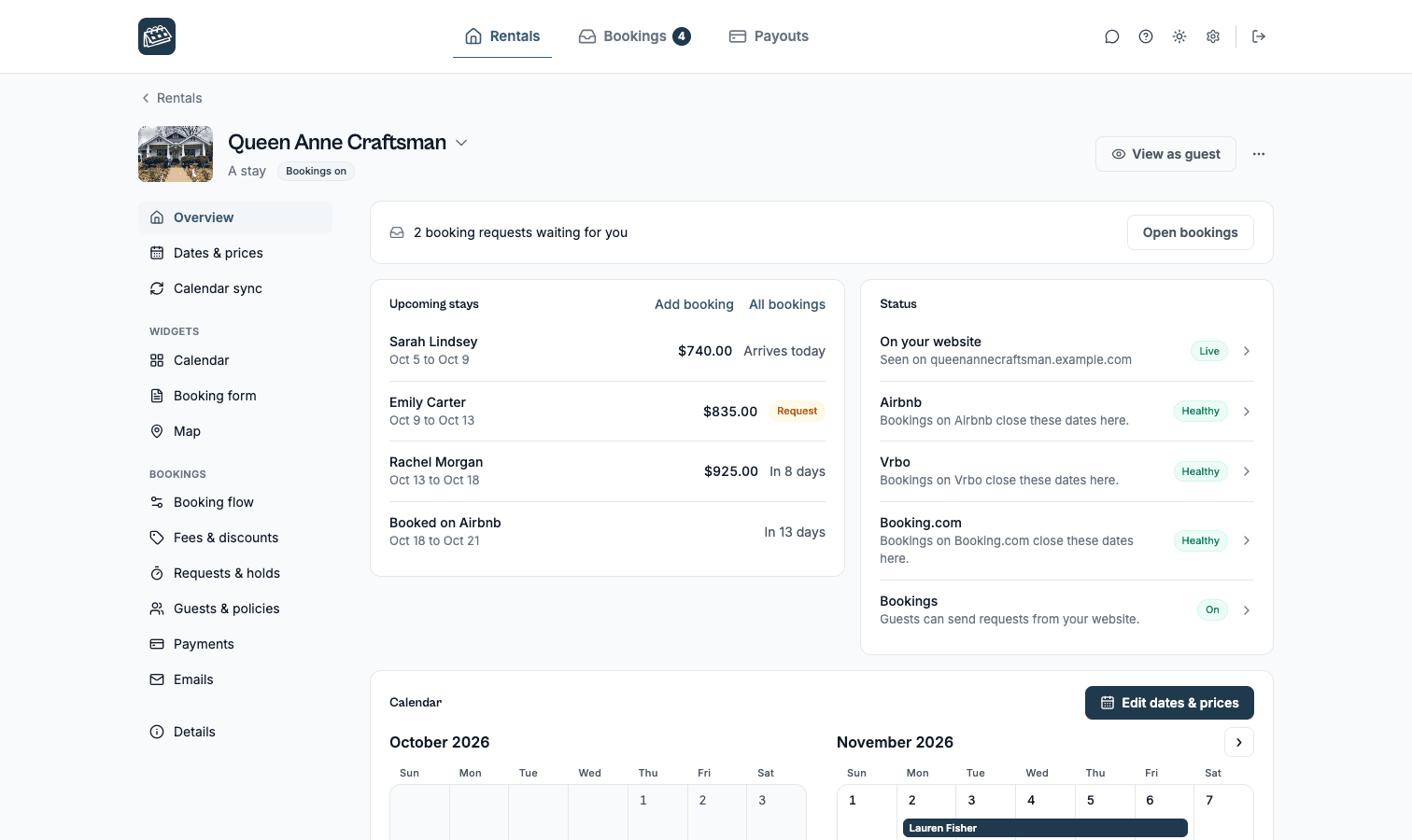
View as guest, at the top of every rental's page, opens the rental the way a guest sees it. Duplicate, Google Calendar and Archive are in the menu beside it.
Links in emails we sent before the change still open the booking, inbox or rental they named.
Dates & prices draws your stays
Dates & prices is the calendar you run a rental on, and it now looks like one. A month fills the page, every day has room, and it opens on Availability, because keeping the right days open is the job most hosts come here for.
Every stay is drawn as a bar across its nights. A booking taken through RentalBeam shows the guest's name. A request still waiting on you is outlined. A guest booked on Airbnb, Vrbo or another site you sync carries that site's name. Days you closed are hatched, and so are days another site closed without a booking, with that site's name on them. A key under the calendar says what each one means.
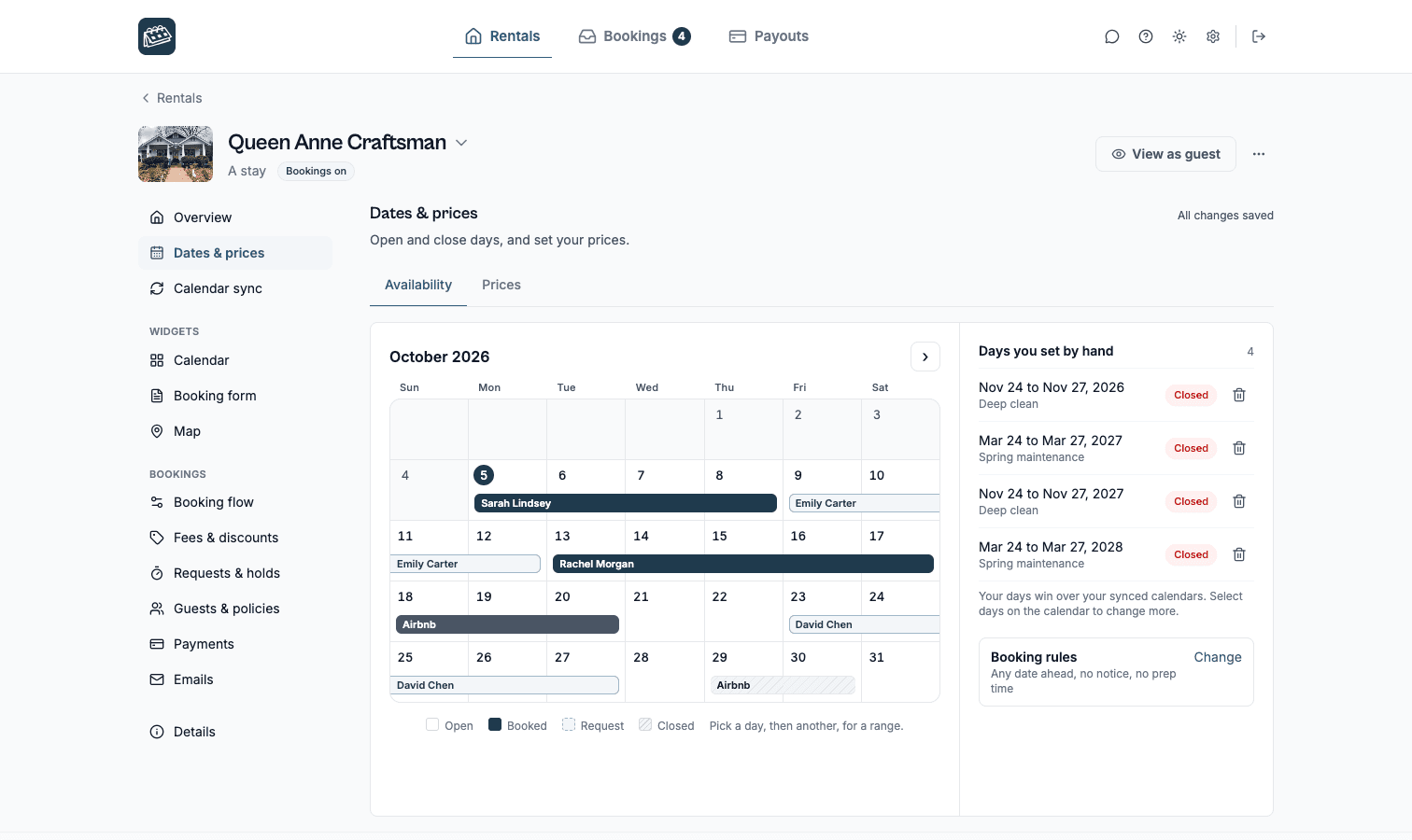
To change days, select them on the calendar: one click for a day, a second click for a range, or drag across them. The panel beside the calendar becomes the editor for those days, so you can close them, open them, or put your own note on them. It also lists what other sites say about them: the site, its own words for the days, their dates, and when that calendar last synced.
Open days another site closed. Airbnb closes days that are not bookings, such as the months past its booking window or days you blocked there. Select them and choose Available to take bookings for them on your website, and the iCal link you give other sites shows them open too. A guest's stay on another site can never be opened this way, and neither can a booking taken through RentalBeam. Booking.com marks a booking and a blocked day the same way, so its days open on your website only, and your link keeps them closed in case one is a booking.
A warning before you double-book. A booking request whose nights another site already has a guest on now says so on its page, with the site and the nights, before you confirm it. Advance notice and prep time are here too, under Booking rules, and this is now the only place they are set.
The Prices tab shows the same calendar with the price under every open day. It holds your standard rate, the days you gave their own price, and a new weekend price: a percentage or a fixed amount added to your standard rate on the weekdays you pick, Friday and Saturday nights for a stay unless you choose others. It is off until you turn it on, and a day with its own price keeps that price. Dates & prices is part of Plus and Pro.
Your prices on your availability calendar
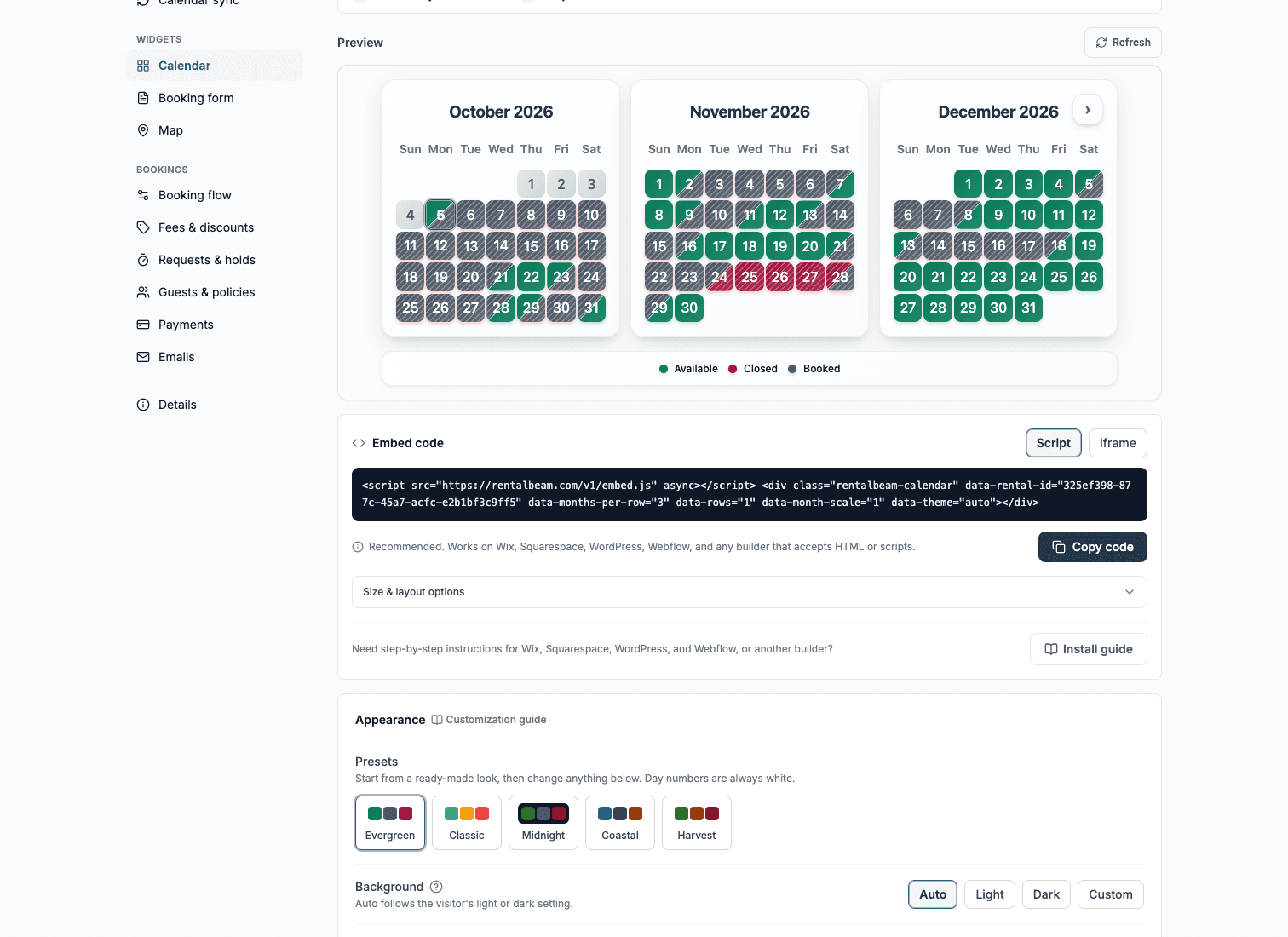
On Plus and Pro, your availability calendar can now show your rate under each open day. Turn on Prices on the calendar in the rental's Calendar widget section; it is off until you do. Booked, closed and past days never show a price, and nothing shows while your booking flow hides prices from guests. The rate is the one you set in Dates & prices.
Smaller things worth knowing
Stay or vehicle, on every plan. "What are guests booking?" moved to each rental's Details, and every plan has it. A host on Free with a trailer can now set it.
Duplicate a rental. Duplicate, in a rental's menu, makes a new rental with the same settings, named "Copy of" the original. It copies the settings, not the things that belong to one place: synced calendars, blocked dates, the photo, the location, bookings and coupon codes stay with the original. The copy counts as one more rental on your plan.
A minimum party size. On Pro, next to "Max total guests" in Guests & policies, "Min total guests" sets the smallest group the booking form accepts, for a house that only rents to groups.
Cancel or change plan from your Account page. The plan card on your Account page now has Cancel plan, and it says plainly what happens next.