

Webflow integration
 Add a booking calendar to Webflow

To add a booking calendar to Webflow, copy your website code from RentalBeam and paste the script snippet into an Embed component. Guests see your open dates, synced from Airbnb, Booking.com or Vrbo. The calendar is free on every plan; the booking form (Pro) and the map (Plus or Pro) paste in the same way.
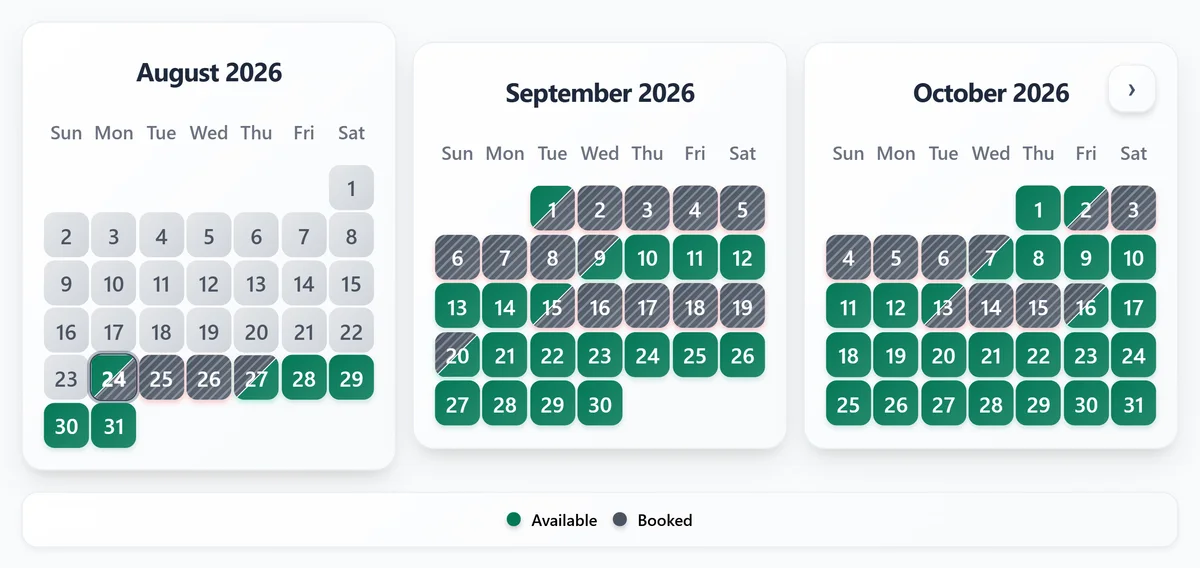
Availability calendar
Paste the calendar into Webflow. Free on every plan. Use the script snippet in an Embed component.
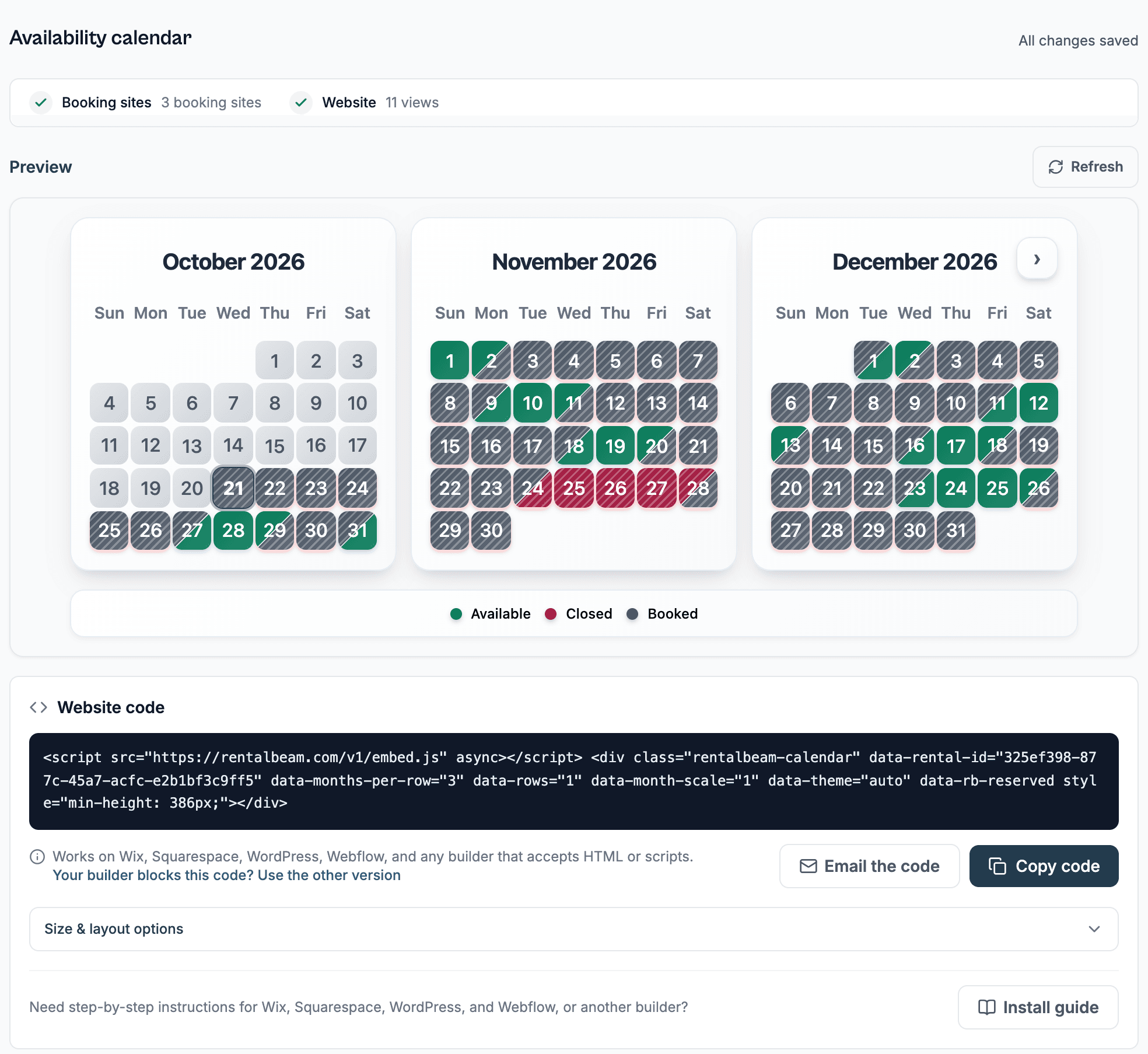
What you need
- A Webflow page you can edit in Designer
- Your RentalBeam calendar widget
- At least one connected iCal source such as Airbnb, Booking.com, or Vrbo
Steps
- Open the target page in Designer
- Drag in an Embed component
- Paste the RentalBeam calendar script snippet
- Publish the site and verify the responsive layout
Before you publish
- Use an Embed component on the final page where guests check dates rather than burying the calendar in a secondary CMS region.
- Check the published site after any layout-control changes so the live widget reflects the newest months per row and sizing choices.
- Keep enough container width around the widget so multiple months per row do not collapse into an awkward narrow column.
Where to put it
- Place the calendar near pricing, inquiry, or direct-booking copy so guests can act right after checking dates.
- Give the calendar a comfortably wide container so multi-month layouts do not feel cramped.
- Always verify the published page after Webflow layout changes so the live embed still has enough vertical space.
The script snippet looks like this
<script src="https://cdn.rentalbeam.com/v1/embed.js" async></script>
<div class="rentalbeam-calendar" data-rental-id="your-rental-id" data-rb-reserved style="min-height: 386px;"></div>
Webflow supports custom embed components, so the standard script snippet is usually the cleanest option.
Booking form
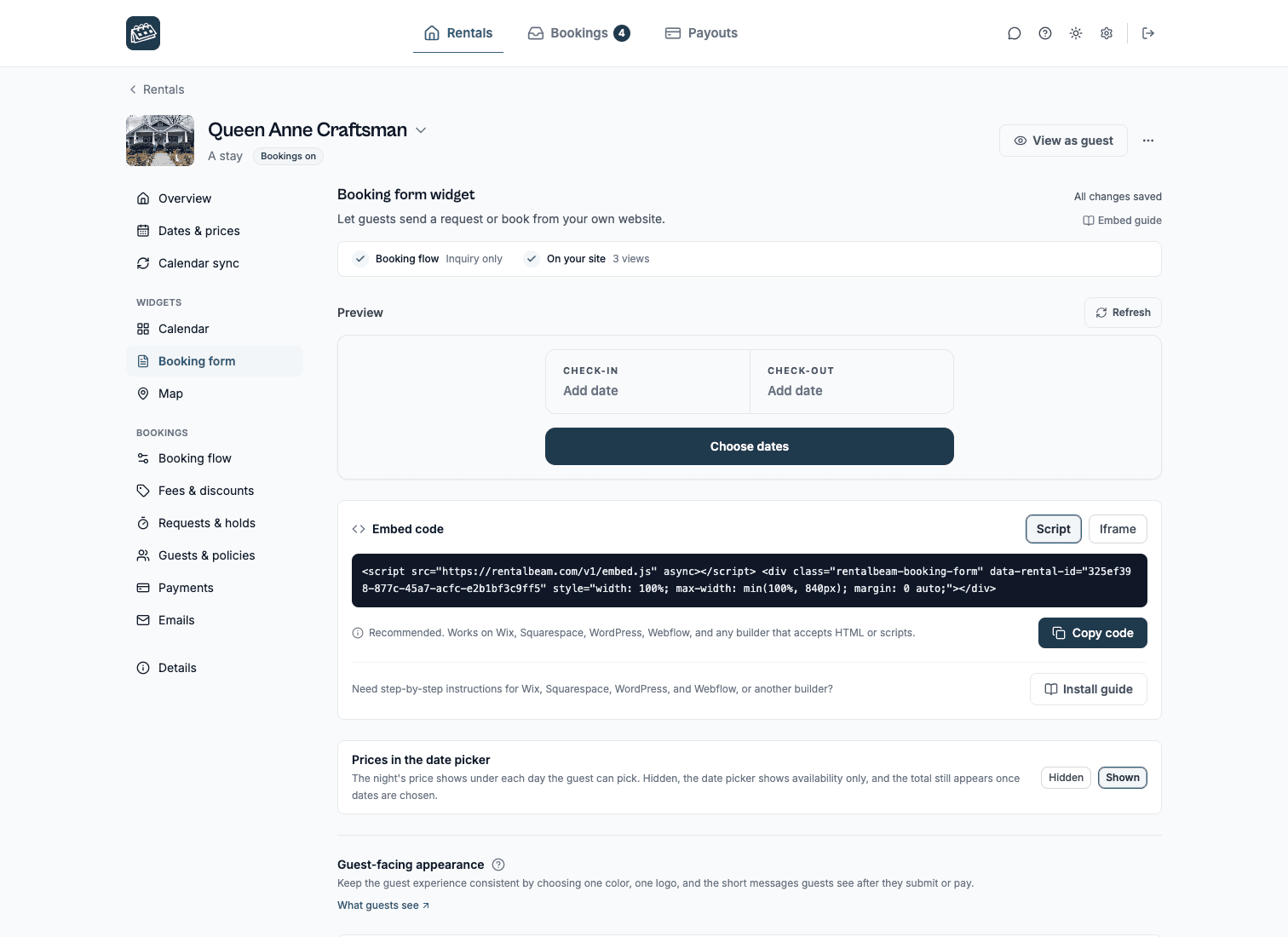
Take booking requests on Webflow. On Pro. Guests pick dates, see the price and send a request.
Steps
- Edit the page with your booking button
- Insert an Embed component
- Paste the booking widget script snippet
- Publish and run a full inquiry test
Before you publish
- Keep the booking form near pricing or booking copy so guests understand the next step without extra explanation.
- Avoid placing the form inside a very short fixed-height wrapper because the form needs room to grow on mobile.
- Complete a real test inquiry after publishing to verify notifications and confirm the surrounding Webflow styles are not interfering.
Where to put it
- Keep the booking form near pricing or booking copy so guests understand the next step without extra explanation.
- Avoid placing the form inside a very short fixed-height wrapper because the form needs room to grow on mobile.
- Complete a real test inquiry after publishing to verify notifications and confirm the surrounding Webflow styles are not interfering with the embed.
The script snippet looks like this
<script src="https://cdn.rentalbeam.com/v1/embed.js" async></script>
<div class="rentalbeam-booking-form" data-rental-id="your-rental-id" data-rb-reserved style="width: 100%; max-width: min(100%, 840px); margin: 0 auto; min-height: 160px;"></div>
Webflow generally handles the booking form script well when it is added through an Embed component.
Map
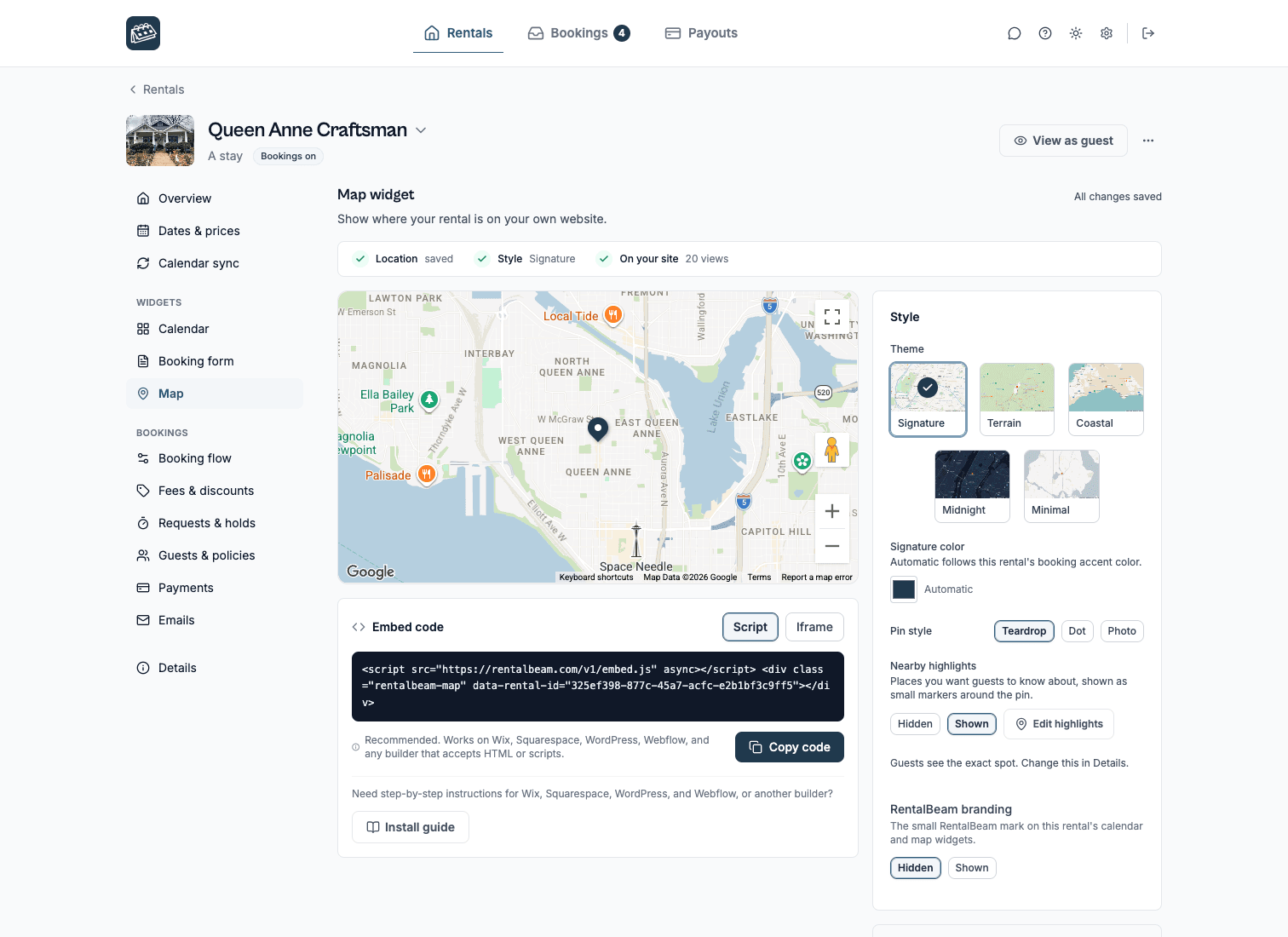
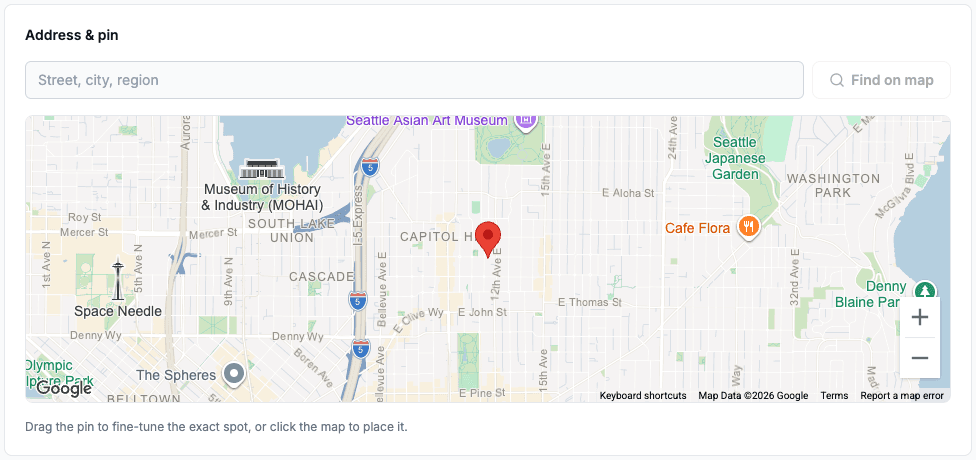
Show where your rental is on Webflow. On your own website with Plus or Pro. Exact pin or approximate area.
Steps
- Open the target page in Designer
- Drag in an Embed component
- Paste the RentalBeam map script snippet
- Publish the site and verify the map on the live page
Before you publish
- Use an Embed component on the final page where guests look for your location rather than burying it in a secondary CMS region.
- Check the published site after changing the theme, pin style, or aspect ratio in the Map section so the live embed reflects the newest choice.
- Keep enough container width around the map so it does not collapse into an awkward narrow column.
Where to put it
- Place the map near your address, directions, or nearby-attractions copy so guests find it naturally.
- Give the map a comfortably wide container so the chosen aspect ratio does not feel cramped.
- Always verify the published page after Webflow layout changes so the live embed still has enough space.
The script snippet looks like this
<script src="https://cdn.rentalbeam.com/v1/embed.js" async></script>
<div class="rentalbeam-map" data-rental-id="your-rental-id"></div>
Webflow supports custom embed components, so the standard script snippet is usually the cleanest way to place the map.
Troubleshooting
If a widget does not show on Webflow. It goes in an Embed component. Then check these, in order.
- Publish the page and check the live address, not only the editor preview.
- Open the page in a private window to rule out a cached copy.
- Check that your RentalBeam calendar already shows the right booked dates before you look at the page.
- Send one test booking request from the live page and confirm the email reaches you.
Related guides. The same widgets, in more depth.
Webflow questions.
Can I use RentalBeam on Webflow?
Yes. The availability calendar, the booking form and the map all paste into an Embed component on Webflow, and they work alongside your Airbnb, Booking.com or Vrbo listings instead of replacing them.
Should I use a script or iframe on Webflow?
Webflow supports custom embed components, so the standard script snippet is usually the cleanest option. In practice, script is the best default for Webflow.
Will this sync with Airbnb, Booking.com, and Vrbo?
Yes. RentalBeam supports any iCal URL, so you can import Airbnb, Booking.com, Vrbo, Google Calendar, and other compatible sources. The booking form reads the same calendar, so guests never see dates that are already booked elsewhere.
Do I need a property management system?
No. RentalBeam is for hosts who want synced availability and direct-booking tools without paying for a full PMS stack.
Does RentalBeam take a commission or booking fee on guest card payments?
RentalBeam Pro is a single direct-booking plan with no commission and no booking fee. It adds the booking form widget, guest-payment workflow, coupon codes, seasonal pricing, custom fields, booking rules, host email tools, and reply-from-inbox guest messaging. RentalBeam never takes a cut of your booking revenue. When a guest chooses to pay by card through RentalBeam, the only deduction is the standard Stripe card-processing fee, which is paid to Stripe - not RentalBeam. Inquiry, pay-later, and off-platform bookings (such as bank transfer) carry no per-transaction cost at all.
Which plan do I need?
The availability calendar works on every plan, including Free. The booking form needs Pro. Every plan can build and preview a map in a rental's Map section; showing it on your own website needs Plus or Pro.
Can I show an approximate area instead of my exact address?
Yes. Each rental's Details page lets you choose exact-pin mode or approximate-area mode. Approximate mode shows guests a shaded circle instead of your exact coordinates, and nearby highlights are withheld.
Put your calendar on Webflow
Free to start. Copy the website code, paste it in, and publish.