

Collection
A collection is a named group of a host's rentals shown together in one widget: one availability calendar with a combined, timeline, or tabbed view, one booking form where a guest picks dates and then a rental, or one map with a pin for each. Each rental keeps its own feeds, prices, and settings; the collection only decides what is shown together.
Hosts with several units reach for a collection when a visitor should compare them on one page: a row of cabins, a fleet of trailers, three apartments in one building. The combined calendar shows a date as open when any member is free, the timeline shows every member as a row, and the tabs view gives each member its own full calendar.
A collection is a display and routing choice, not a shared configuration. A change to one rental never touches its siblings, and a rental can sit in several collections at once, so a host can show the same cabin in "Lakefront" and in "Pet friendly" without copying anything.
Why it matters for hosts
In RentalBeam a collection is 2 to 25 of your existing rentals, created on the dashboard Rentals tab. The availability calendar and the map are available on plans with multiple rentals; the collection booking form is Pro and resolves to exactly one member's real form, with that rental's own pricing, fields, and payment. Every booking belongs to one rental; there is no combined cart.
Further reading More detail on how this works with RentalBeam.
Related terms Other glossary terms that come up alongside this one.
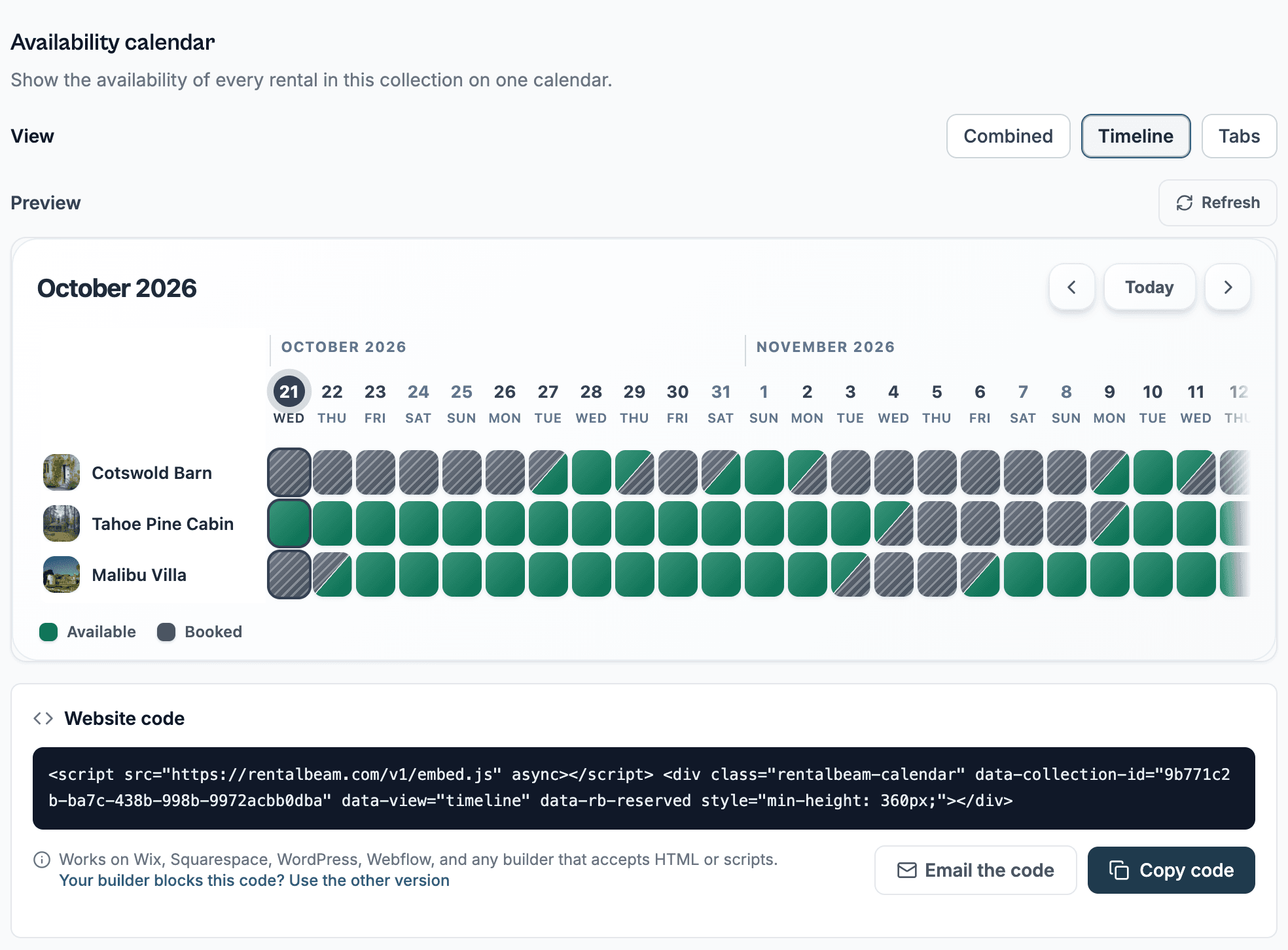
See this in the product.
See the collections docs