

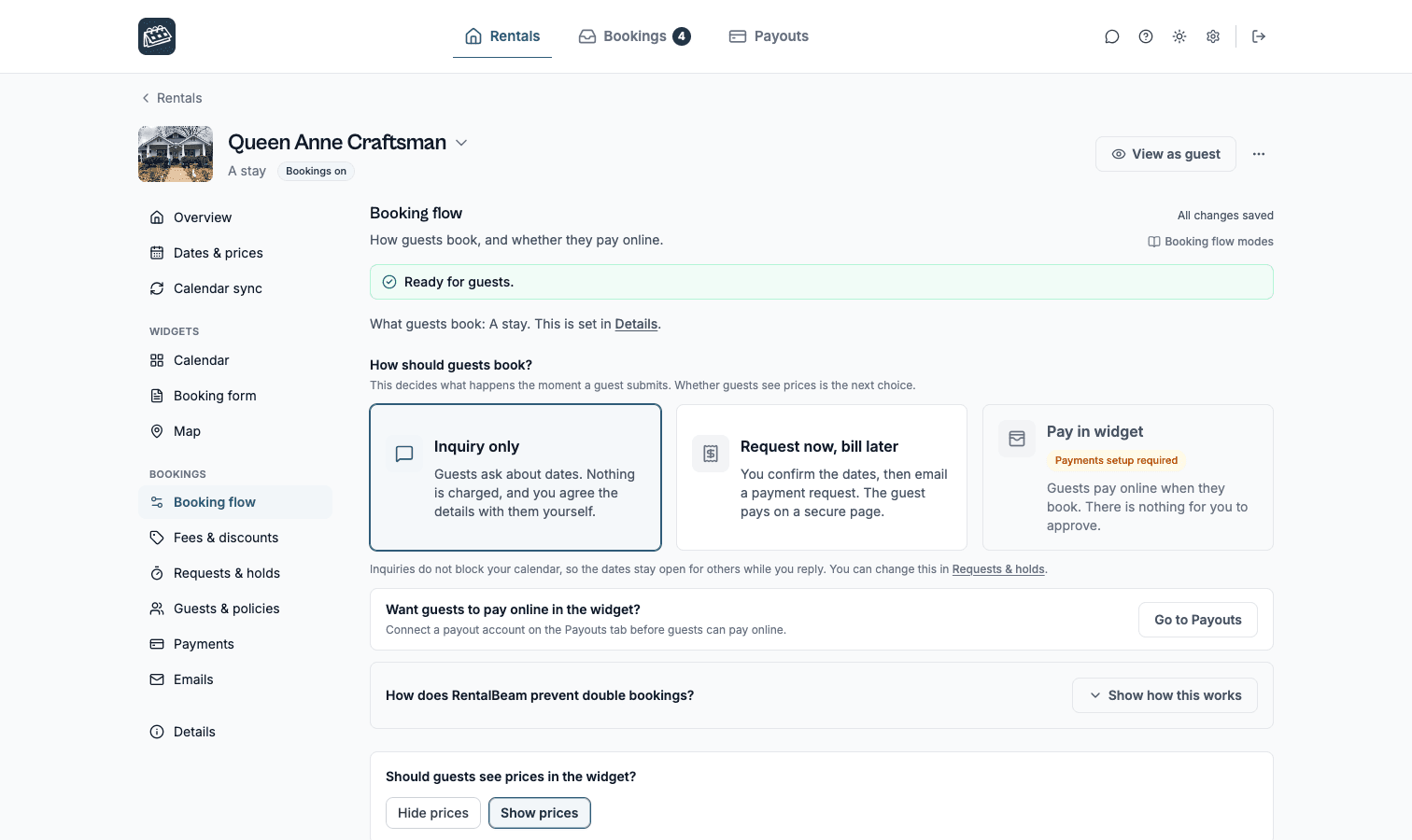
Booking types
Pick how much commitment a guest makes before you get involved.
You choose a booking type in Booking type, under the rental's Booking settings in the dashboard, not as embed parameters. There are three:
| Booking type | How it works |
|---|---|
| Inquiry | Guest submits name, email, dates, and a message. You review and respond. No payment collected. |
| Request to book | Guest submits a booking request. You confirm or decline, then send a secure payment request for manual payment. |
| Instant book | Guest enters card details and pays at the time of booking. Requires Stripe Connect setup. |
By the night or by the day
In the rental's Details section, How is it rented? sets the words. By the night (the default) shows check-in and check-out dates and counts nights. By the day shows pick-up and drop-off dates and counts days, in all 25 languages and in every email. Whether the form asks how many guests are coming follows Max total guests in Guests & policies. Full details, including how a rental day is counted, are in Vehicle & equipment rentals.
Which booking type fits your booking sites
Calendars do not update in real time. RentalBeam re-checks your feeds often, but the platforms you sync from (Airbnb, Booking.com, Vrbo) only refresh their own exported calendars on their own schedule. A booking taken on one may not have reached its feed yet. Here is how each booking type handles that:
- Inquiry. You review every request before anything is confirmed, so nothing is booked or charged until you say yes.
- Request to book. Same review step, same safety net, and it works no matter how fast your calendars sync.
- Instant book. No review step, so the widget re-checks your connected feeds when a guest submits, to catch conflicts before the reservation is accepted. A guest who leaves before paying stays pending, holding the dates for as long as your hold time allows, and the booking confirms on its own if they pay later. Both moments re-check your connected calendars. If one can't be read when the guest submits, nothing is charged and the booking comes to you as a request instead. If one can't be read when they come back to pay, they are asked to contact you and the booking stays pending. Confirming it yourself books it before payment.
If you list the same dates across several platforms, Inquiry and Request to book carry the strongest built-in protection against double bookings.
What guests see
The booking form collects:
- -Check-in and check-out dates (pick-up and drop-off on a rental by the day), checked against your current availability before the request goes through
- -Guest count (adults and children broken out separately, and pets, if you turn those counters on), unless you set the rental not to ask
- -Name and email
- -Optional message
- -Custom fields you define in the dashboard, including file uploads (photo ID, license, documents)
- -Card details if the rental uses Instant book