

Notifications & the review link
Every email RentalBeam sends for your rental, who gets it, and which ones you control.
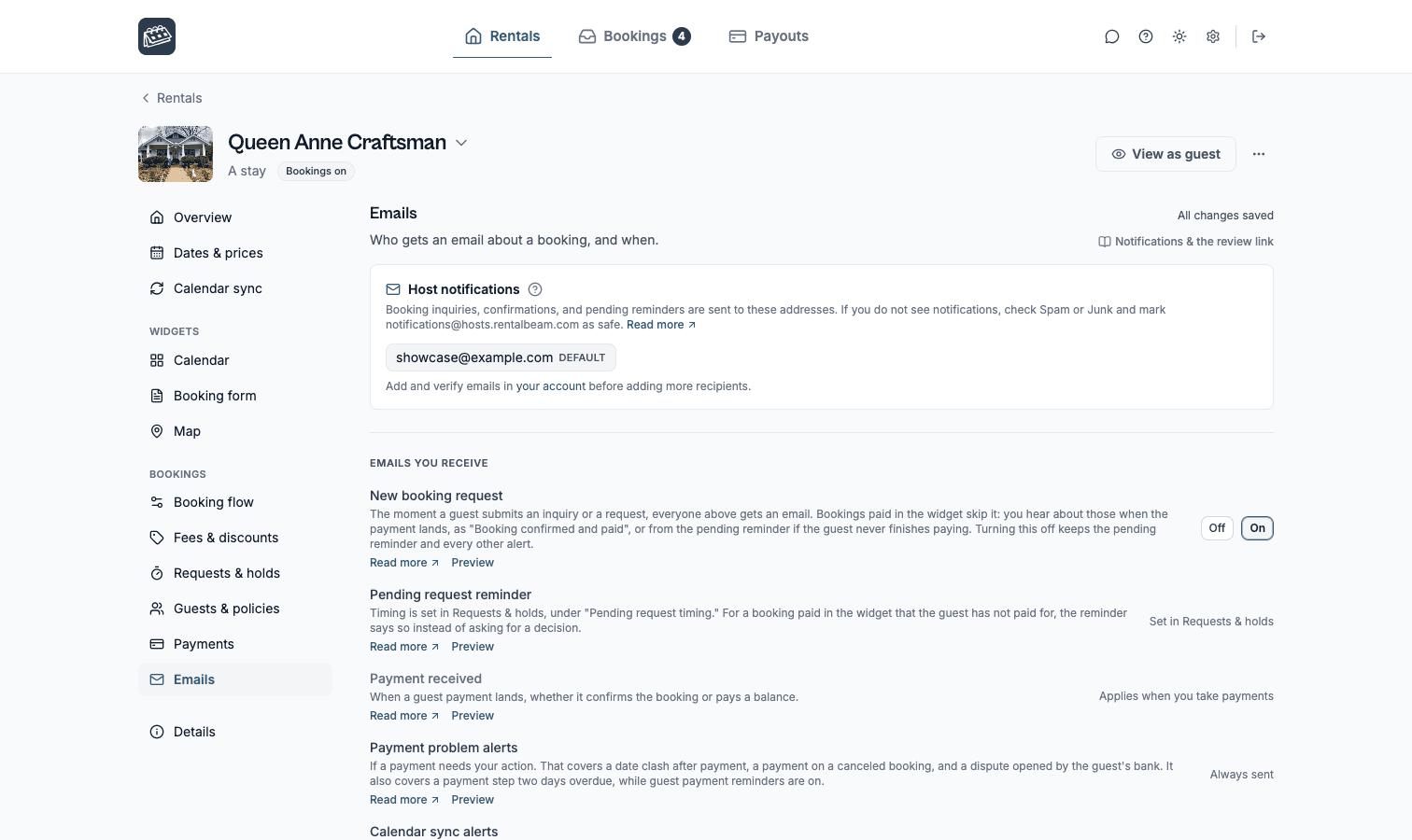
Open your rental from the Rentals tab, then its Emails section. That section is the complete list of every email RentalBeam sends for the rental, so there is never a mystery email. Rows you control show a switch. Rows that are always sent say so, and they are still listed, because knowing what your guests receive matters as much as choosing it. This page is that same list, in the same order, with the detail behind each row.
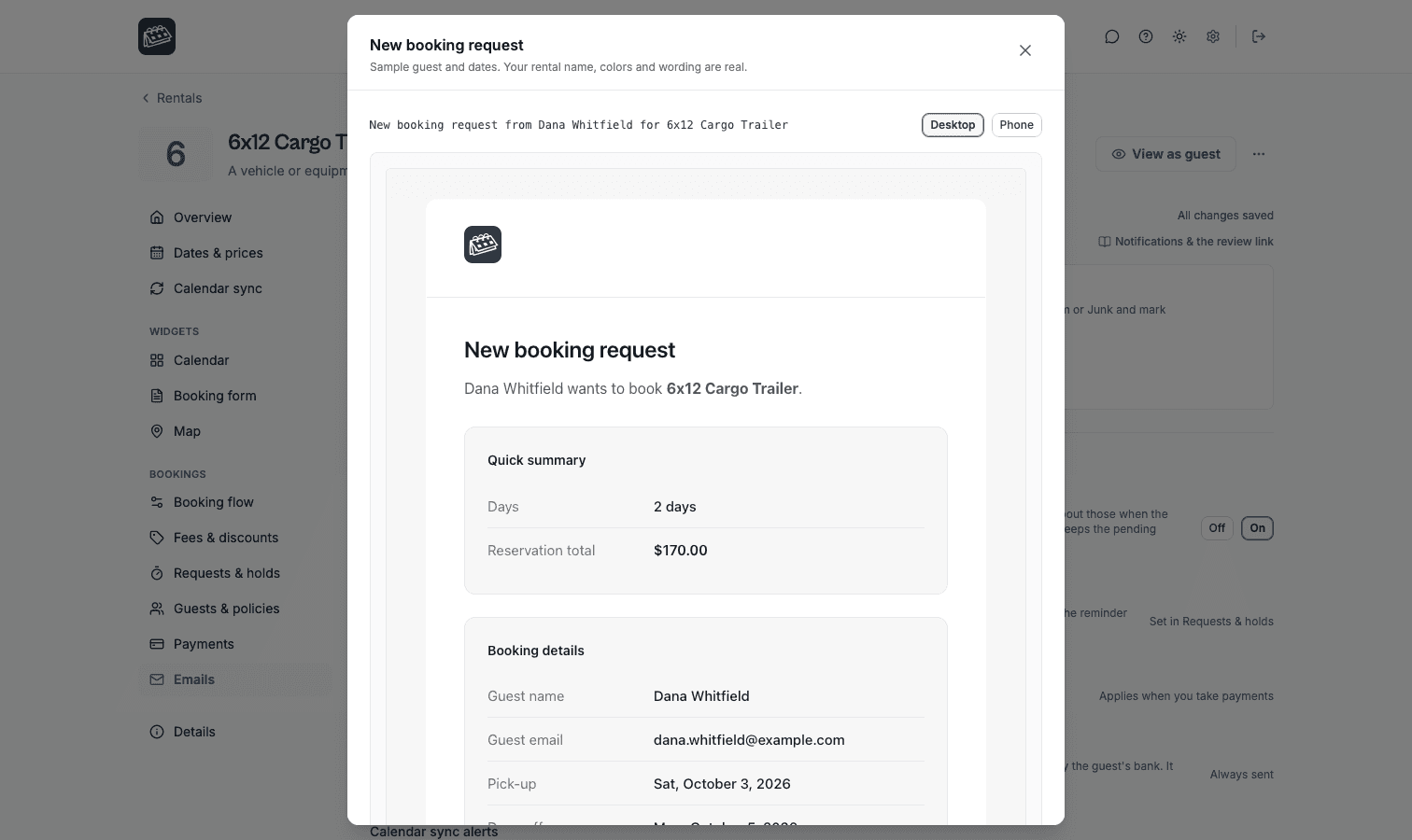
You never have to guess what an email looks like. Every row with a Preview link opens that email exactly as it goes out, with your rental name, your colors, your logo and your wording around a sample guest and sample dates. Inside the preview, Send me a test emails the same message to your own account address, so you can read it in your real inbox on your phone before a guest ever does.
Who gets notified
By default, the emails in the next section go to your account email. At the top of the Emails section, under Host notifications, you can have up to 3 addresses in total for a rental, which is enough for you plus a co-host or a shared team inbox. An extra address has to be added and verified in Account settings first, then you pick it here. Every host email listed below goes to all of them.
notifications@hosts.rentalbeam.com as safe.Emails you receive
New booking request
Sent the moment a guest submits an inquiry or a request, to every address above. The subject names the guest and the rental, for example "New booking request from Dana Whitfield for Blue Heron Cottage", so you can find it again months later by searching the guest's name. Inside are the dates, the guest's message, their answers to your custom fields, and the secure review link. This row has an On / Off switch: turn it off if you live in the dashboard, and every other alert, including the pending reminder, keeps working. A pay-in-widget booking never sends this one, because there is nothing to decide until the money lands.
Pending request reminder
Sent when a request has been waiting on you for a while, titled "Your response is still needed", with the guest's name and how long they have waited. It has no switch in the Emails section: the timing lives in the Booking flow section under How long a request holds its dates, and the row says so. When the booking is a pay-in-widget one the guest never finished paying for, the reminder says that instead of asking you for a decision, because the ball is in the guest's court. See Booking rules for how long a pending request holds its dates.
Payment received
Always sent, whenever a guest payment lands, whether that payment confirms the booking or settles a balance later. The row is quiet on an inquiry-only rental, which takes no payments.
Payment problem alerts
Always sent, and only when something needs you. There are four: the dates clashed after the guest paid, a payment arrived on a booking that was already canceled, the guest's bank opened a dispute, and a payment step is two days overdue. The overdue one names the guest and the amount in the subject, for example "Dana Whitfield has not paid $700.00 for Blue Heron Cottage", and it goes out the same day the guest is chased, so you are never the last to know. It follows the guest's Payment reminders switch: with reminders off, nobody is chased and no overdue alert is raised, though the booking still shows as overdue in your dashboard.
Calendar sync alerts
Always sent, and the only email here that is not about a booking. If an imported calendar stops updating for long enough that the availability on your website has gone stale, you get one email naming the feed, when it last updated, and how to fix it, plus one reminder a week later. Fix the link and the warning clears itself. See Troubleshooting sync.
Emails your guests receive
These carry your accent color and your logo, not RentalBeam's, and they are written in your voice. See Appearance for the branding, and Languages for how the wording is translated.
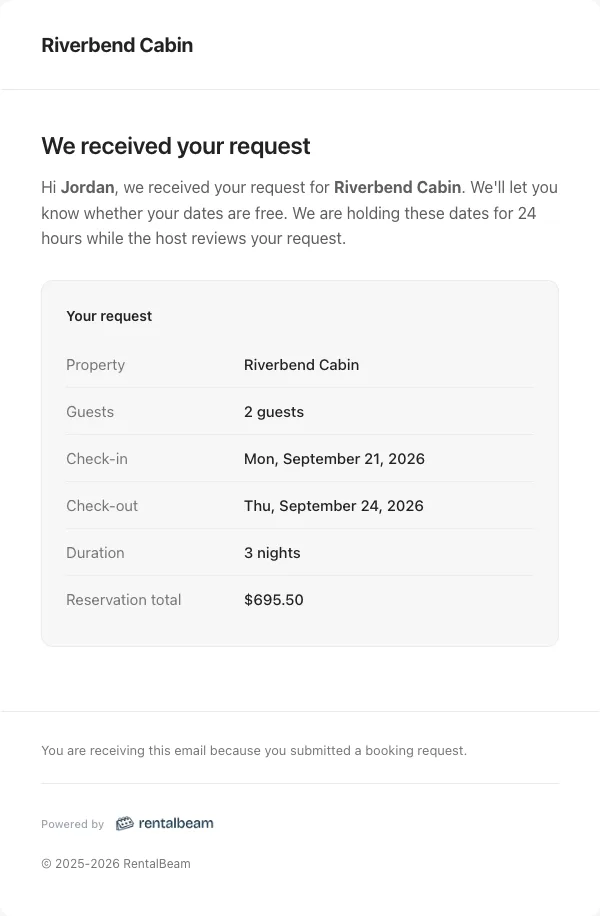
Request received
Optional, with an On / Off switch. When it is on, a guest gets a short "We received your request" email the moment they submit, so they are not left wondering whether it went through. It does not replace your reply: they hear from you again when you confirm or decline. Guests who pay in the widget skip it and get the payment confirmation instead.
Booking confirmed
Always sent, when you confirm a request or when a guest's payment confirms it automatically. Titled "Your booking is confirmed", with the dates and the rental. When money came with it, the email credits what was received, and if a balance is still owed it names the amount and the day it is due, so the guest knows the number before any reminder reaches them. This one has no switch: a confirmed stay that the guest was never told about is a complaint waiting to happen.
Request declined or booking canceled
Sent when you decline a request or cancel a confirmed booking, titled "Your request was declined" or "Your booking was canceled". You decide at that moment whether the guest is emailed, and you can add a personal note that is sent exactly as you typed it. The switch in the Emails section only sets which way that choice starts: Starts on or Starts off. You always get the final say in the moment.
Request expired
Optional, with an On / Off switch. When a pending request runs out its hold on its own, the guest is told their dates are open again, titled "Your request has expired". The timing is the same How long a request holds its dates setting in the Booking flow section. Releasing the dates yourself is a different thing and asks you each time. The row is quiet unless your pending hold is set to expire automatically, because otherwise nothing can expire.
Booking dates changed
Sent when you change the dates of a confirmed booking, titled "Your booking dates changed", so the guest's inbox never keeps stale dates. Like a cancellation, you choose in the moment whether to email and can add a note, and the choice starts the way you set it under Request declined or booking canceled.
Payment request
Sent when you ask a guest for money from a booking, so it goes out on your action rather than on a schedule. It is headed Payment request while something is owed and Payment details once nothing is, and it carries the amount, the due day, and a secure link to pay or to view the payment document. See Guest payments.
Payment reminders
On by default for every rental, whichever booking flow it uses, so RentalBeam chases the money for you from day one. A guest is emailed three days before a payment step is due, subject "Payment due" with the day and the rental's name, and once more two days after the due day if it is still unpaid, subject "Payment overdue". Both carry the same payment link the payment request used. Each is sent at most once per payment step, during daytime hours in the rental's own time zone.
The rules that keep it polite are worth knowing. A step you ask for with less than three days to pay gets no early reminder, because the payment request you just sent already gave the amount and the date. The day after the due day stays quiet, since a bank transfer sent on time can take two working days to land. A guest who is mid-stay is never chased, and a guest who has part paid is told what arrived and what is left, not that nothing was received. The overdue email also says that if payment is already on its way they can ignore it, and invites a reply. Only confirmed bookings with a guest email are reminded at all. To turn reminders off, open the rental's Emails section and switch this row to Do not email. Nobody is then chased, including for stays already on the books.
Finish your booking
For rentals on Pay in widget. A guest who starts a booking and leaves before paying gets one email about an hour later, subject "Finish your booking for" and the rental's name. It names the dates you are holding, how long you hold them, and the amount due, with the same payment link the booking form opened. It goes out during daytime hours in the rental's own time zone, only while at least an hour of the hold is left, so a hold shorter than two hours never gets it, and never when your requests do not hold the dates. It follows the Payment reminders switch.
Online payment receipt
Switchable. After a successful online payment the guest gets a receipt for what they paid. When that payment also confirms the booking, they get the confirmation email instead, so nobody receives two emails about one payment.
Offline payment receipt
Switchable. When you record a cash or bank-transfer payment yourself, RentalBeam can email the guest a confirmation automatically. The switch sets the default, and you can still override it for any single payment as you record it.
Message replies
Always sent. A message you write in a booking's Messages tab reaches the guest as an email, and their reply lands back in the same thread in your dashboard. See Guest messaging.
The secure review link
Every host notification includes a secure link to a hosted review page where you can read the whole request and confirm or decline it, with no need to log in to the dashboard first. The link is unique to that request and safe to open straight from your inbox on any device.
Guest-facing email branding
Guest emails use your accent color and your logo from booking appearance, the same look as your booking form widget and your hosted payment page, and they are sent under your rental's name. See Appearance.
Common questions
Why did I not get an email for a pay-in-widget booking?
Because New booking request is skipped for that flow on purpose. A pay-in-widget guest is booking, not asking, so there is nothing for you to decide until the payment lands. You hear about it as Payment received, and the booking is already confirmed. If the guest started the booking and never finished paying, the Pending request reminder tells you.
Who can I add as a recipient?
Any email address you have added and verified in Account settings, up to 3 in total per rental, including your account email. Verification is what stops a typo silently sending your bookings to a stranger. Different rentals can use different addresses.
Can I turn off the receipt my guest gets?
Yes. Online payment receipt and Offline payment receipt each have their own switch, and an offline payment can also skip its receipt as you record it. Booking confirmed cannot be switched off, because it is the guest's proof that the stay exists.
Why did a guest get an expiry email?
Because that rental's pending hold is set to Expire automatically and the request reached the end of its hold without an answer, so the dates were released and the guest was told. Turn the Request expired row off to release the dates silently, or set the hold to Never expire in the Booking flow section so a request waits for you instead.
Do guests see my email address?
No. Guest emails go out under your rental's name from a RentalBeam address, and replies come back through a private forwarding address that belongs to that one booking, landing in the booking's Messages thread. Your own address is never shown to the guest, and the addresses in the Emails section are only ever used to reach you.