

Vehicle & equipment rentals
Rent out trailers, boats, RVs, cars, or gear and every screen says pick-up and drop-off.
Choose how it is rented
Open the rental from the Rentals tab, choose Details in its side menu, and look at the How is it rented? question. Pick By the night for a home, room, cabin, or campsite, or By the day for a boat, RV, trailer, car, bike, or gear. Add rental guesses the answer from the name you type, and you can change it there or here at any time. The choice is on every plan; the booking form it changes most is part of Pro.
The choice changes words only. Pricing, fees, discounts, booking rules, availability, booking sites, and payments behave the same either way. Text you wrote yourself is shown to guests exactly as you typed it: the rental name, the widget title, your policy wording, a fee note.
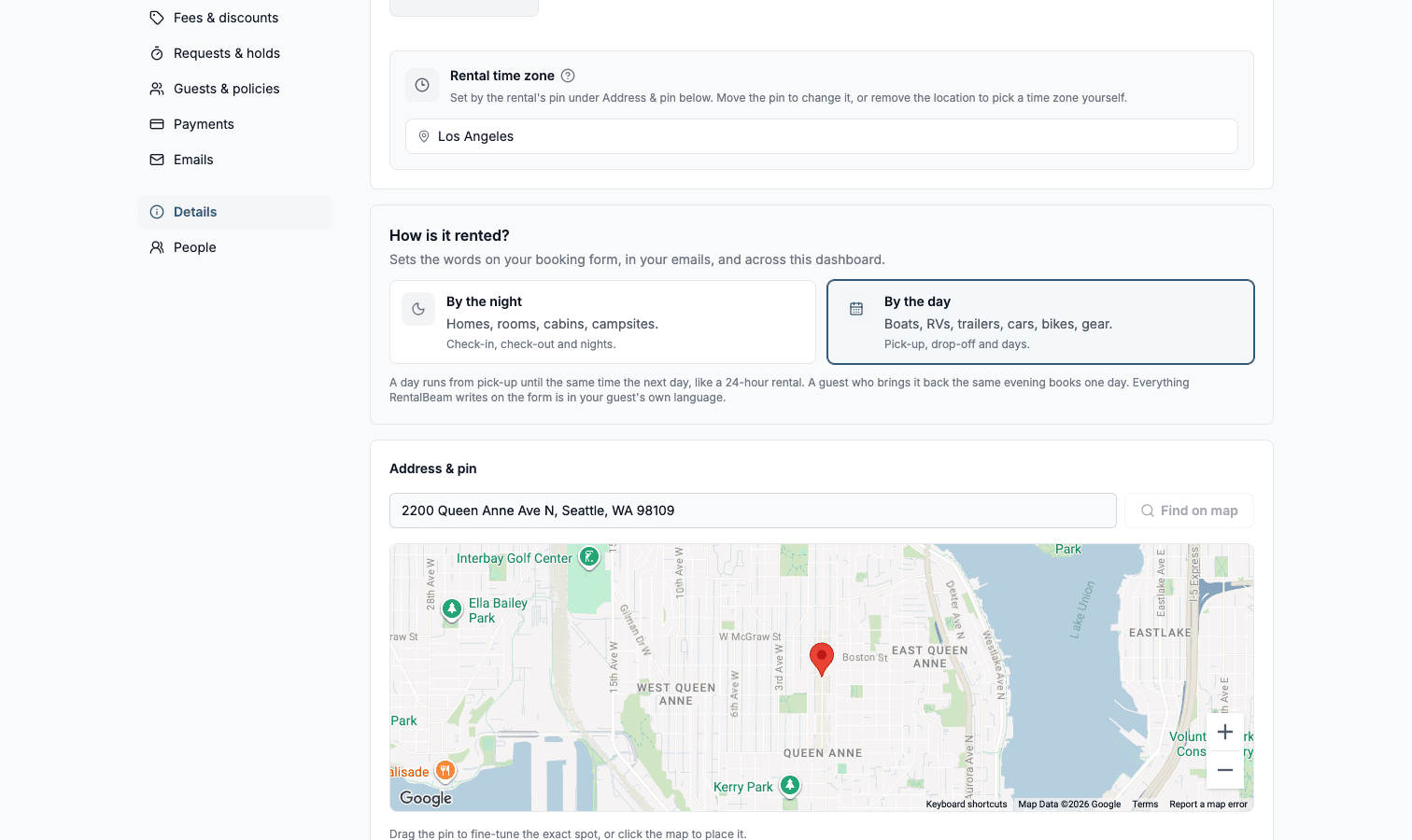
What changes on a rental by the day
RentalBeam's own words change everywhere at once: the booking form in all 25 languages, your guest and host emails, the review link you open, the guest's payment page, the bookings inbox, the booking detail, your payment documents, and the labels in the rental's booking sections.
| By the night | By the day | |
|---|---|---|
| Date labels | Check-in and check-out | Pick-up and drop-off |
| What is counted | Nights ("3 nights") | Days ("3 days") |
| Guest count, when bookings are first set up | Asked | Not asked (Max total guests starts at 1) |
| Calendar prompt | Select your check-in date | Select your pick-up date |
Asking how many guests are coming
The booking form asks how many guests are coming only when there is something to choose. That follows Max total guests in the rental's Guests & policies section: set it to 1 and the form doesn't ask, because one person is all there is. A rental by the day starts at 1. A boat or RV that should know who is on board sets its real maximum and the guest counter appears, with the pick-up and drop-off words kept.
At a maximum of 1, every booking is for one person, per-guest fees are charged once, and no guest line appears in your emails, the review page, the payment page, or the inbox. Custom fields still work the same way, so a Pro form can ask for a tow vehicle, a hitch class, and a license, and take a photo ID upload of up to 3 files per field at 10 MB each.
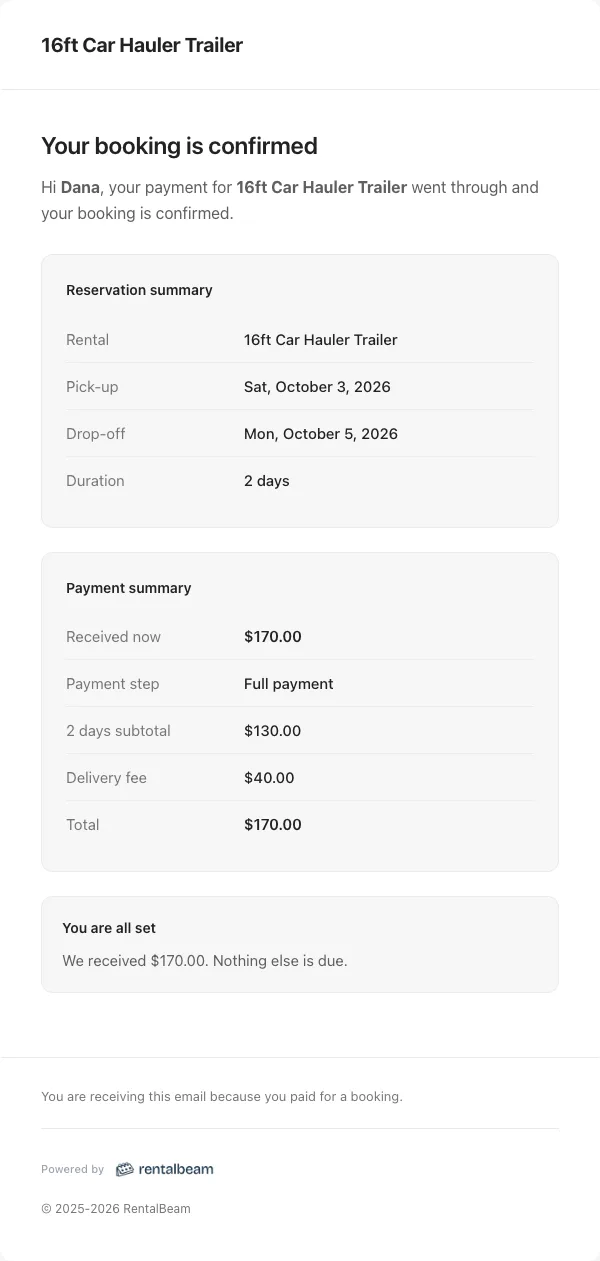
How a rental day is counted
A day runs 24 hours from pick-up, the period the vehicle rental industry bills in. Pick up on Monday and drop off by the same time Tuesday and that is one day. A renter who brings the trailer back the same evening books one day and returns it early. Booking Monday to Thursday is three days, priced the same way three nights would be.
Hourly rentals, time slots, and a booking that ends on the day it starts are not supported. Every booking covers at least one day. If you need to know what time someone plans to collect, add a time custom field to the form and read it with the request.
Collections that mix both
A collection shows several of your rentals in one widget. It says pick-up and drop-off only when every member is rented by the day, so a trailer company's collection says pick-up throughout. Mix a cabin into that collection and the shared picker falls back to check-in and check-out, while each member's own booking form still speaks its own kind.
Changing your mind
You can change either one at any time, and it takes effect on the next form load. Switching between by the night and by the day changes the words and nothing else. Lowering Max total guests to 1 leaves your other guest settings alone, so raising it again brings back the counters, age bands, and limits exactly as they were. Bookings already taken keep their dates and their totals.
The three booking types are chosen in Booking type, under the rental's Booking settings, and work the same either way. See Booking types.