

Exporting your calendar
Share a combined RentalBeam iCal feed with the platforms and calendar apps that support import.
Get your export URL
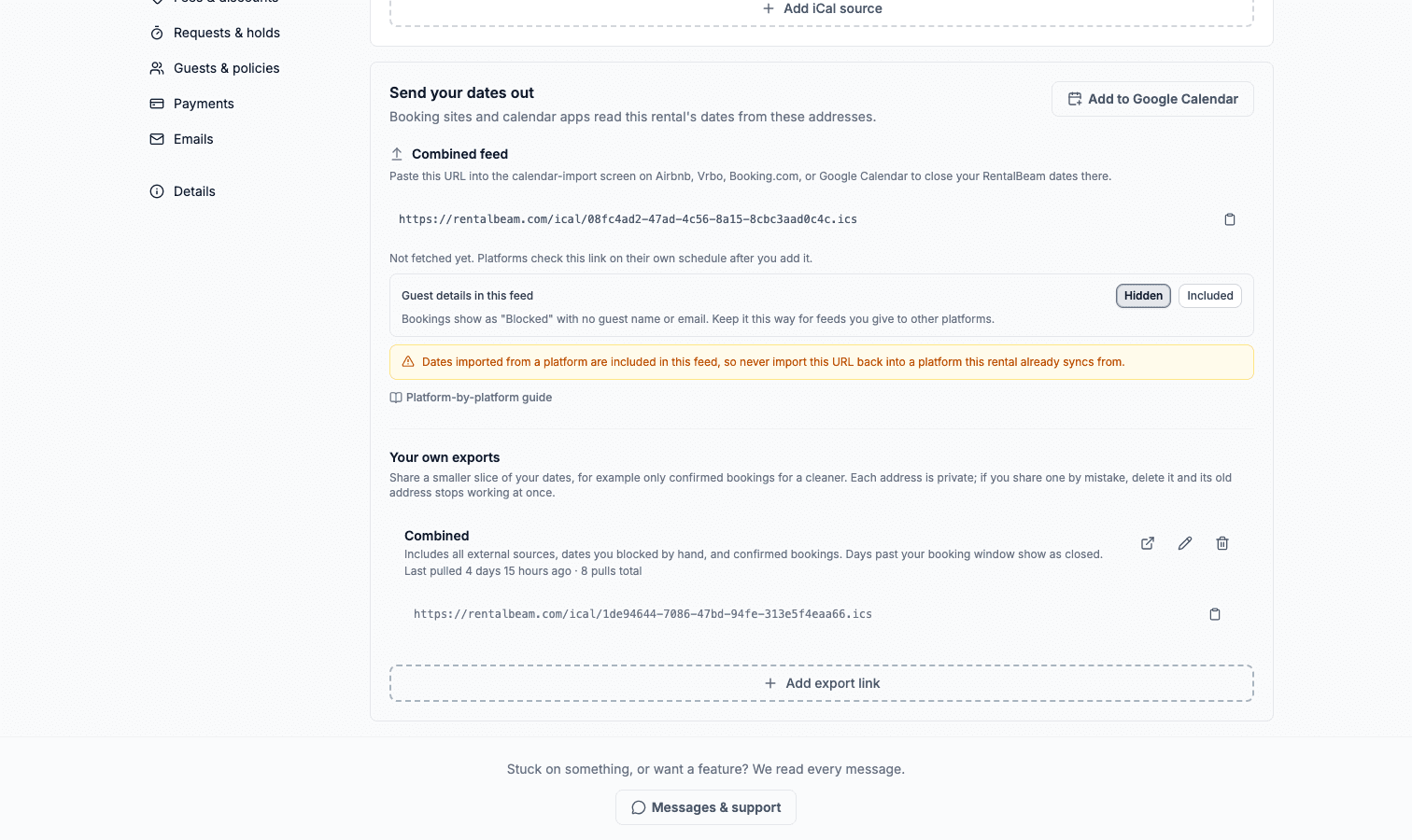
Open the rental from the Rentals tab, choose Booking sites, and copy the URL in the Combined Feed section. One feed combines your confirmed bookings, held requests, your manually blocked dates, and every connected source, so it is your full availability. Days you opened on Dates & prices are left out of it. iCal export requires a Plus or Pro plan.
Guest details are private by default
Bookings in the feed show as Blocked with no guest name, email, or guest count. Keep it that way for any feed you give to another platform. If you subscribe to the feed from your own private calendar and want to see who is arriving, switch Guest details in this link to Included. Just remember that every platform holding the URL receives the same details.
With details included, each event carries its own name, so you can tell the days apart:
| Kind of day | Event name in your calendar |
|---|---|
| A booking | The guest's name |
| A cleaning or turnover day | Prep time |
| Days held back for your minimum lead time | Advance notice |
| Days beyond how far ahead you take bookings | Booking window |
| A date you closed by hand | Closed |
Platforms like Airbnb and Vrbo read only the dates, not these names. They simply see the days as unavailable.
Add it on each platform
Airbnb: open your listing's Calendar, then Availability settings, find Connect calendars (sometimes shown as "Import calendar"), paste the URL, and give it a name like "My website".
Vrbo: in your dashboard open Calendar, choose Reservations and import (or "Import calendar"), paste the URL, and save.
Booking.com: in the Extranet open Rates & Availability, then Sync calendars, choose Add calendar connection, and paste the URL.
Google Calendar: the fastest way is the Google Calendar option in the More menu on the rental's page, which subscribes your own calendar in one click to a personal My Calendar feed: guest names and details included, since that one is for your eyes. Manually: in Google Calendar choose Other calendars, then From URL and paste any feed address.
Custom exports
Add a RentalBeam link, under More RentalBeam links in the rental's Booking sites, builds extra feeds with their own settings: include only certain sources, only confirmed bookings, or different privacy. Each custom feed gets its own private URL. If you ever share a link by mistake, delete that export and create a new one. The old address stops working the moment it is deleted.